ConfiguringtheEthernetSettings
D-Link UnifiedAccessPointAdministrator’sGuide
November2011 Page25
UnifiedAccessPointAdministrator’sGuide
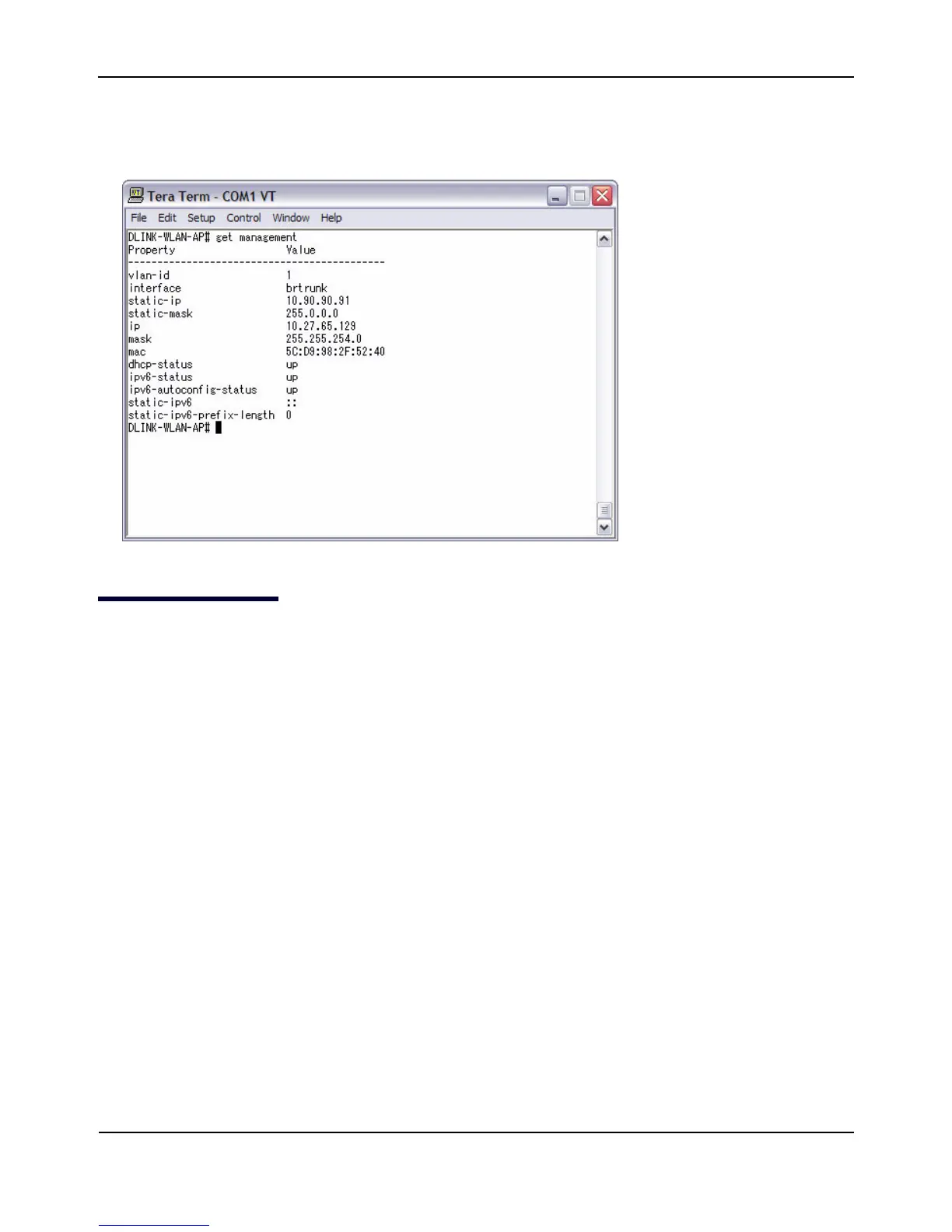
4. Attheloginprompt,entergetmanagement.
Informationsimilartothefollowingprintstothescreen.
ConfiguringtheEthernetSettings
ThedefaultEthernetsettings,whichincludeDHCPandVLANinformation,mightnotworkforallnetworks.
Bydefault,theDHCPclientontheUAPautomaticallybroadcastsrequestsfornetworkinformation.Ifyouwant
touseastaticIPaddress,youmustdisabletheDHCPclientandmanuallyconfiguretheIPaddress
andother
networkinformation.
ThemanagementVLANisVLAN1bydefault.ThisVLANisalsothedefaultuntaggedVLAN.Ifyoualreadyhave
amanagementVLANconfiguredonyournetworkwithadifferentVLANID,youmustchangetheVLANIDof
themanagementVLANontheaccesspoint.
For
informationaboutusingtheWebinterfacetoconfiguretheEthernetsettings,see“EthernetSettings”on
page51.YoucanalsousetheCLItoconfiguretheEthernetsettings,whichthefollowingsectiondescribes.














 To Next Page