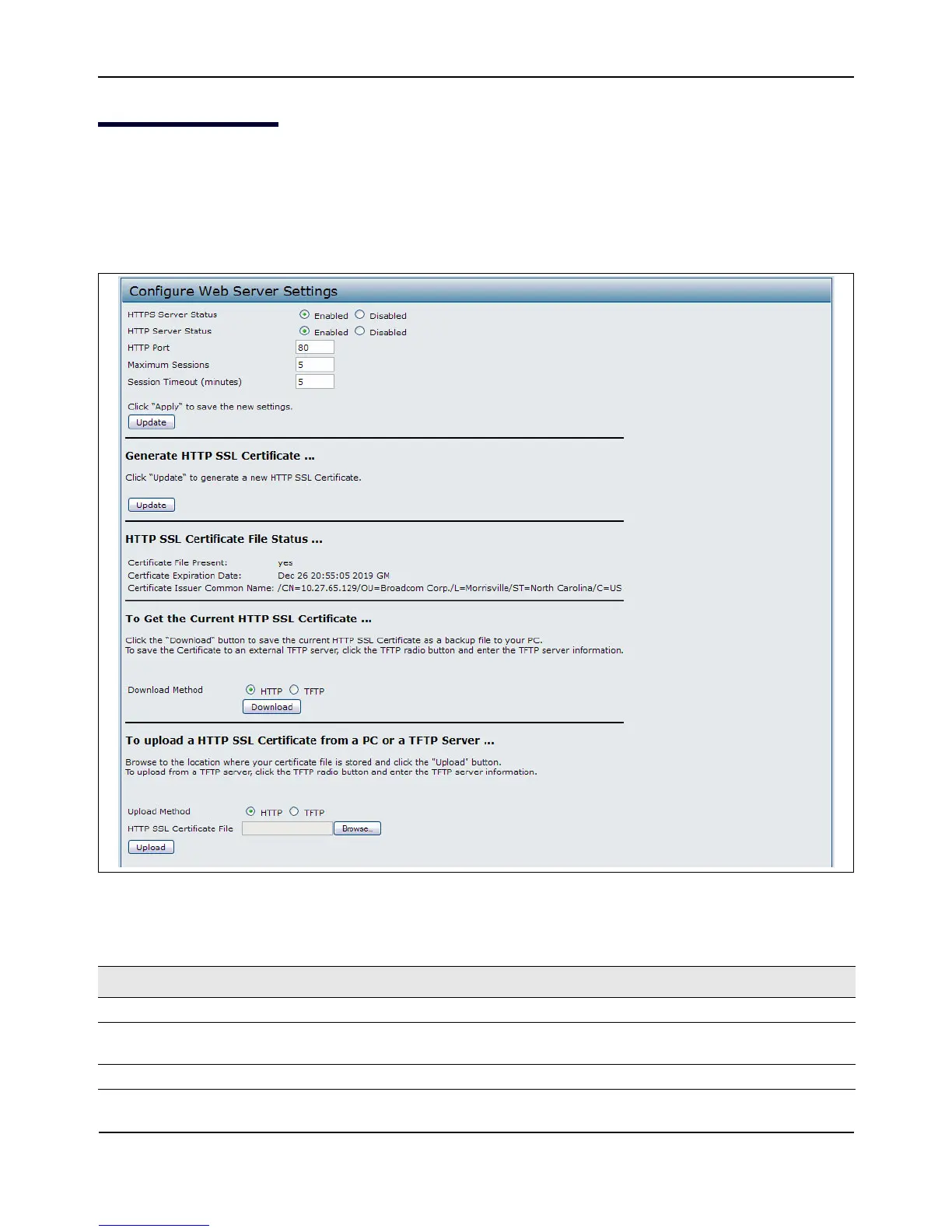
WebServerSettings
D-Link UnifiedAccessPointAdministrator’sGuide
November2011 Page99
UnifiedAccessPointAdministrator’sGuide
WebServerSettings
TheAPcanbemanagedthroughHTTPorsecureHTTP(HTTPS)sessions.BydefaultbothHTTPandHTTPS
accessareenabled.Eitheraccesstypecanbedisabledseparately.
ToconfigureWebserversettings,clickWebServertab.
Figure28:ConfiguringWebServerSettings
Table37:WebServerSettings
Field Description
HTTPSServerStatus EnableordisableaccessthroughaSecureHTTPServer(HTTPS).
HTTPServerStatus EnableordisableaccessthroughHTTP.ThissettingisindependentoftheHTTPSserver
statussetting.
HTTPPort SpecifytheportnumberforHTTPtraffic(defaultis80).














 To Next Page