CreatingaManagementAccessControlList
D-Link UnifiedAccessPointAdministrator’sGuide
November2011 Page94
UnifiedAccessPointAdministrator’sGuide
CreatingaManagementAccessControlList
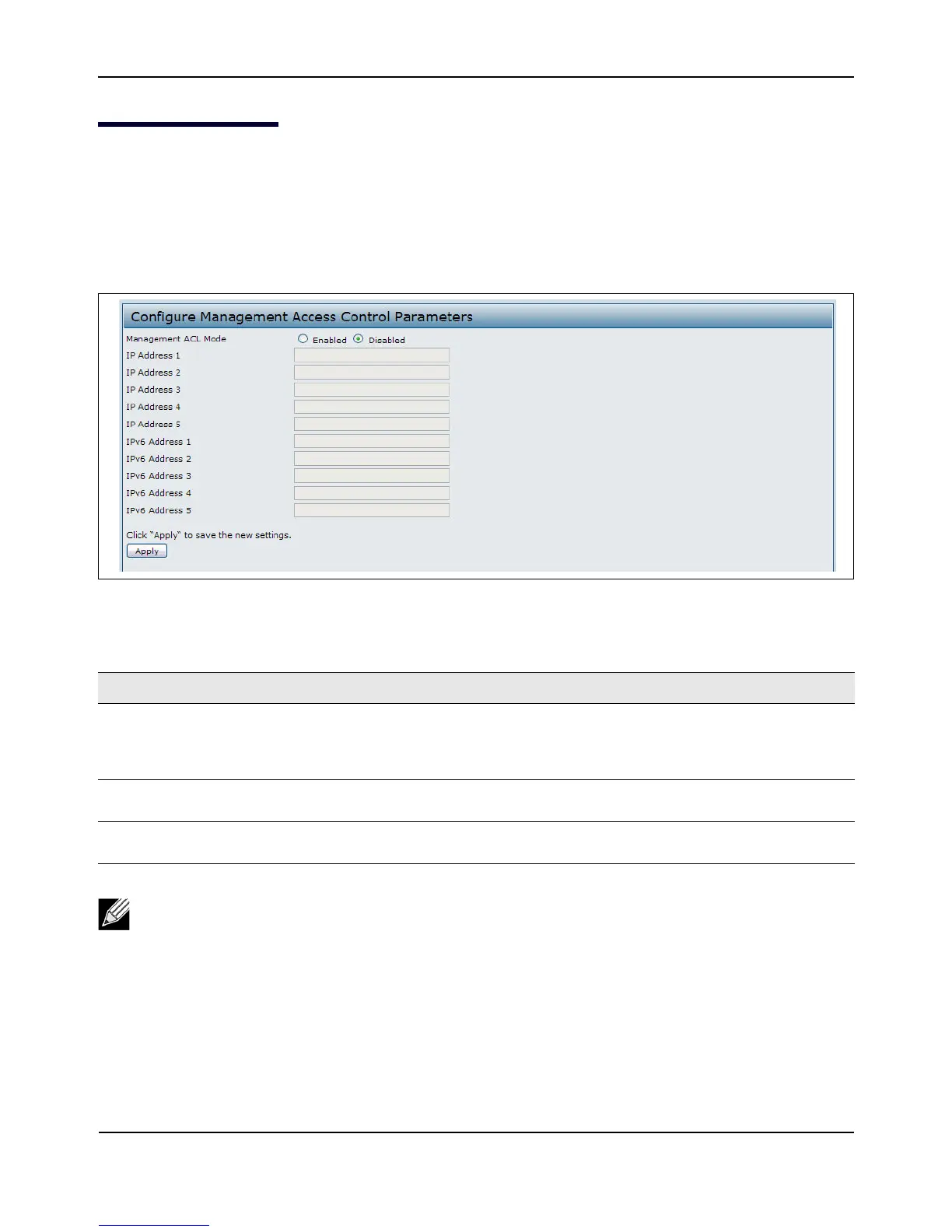
Youcancreateanaccesscontrollist(ACL)thatlistsuptofiveIPv4hostsandfiveIPv6hoststhatar eauthorized
toaccesstheAPmanagementinterface.Ifthisfeatureisdisabled,anyonecanaccessthemanagement
interfacefromanynetworkclientbysupplying thecorrectAPusernameandpassword.
Tocreateanaccesslist,clicktheManagementACLtab.
Figure26:ManagementACL
Table35:ManagementACL
Field Description
ManagementACLMode EnableordisablethemanagementACLfeature.AtleastoneIPv4orIPv6address
shouldbeconfiguredbeforeenablingManagementACLMode.Ifenabled,only
theIPaddressesyouspecifywillhaveWeb,Telnet,SSH,andSNMPaccesstothe
managementinterface.
IPAddress(1–5) Enterup
tofiveIPv4addressesthatareallowedmanagementaccesstotheAP.Use
dotted‐decimalformat(forexample,192.168.10.10).
IPv6Address(1–5) EnteruptofiveIPv6addressesthatareallowedmanagementaccesstotheAP.Use
thestandardIPv6addressformat(forexample2001:0db8:1234::abcd).
Note:Afteryouconfigurethesettings,clickApplytoapplythechangesandtosavethesettings.














 To Next Page