FRONT P4
MTG HAIR
MOUNTING RAI
CHASSIS
6.4 CHASSIS INSTALLATION
A small ECLIPSE MV/7800 system can reside in the CPU chassis. A larger system requires the use of both the
CPU chassis and an optional expansion chassis. Each of the chassis will be installed in a 19-inch NEMA rack,
such as the DGC meter-high cabinet (model 1605/1606). This subsection describes the installation of the CPU
into any 19-inch rack. Installation of the expansion chassis is described in Section 6 of the expansion chassis
technical documentation.
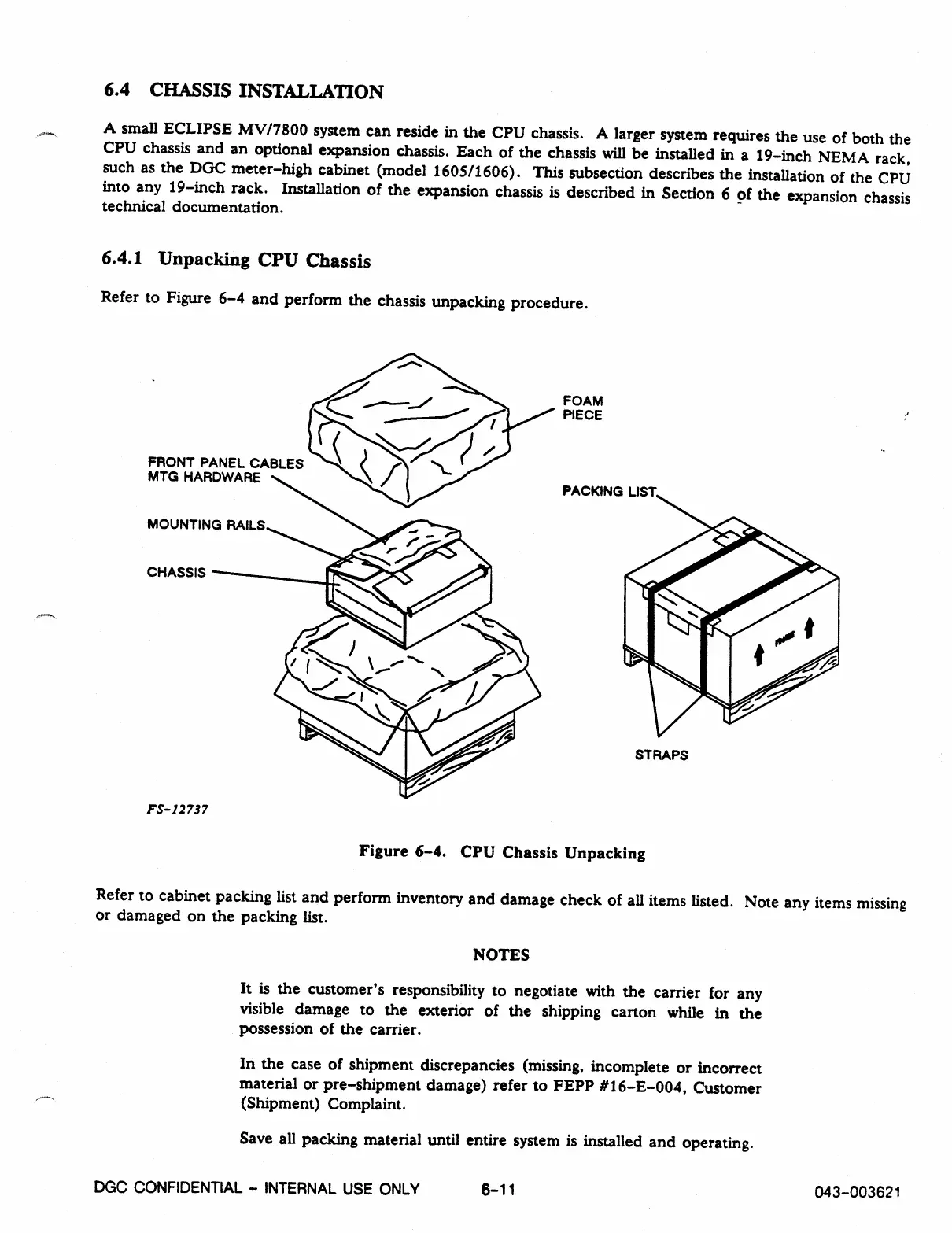
6.4.1 Unpacking CPU Chassis
Refer to Figure 6-4 and perform the chassis unpacking procedure.
FS-12737
FOAM
PIECE
panicimn
I !CT
STRAPS
Figure 6-4. CPU Chassis Unpacking
Refer to cabinet packing list and perform inventory and damage check of all items listed. Note any items missing
or damaged on the packing list.
NOTES
It is the customer's responsibility to negotiate with the carrier for any
visible damage to the exterior of the shipping carton while in the
possession of the carrier.
In the case of shipment discrepancies (missing, incomplete or incorrect
material or pre-shipment damage) refer to FEPP #16-E-004, Customer
(Shipment) Complaint.
Save all packing material until entire system is installed and operating.
DGC CONFIDENTIAL - INTERNAL USE ONLY
6-11
043-003621



 To Next Page