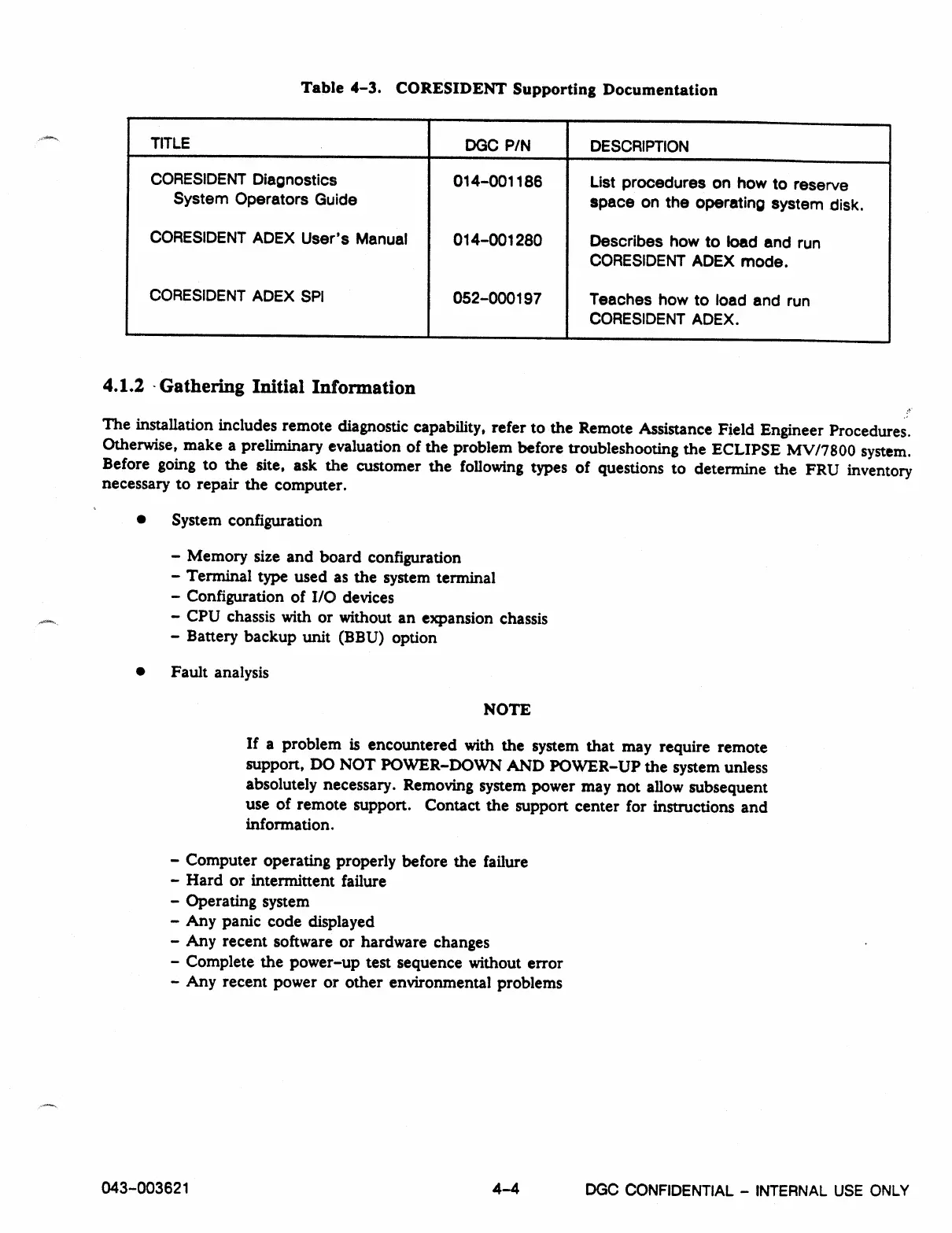
Table 4-3. CORESIDENT Supporting Documentation
TITLE
DGC P/N
DESCRIPTION
CORESIDENT Diagnostics
014-001186
List procedures on how to reserve
System Operators Guide
space on the operating system disk.
CORESIDENT ADEX User's Manual
014-001280
Describes how to load and run
CORESIDENT ADEX mode.
CORESIDENT ADEX SPI
052-000197
Teaches how to load and run
CORESIDENT ADEX.
4.1.2 • Gathering Initial Information
The installation includes remote diagnostic capability, refer to the Remote Assistance Field Engineer Procedures.
Otherwise, make a preliminary evaluation of the problem before troubleshooting the ECLIPSE MV/7800 system.
Before going to the site, ask the customer the following types of questions to determine the FRU inventory
necessary to repair the computer.
•
System configuration
-
Memory size and board configuration
-
Terminal type used as the system terminal
-
Configuration of I/O devices
-
CPU chassis with or without an expansion chassis
-
Battery backup unit (BBU) option
•
Fault analysis
NOTE
If a problem is encountered with the system that may require remote
support, DO NOT POWER-DOWN AND POWER-UP the system unless
absolutely necessary. Removing system power may not allow subsequent
use of remote support. Contact the support center for instructions and
information.
-
Computer operating properly before the failure
-
Hard or intermittent failure
-
Operating system
-
Any panic code displayed
-
Any recent software or hardware changes
- Complete the power-up test sequence without error
- Any recent power or other environmental problems
043-003621
4-4
DGC CONFIDENTIAL -
INTERNAL USE ONLY



 To Next Page