REAR
FRONT
4 SWITCHES
A
PI
FS-12714
:DS
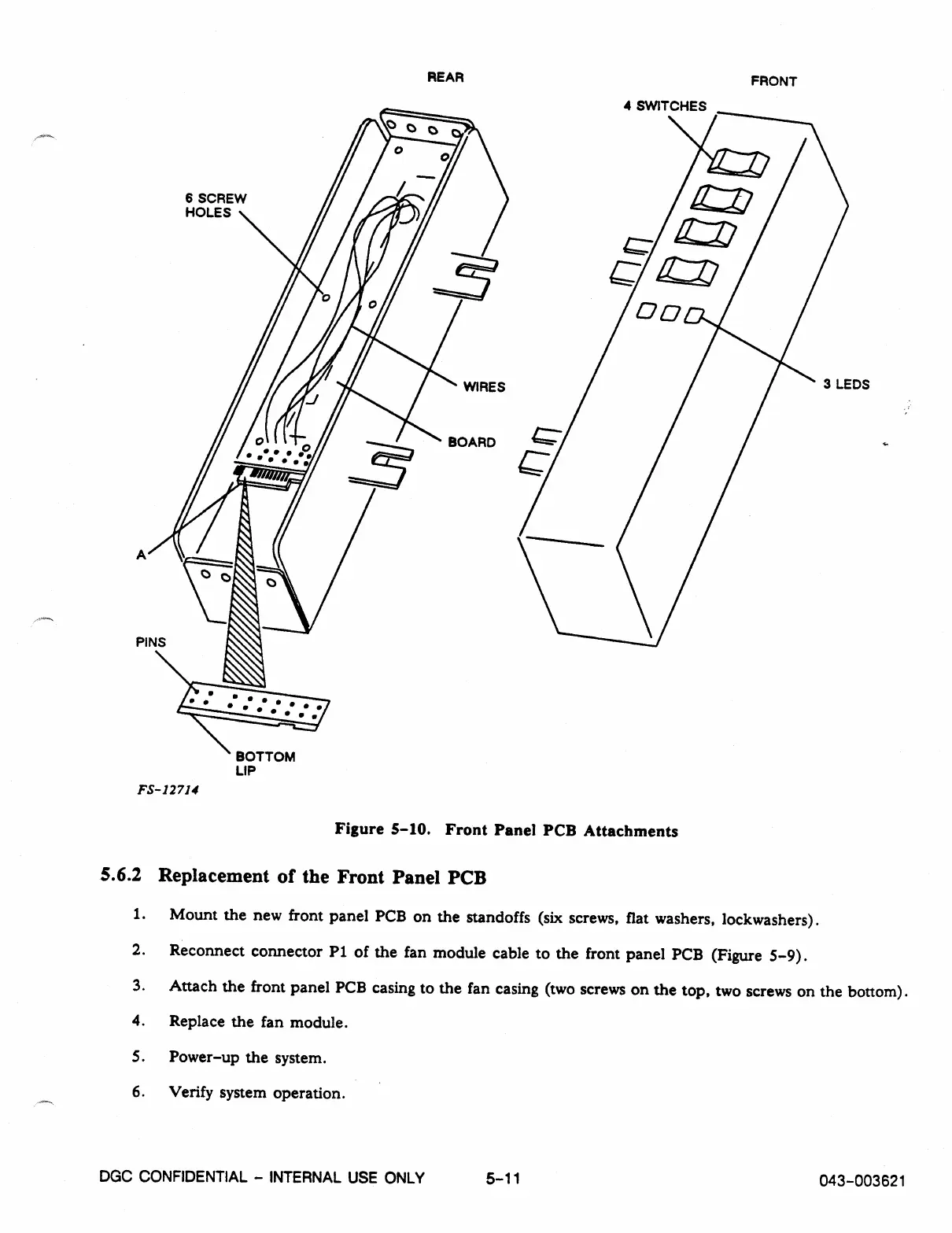
Figure 5-10. Front Panel PCB Attachments
5.6.2 Replacement of the Front Panel PCB
1.
Mount the new front panel PCB on the standoffs (six screws, flat washers, lockwashers).
2.
Reconnect connector P1 of the fan module cable to the front panel PCB (Figure 5-9).
3.
Attach the front panel PCB casing to the fan casing (two screws on the top, two screws on the bottom).
4.
Replace the fan module.
5.
Power-up the system.
6.
Verify system operation.
DGC CONFIDENTIAL - INTERNAL USE ONLY
5-11
043-003621



 To Next Page