6.7 AUTOMATIC LOADING
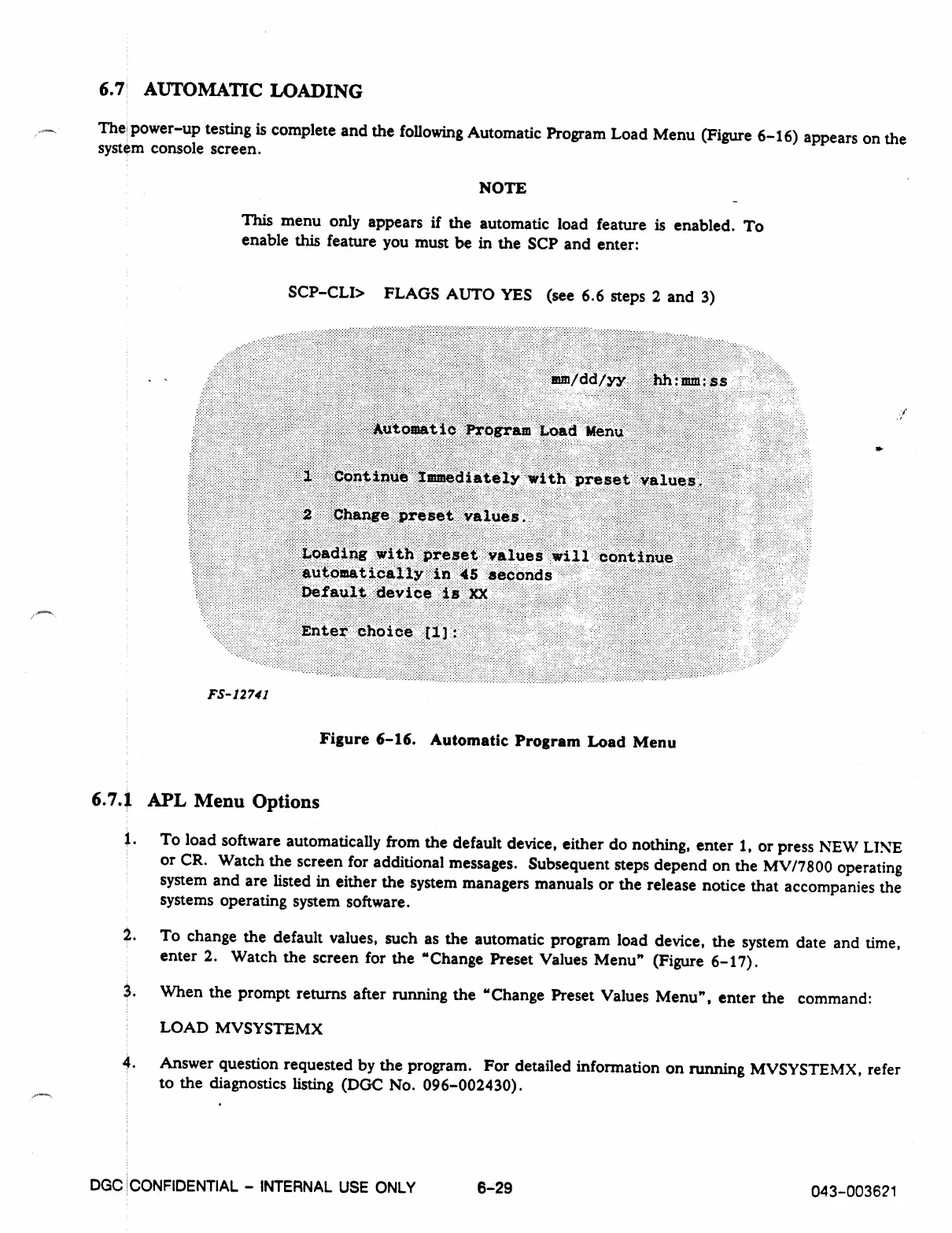
The power-up testing is complete and the following Automatic Program Load Menu (Figure 6-16) appears on the
system console screen.
NOTE
This menu only appears if the automatic load feature is enabled. To
enable this feature you must be in the SCP and enter:
SCP-CLI> FLAGS AUTO YES (see 6.6 steps 2 and 3)
FS-12741
Figure 6-16. Automatic Program Load Menu
6.7.1 APL Menu Options
1.
To load software automatically from the default device, either do nothing, enter 1, or press NEW LINE
or CR. Watch the screen for additional messages. Subsequent steps depend on the MV/7800 operating
system and are listed in either the system managers manuals or the release notice that accompanies the
systems operating system software.
2.
To change the default values, such as the automatic program load device, the system date and time,
enter 2. Watch the screen for the "Change Preset Values Menu" (Figure 6-17).
3.
When the prompt returns after running the "Change Preset Values Menu", enter the command:
LOAD MVSYSTEMX
4.
Answer question requested by the program. For detailed information on running MVSYSTEMX, refer
to the diagnostics listing (DGC No. 096-002430).
DGC CONFIDENTIAL - INTERNAL USE ONLY
6-29
043-003621



 To Next Page