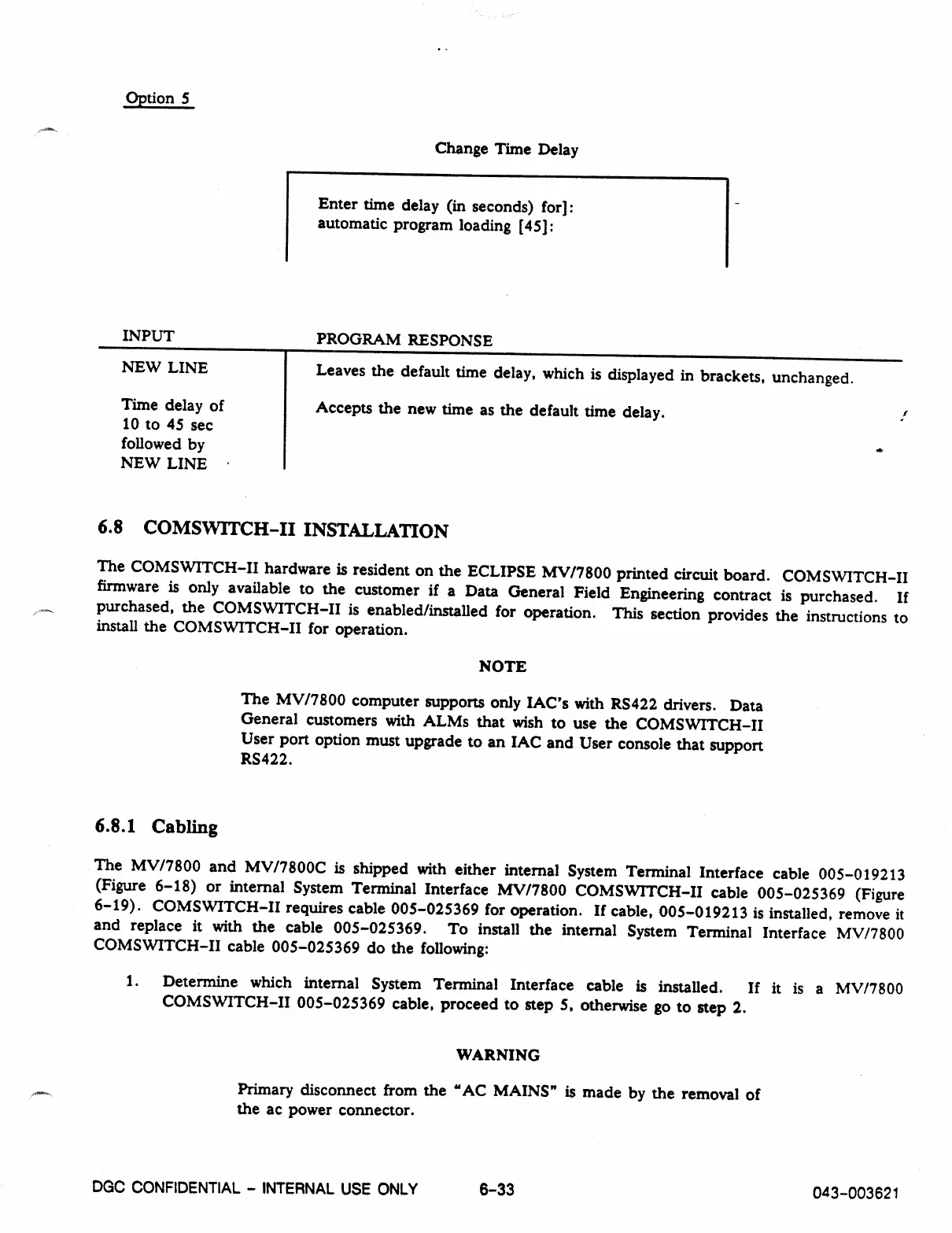
Option 5
Change Time Delay
Enter time delay (in seconds) for]:
automatic program loading [45]:
INPUT
PROGRAM RESPONSE
NEW LINE
Leaves the default time delay, which is displayed in brackets, unchanged.
Time delay of
Accepts the new time as the default time delay.
10 to 45 sec
followed by
NEW LINE •
6.8 COMSWITCH-II INSTALLATION
The COMSWITCH-II hardware is resident on the ECLIPSE MV/7800 printed circuit board. COMSWITCH-II
firmware is only available to the customer if a Data General Field Engineering contract is purchased. If
purchased, the COMSWITCH-II is enabled/installed for operation. This section provides the instructions to
install the COMSWITCH-H for operation.
NOTE
The MV/7800 computer supports only IAC's with RS422 drivers. Data
General customers with ALMs that wish to use the COMSWITCH-H
User port option must upgrade to an IAC and User console that support
RS422.
6.8.1 Cabling
The MV/7800 and MV/7800C is shipped with either internal System Terminal Interface cable 005-019213
(Figure 6-18) or internal System Terminal Interface MV/7800 COMSVVITCH-II cable 005-025369 (Figure
6-19). COMSWITCH-II requires cable 005-025369 for operation. If cable, 005-019213 is installed, remove it
and replace it with the cable 005-025369. To install the internal System Terminal Interface MV/7800
COMSWITCH-II cable 005-025369 do the following:
1. Determine which internal System Terminal Interface cable is installed. If it is a MV/7800
COMSWITCH-II 005-025369 cable, proceed to step 5, otherwise go to step 2.
WARNING
Primary disconnect from the "AC MAINS" is made by the removal of
the ac power connector.
DGC CONFIDENTIAL - INTERNAL USE ONLY
6
-
33
043-003621



 To Next Page