Table 4-5. Device Codes
CODE
DEVICE TYPE
24
Primary Winchester disk subsystem
64
Secondary Winchester disk subsystem
_
27
Primary removable pack disk subsystem
67
Secondary removeable pack disk subsystem
6.
If you only want to load microcode, select the appropriate menu option. After microcode is loaded,
select the menu option for entering the SCP (or SCP-OS), and continue to step 7 when SCP-CLI>
reappears.
7.
Rewind and remove the MV/7800 SYSTEM or MV ADEX tape. Load the operating system tape onto
the same drive. Make sure that the tape
is
at BOT and the drive is on-line.
8.
After SCP-CLI>, type: BOOT 22 and press NEW LINE or CR. Watch the screen for further messages.
If using a Data General operating system, refer to the startup procedures in the system managers
manuals or the release notice that accompanies the operating system software.
4.3.3 Automatic Loading
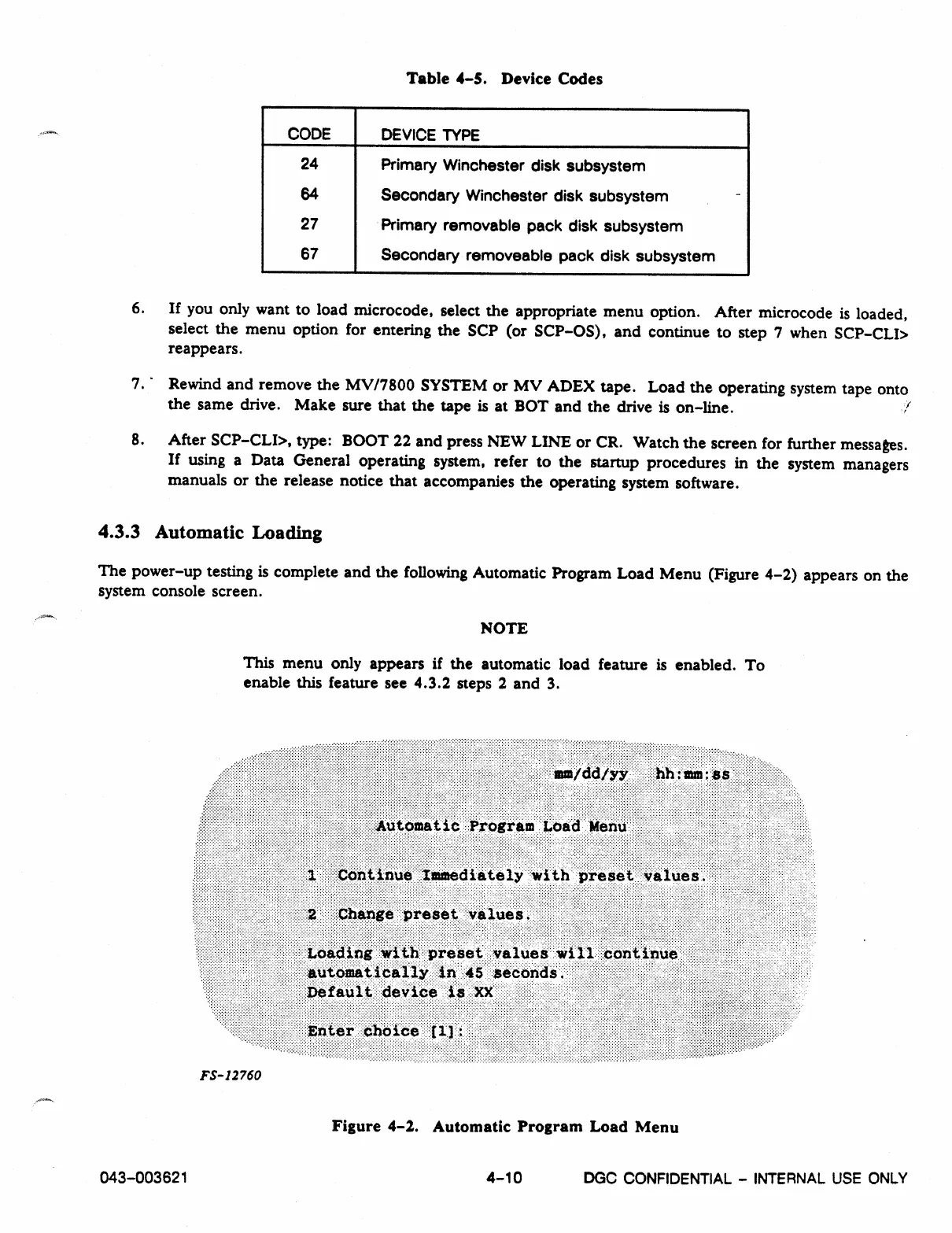
The power-up testing is complete and the following Automatic Program Load Menu (Figure 4-2) appears on the
system console screen.
NOTE
This menu only appears if the automatic load feature is enabled. To
enable this feature see 4.3.2 steps 2 and 3.
FS- 12760
Figure 4-2. Automatic Program Load Menu
043-003621
4-10
DGC CONFIDENTIAL - INTERNAL USE ONLY



 To Next Page