1.
To load software automatically from the default device, either do nothing, enter 1, or press NEW LINE
or CR. Watch the screen for additional messages. Subsequent steps depend on the MV/7800 operating
system and are listed in either the system managers manuals or the release notice that accompanies the
systems operating system software.
2.
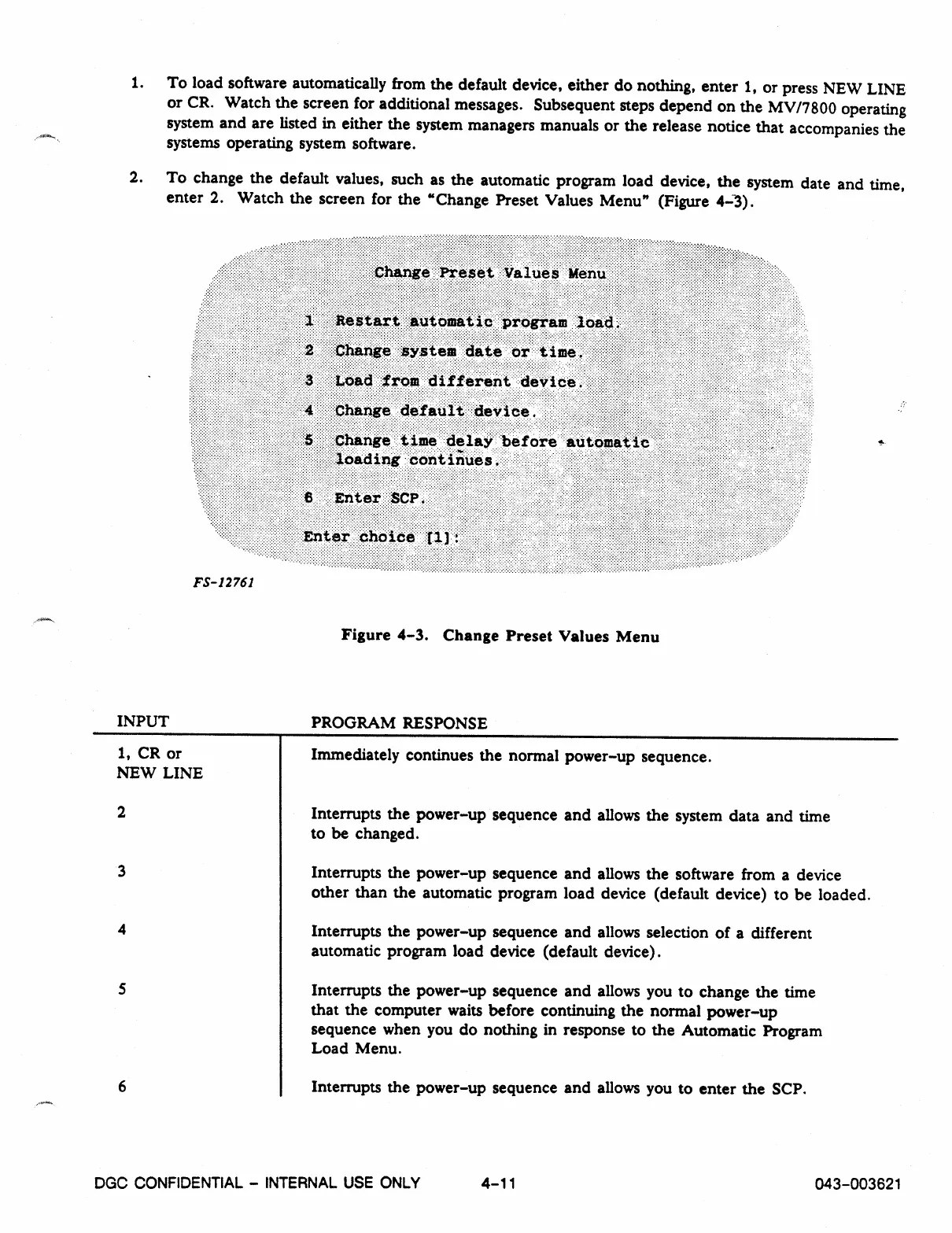
To change the default values, such as the automatic program load device, the system date and time,
enter 2. Watch the screen for the "Change Preset Values Menu" (Figure 4-1).
FS- 12761
Figure 4-3. Change Preset Values Menu
INPUT
1, CR or
NEW LINE
2
3
4
5
6
PROGRAM RESPONSE
Immediately continues the normal power-up sequence.
Interrupts the power-up sequence and allows the system data and time
to be changed.
Interrupts the power-up sequence and allows the software from a device
other than the automatic program load device (default device) to be loaded.
Interrupts the power-up sequence and allows selection of a different
automatic program load device (default device).
Interrupts the power-up sequence and allows you to change the time
that the computer waits before continuing the normal power-up
sequence when you do nothing in response to the Automatic Program
Load Menu.
Interrupts the power-up sequence and allows you to enter the SCP.
DGC CONFIDENTIAL - INTERNAL USE ONLY
4-11
043-003621



 To Next Page