I
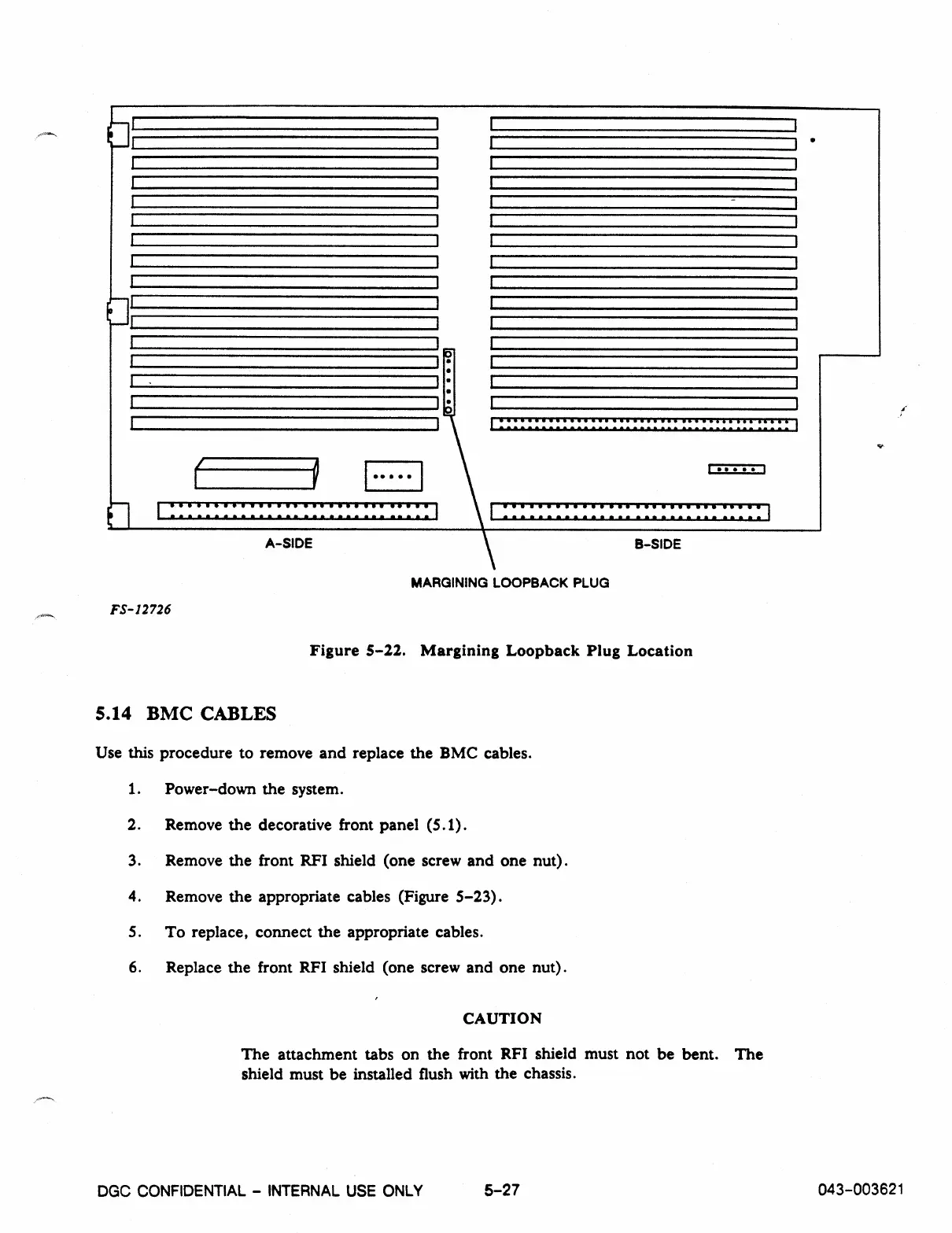
A-SIDE
B-SIDE
MARGINING LOOPBACK PLUG
FS
-
12726
Figure
5
-
22.
Margining Loopback Plug Location
5.14 BMC CABLES
Use this procedure to remove and replace the BMC cables.
1.
Power-down the system.
2.
Remove the decorative front panel (5.1).
3.
Remove the front RFI shield (one screw and one nut).
4.
Remove the appropriate cables (Figure 5-23).
5.
To replace, connect the appropriate cables.
6.
Replace the front RFI shield (one screw and one nut).
CAUTION
The attachment tabs on the front RFI shield must not be bent. The
shield must be installed flush with the chassis.
DGC CONFIDENTIAL - INTERNAL USE ONLY
5-27
043-003621



 To Next Page