6. Operation AUSTROMAT
®
664 iSiC
®
/ 674 baSiC
2
100 Operating Instructions (Version 03/2018)
7. Click on [Load].
(Press [ESC] to return to the Program Manager without loading the set.)
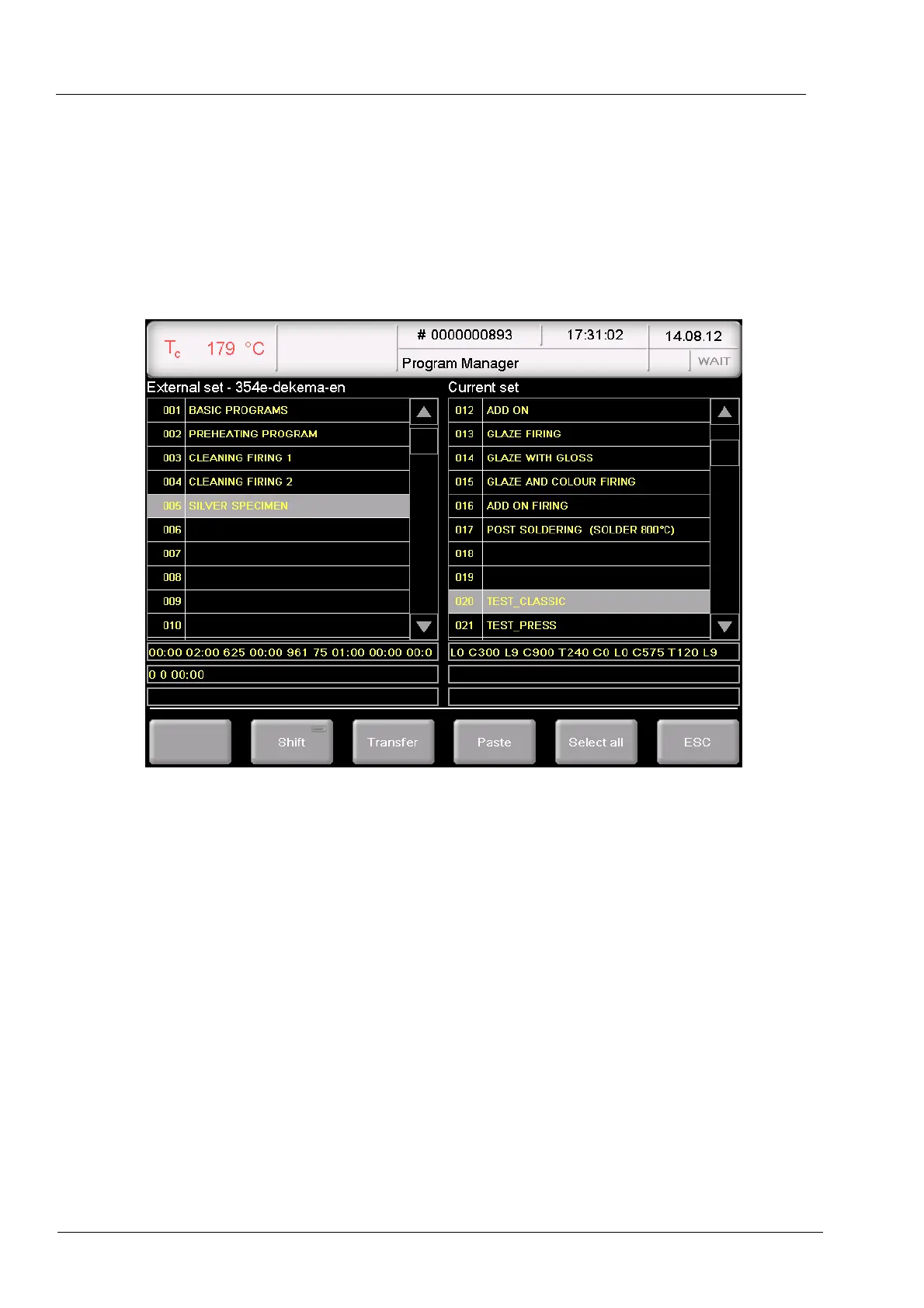
8. The Program Manager displays the "Load set" window.
• The left table “External sets” shows the firing programs of the selected sets,
• The right table (“Current set”) shows the firing programs of the set that is being loaded
to the control of the firing furnace (active).
• Double-click on a firing program in the current set to go directly to the firing program
input window.
Fig. 6-7 Program Manager > Compile firing programs
9. Select the desired firing program in the external set and click one of the following buttons:
[Shift] Corresponds to the Shift key on a keyboard. This allows you to
select associated blocks in the external set:
• Click the first desired program (beginning of the block),
• Press [Shift],
• Click the last desired program (end of the block).
All of the programs in the block are selected.
[Transfer] Copies the selected firing program of the external set to the same
program numbers of the current set. A query appears and asks if
you want to overwrite the existing programs in the current set.
Confirm the query to accept the firing programs.



 To Next Page