7. Maintenance and Service AUSTROMAT
®
664 iSiC
®
/ 674 baSiC
2
112 Operating Instructions (Version 03/2018)
7.2. Calibrate temperature
NOTE:
Before each maintenance and service task: Read section 2, Safety. In particular, be aware
of the hazards listed in section 2.4.
A number of f
a
ctors influence the temperature of the firing object. These can include: The color
and shape of the firing tray, or the number and type of firing objects. Other major influences can
be age-related effects such as heating element wear and changes to the thermoelectric
properties of the temperature sensor. We therefore recommend calibrating the temperature of
the firing furnace to adapt these factors and achieve the desired firing results. Calibrate the
temperature whenever the firing results are inconsistent and at least once annually. Calibration
is carried out by means of the calibration factor (CCF) . Observe the following instructions:
• For new furnaces, we recommend that you calibrate the temperature for the first time after
approximately six months.
• Make sure that the heating element and thermocouples are not damaged.
• Only use the DEKEMA calibration set that is for the specific furnace (part of the scope of
delivery). This consists of a PTC ring and a ring-specific calibration table.
• For calibration, always use the sinter plate!
• Make sure that the temperatures of all the firing programs are adjusted when the CCF
value changes. The firing temperatures of individual programs may have to be corrected.
Calibrating the temperature with the calibration set:
1. The firing furnace must be thoroughly preheated before calibrating.
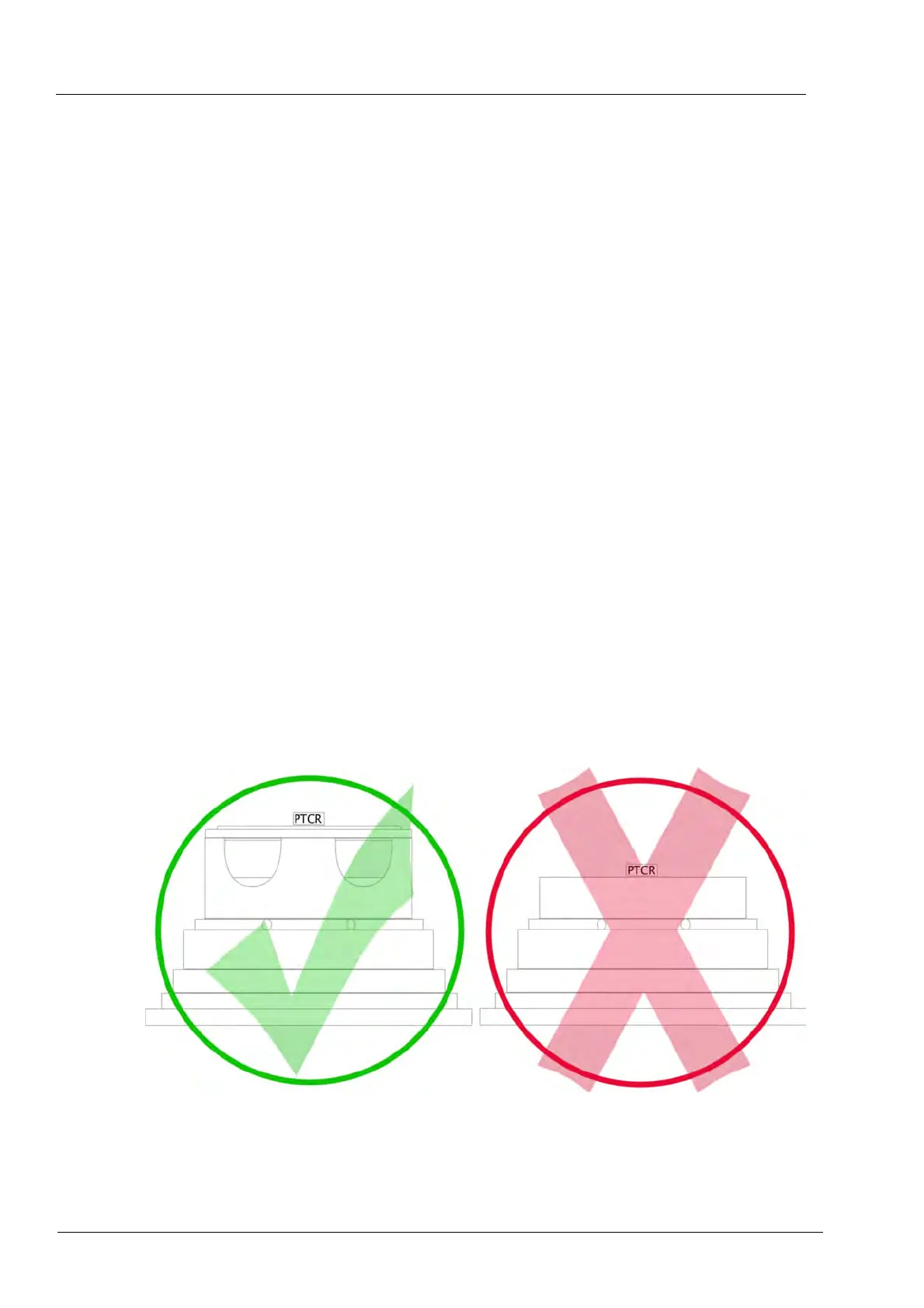
2. Place the PTC ring of the DEKEMA calibration set on the center of the sinter plate.
Fig. 7-1 Centering the PTC ring on the sinter plate. See also Fig. 6-1.
3. Start the temperature calibration program:
In the "Setup" menu, select the program "Temperature calibration", and press [Start] (see
section 5.8.3.4).



 To Next Page