AUSTROMAT
®
664 iSiC
®
/ 674 baSiC
2
4. Start-up
Operating Instructions (Version 03/2018) 35
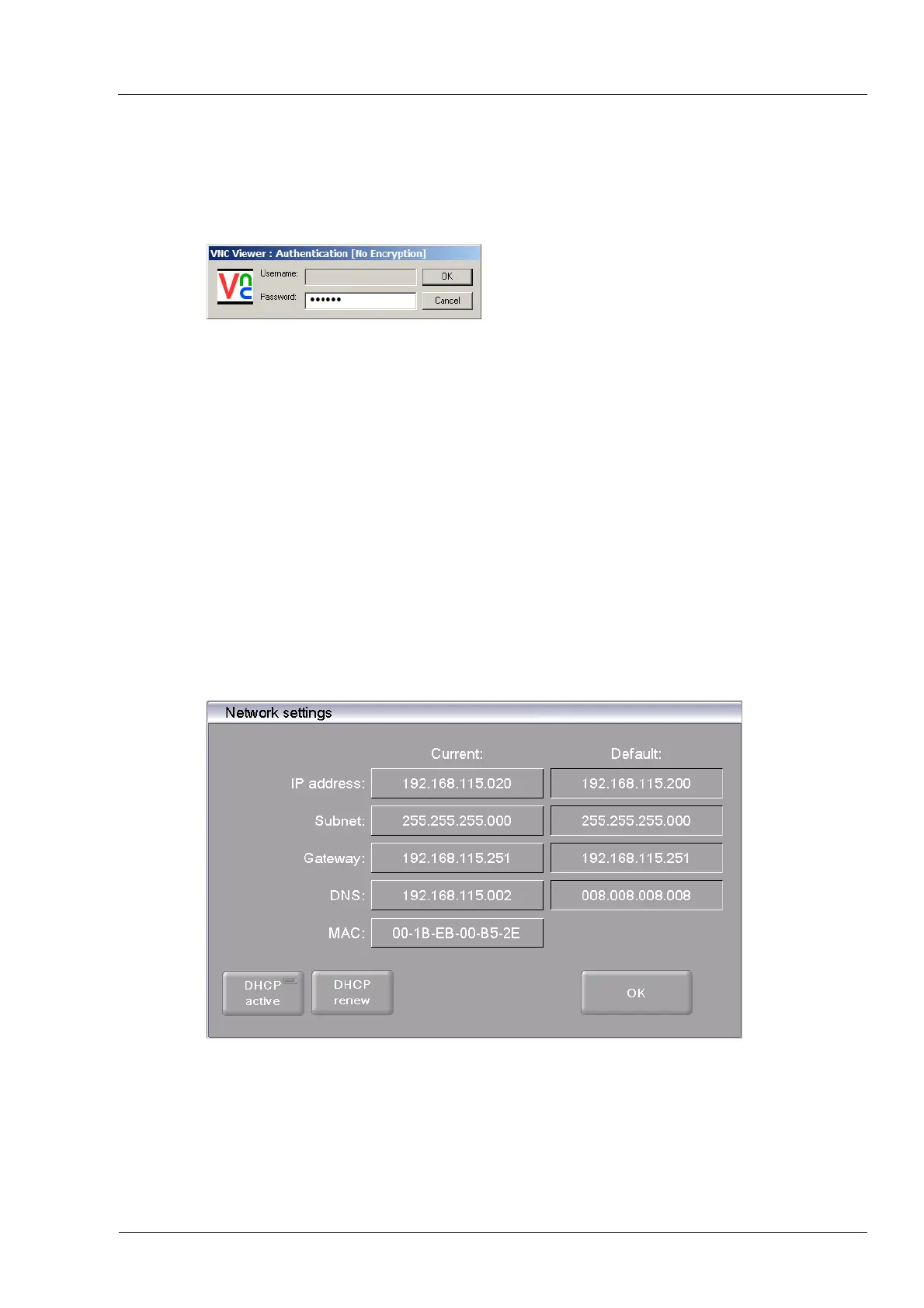
3. The logon window appears.
a. Enter the password in the “Password” entry line. The standard password is "DEKEMA".
b. Click on [OK].
Fig. 4-7 Login window
4. The Program Manager appears in the VNC window (see section 5.3).
Set up a permanent IP address for the firing furnace (see section 4.5.4).
4.5.4. Setting up a permanent IP address for the firing furnace
You can now operate the firing furnace using the VNC program. Depending on the network
settings, a different IP address can be used each time the unit is started. So that you do not
have to repeatedly find and enter the IP address, the firing furnace should be assigned a fixed
IP address in the network.
1. Contact your network administrator, and have him assign an IP address and subnet mask
and gateway address for the firing furnace.
2. In the "Setup" menu, open the "Network" function (> Setup > Network).
Fig. 4-8 Assign permanent IP address
3. Under "Default IP address", enter the IP address that was assigned to the firing furnace by
the network administrator.
4. Under "Default Subnet mask", enter the subnet mask that was assigned to the firing
furnace by the network administrator.



 To Next Page