AUSTROMAT
®
664 iSiC
®
/ 674 baSiC
2
4. Start-up
Operating Instructions (Version 03/2018) 33
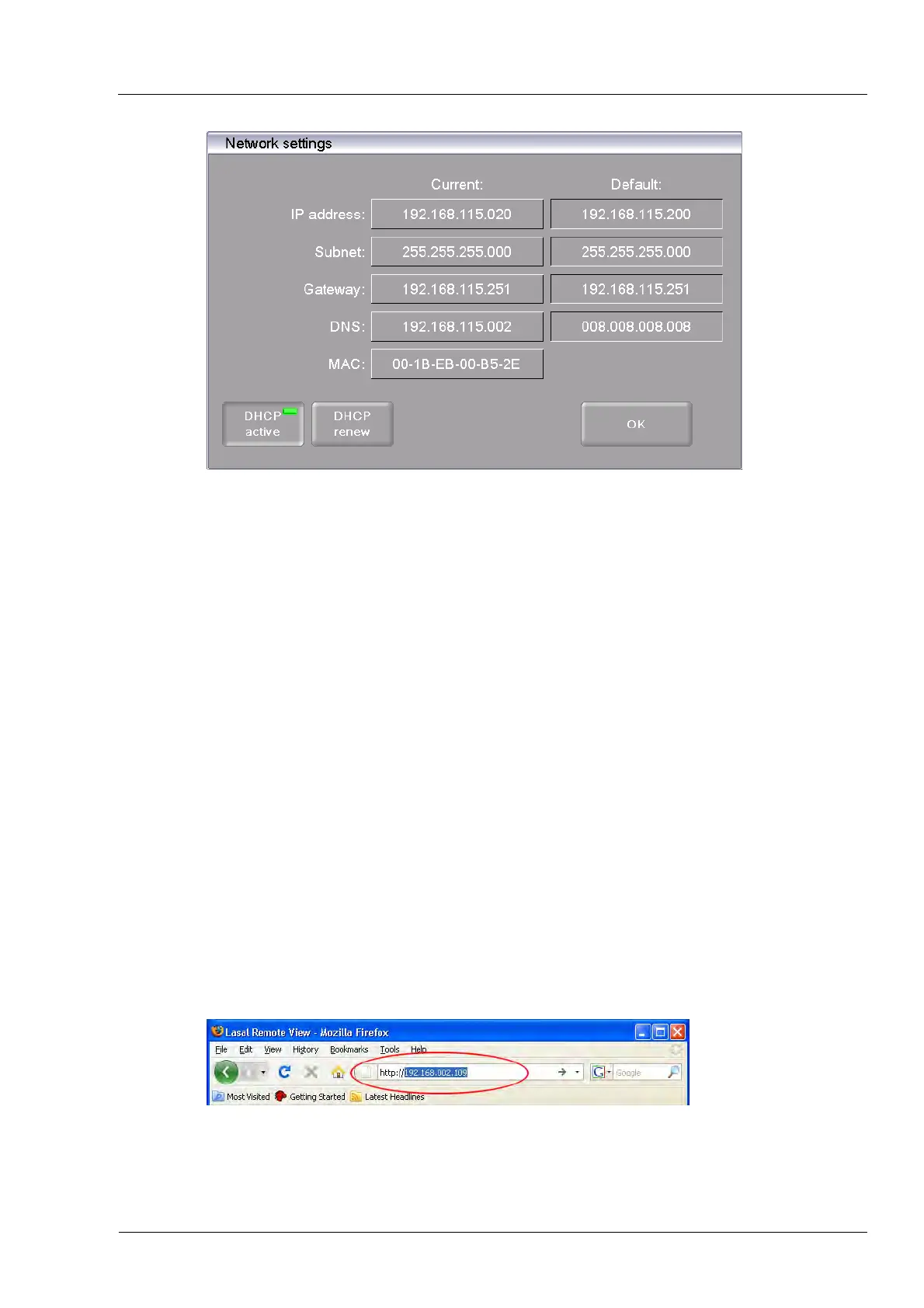
Fig. 4-3 Setup > Network
4. Click the button [DHCP]. Use the button to assign an IP address to the firing furnace from
you network server. An LED within the button indicates that the DHCP function is active.
5. Click on [OK]. A warning appears: "Changes active after restart". Confirm the message by
pressing [OK]. The message and "Network settings" window close.
6. Turn the furnace off and on. The control accepts the changed network settings, and the
firing furnace automatically searches an IP address in the Ethernet network.
7. After restarting, open the "Network settings" menu.
8. Write down the current IP address.
4.5.2. Setting up the operation of the firing furnace using a browser
NOTE:
To operate the firing furnace using the web interface, your browser must be Java-
capable, and the Java application must be activated.
1. Open a Java-capable browser on a computer network (such as Internet Explorer or Mozilla
Firefox).
2. In the address line of the browser, enter the recorded IP address ( "http://192.168.002.109"
in the following example), and press the Enter key.
Fig. 4-4 Enter the IP address in the browser (example)



 To Next Page