AUSTROMAT
®
664 iSiC
®
/ 674 baSiC
2
5. User interface
Operating Instructions (Version 03/2018) 81
5.8.4.2. Quality management (optional)
NOTE:
This functionality is available as an option.
• The options that are enabled for your firing furnace can be found in the menu
Setup > Furnace ID > Options (see section 5.8.2.1).
• You can find
information
on enabling options in section 7.6.
In the "Setup" menu, click the [Quality manag
ement] button. The following quality management
window appears.
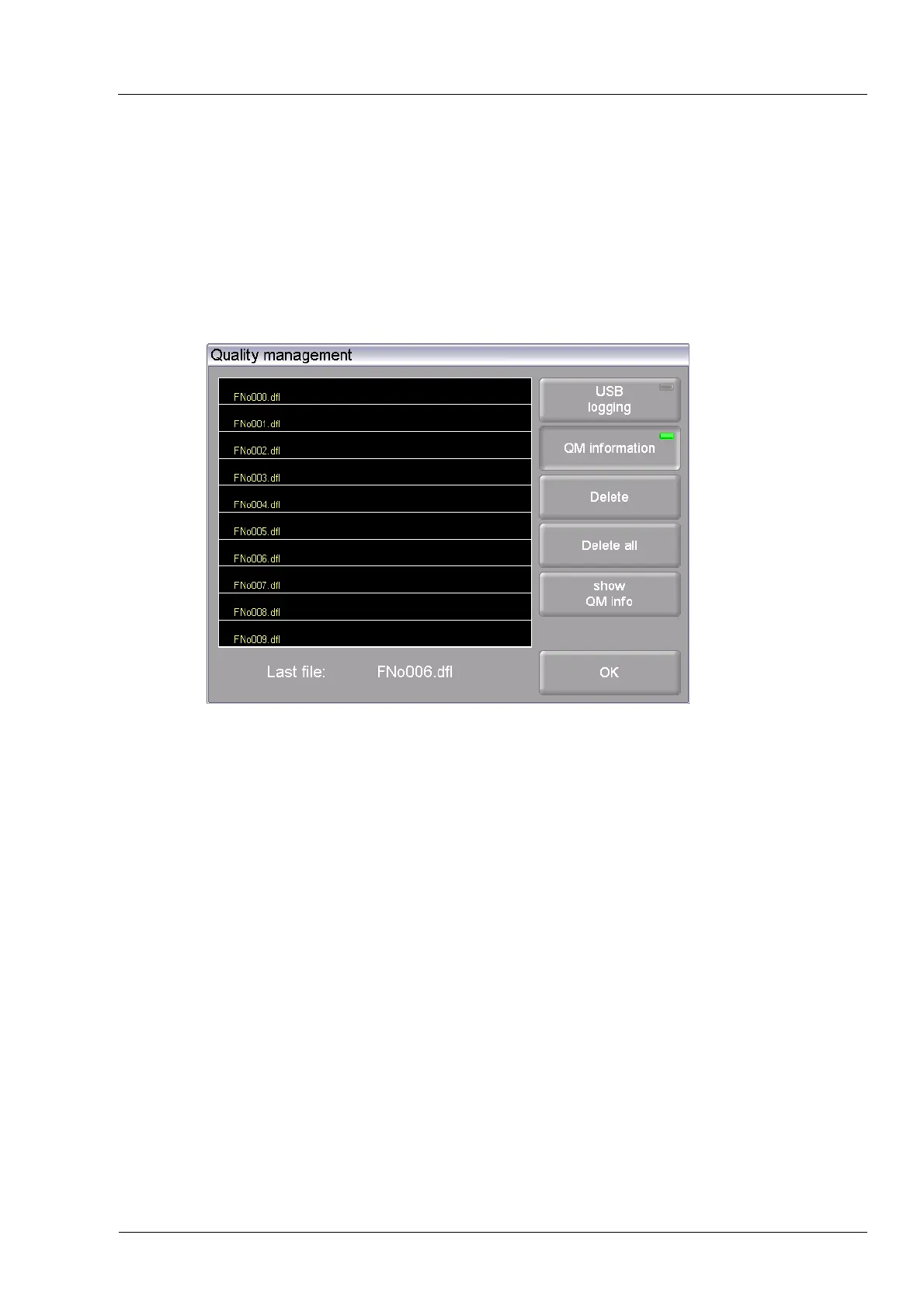
Fig. 5-31 Setup > Quality management
The firing furnace logs the ten last firing programs that have run. If more than ten firing
programs have run, these QM files are overwritten starting with the last one.
Last file
The name of the QM file of the last run firing program.
USB record Click this button to activate or deactivate the recording of data to an
external USB stick. An LED within the button indicates that the
function is active The QM files are additionally updated on the USB
stick (USB record).
QM information Click on the button to display the QM information after each firing
program is over. An LED within the button indicates that the function
is active
• Not active: QM information is logged but not displayed.
• Active: After a firing program is over, the related detailed firing
information appears on the display.
Buttons
• [Delete]: Deletes the selected QM file.
• [Delete all]: Deletes all QM files.
• [Display QM info]: Displays the selected QM file.
• [OK]: Accepts the settings and switches back to the "Setup"
menu.



 To Next Page