AUSTROMAT
®
664 iSiC
®
/ 674 baSiC
2
5. User interface
Operating Instructions (Version 03/2018) 49
5.4. Icon Manager
The Icon Manager provides a functionality for an easy program navigation. Firing programs can
be grouped in folders in a clear fashion. Navigation between the folder contents is similar as
known from e.g. Windows Explorer.
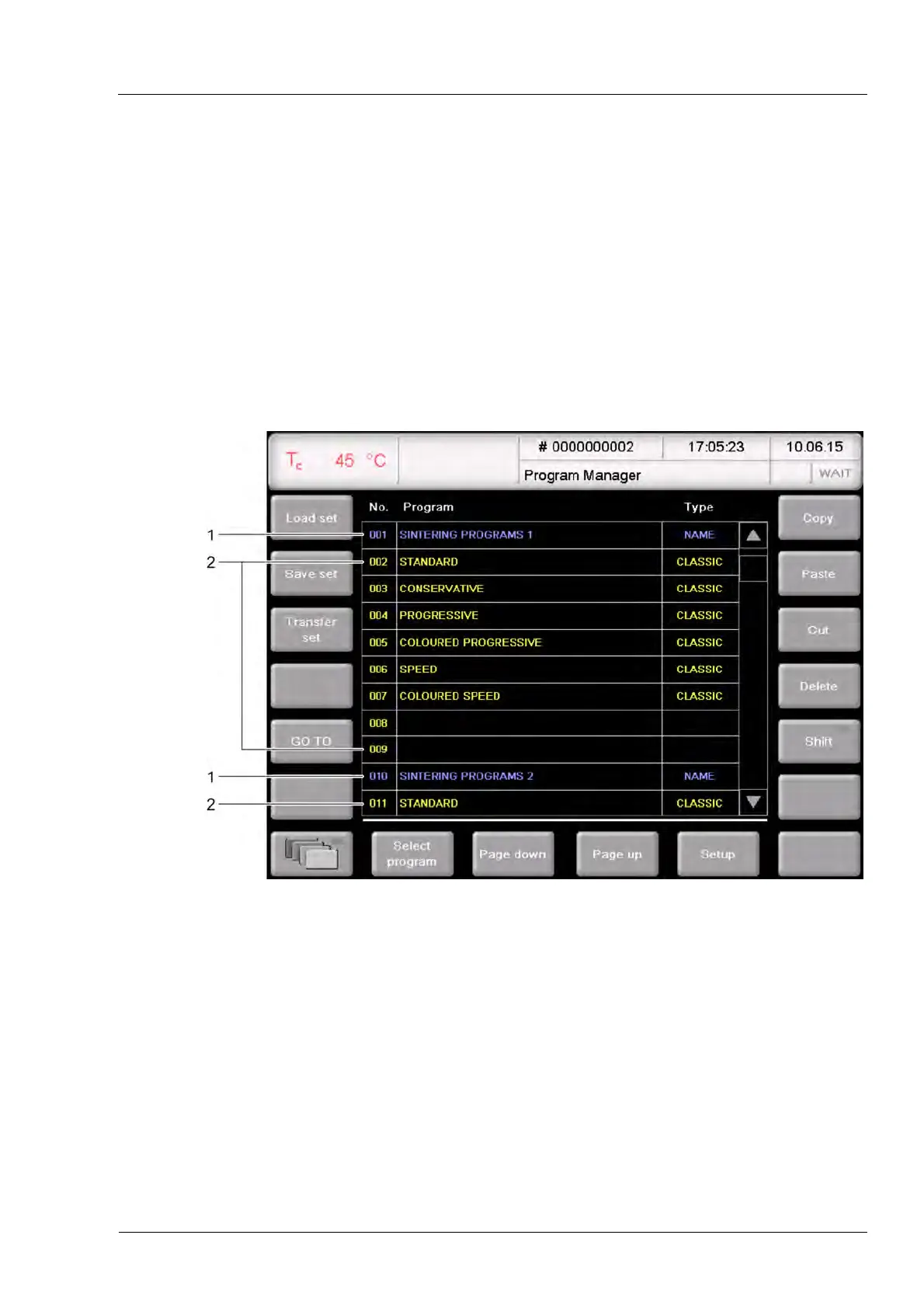
In the Program Manager (see section 5.3) the folders and firing programs are displayed in
different c
o
lors:
• Blue letters: folder (Type: Name),
• Yellow letters: firing programs.
A folder contains the firing programs on the memories up to the next folder.
Fig. 5-6 Program Manager (example): Display of folders and firing programs
1 Folder
2 Firing program
Opening and closing the Icon Manager
1. In the Program Manager, select a folder or a firing program.
2. Click on the [Icon Manager] icon.
• The Icon Manager displays the existing folders when you have selected a folder,
• The Icon Manager displays the firing programs in the corresponding folder when you
have selected a firing program.
3. Click again on [Icon-Manager] to close the Icon Manager.



 To Next Page