5. User interface AUSTROMAT
®
664 iSiC
®
/ 674 baSiC
2
42 Operating Instructions (Version 03/2018)
5.1.3. Numeric screen keyboard
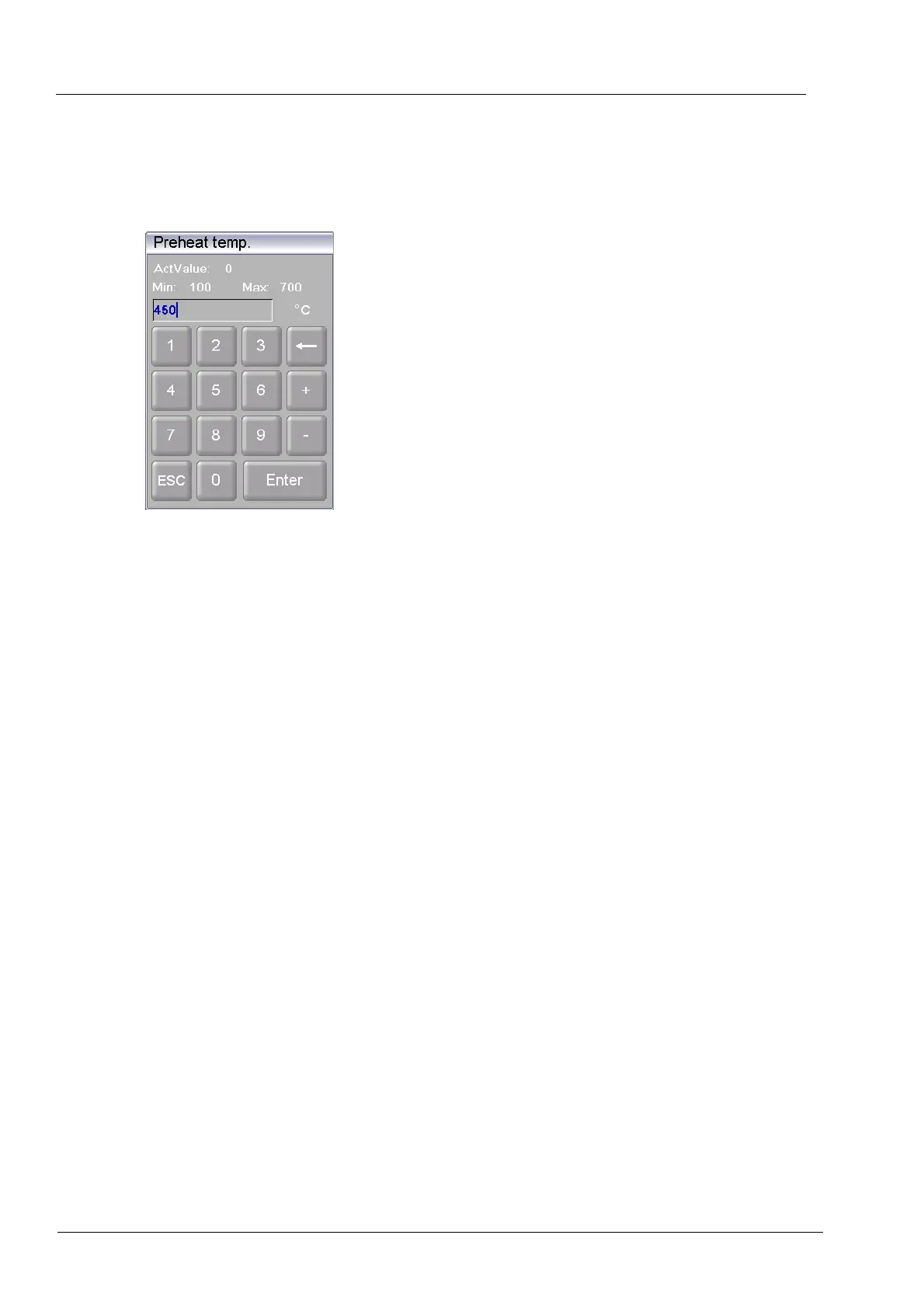
The numeric screen keyboard is for entering text such as the firing programs. The keyboard
automatically appears when the firing window control expects a number to be entered.
Fig. 5-1 Numeric keyboard window
Valid values
When entering parameters, the following values are automatically displayed in the numeric
keyboard:
• "ActValue" shows the currently set value,
• "Min" shows the smallest permissible value (minimum),
• "Max" shows the highest permissible value (maximum),
Entering the value
• Enter the desired value.
• Click [Enter] to close your entry.
• The value is accepted when it lies within the valid range,
• The numeric keyboard window is closed.
Terminating an entry
• Click [ESC] to terminate the entry,
• An entered value is not accepted, the momentary value ("ActValue") is retained,
• The numeric keyboard window is closed.



 To Next Page