AUSTROMAT
®
664 iSiC
®
/ 674 baSiC
2
5. User interface
Operating Instructions (Version 03/2018) 41
5.1.2. Screen elements
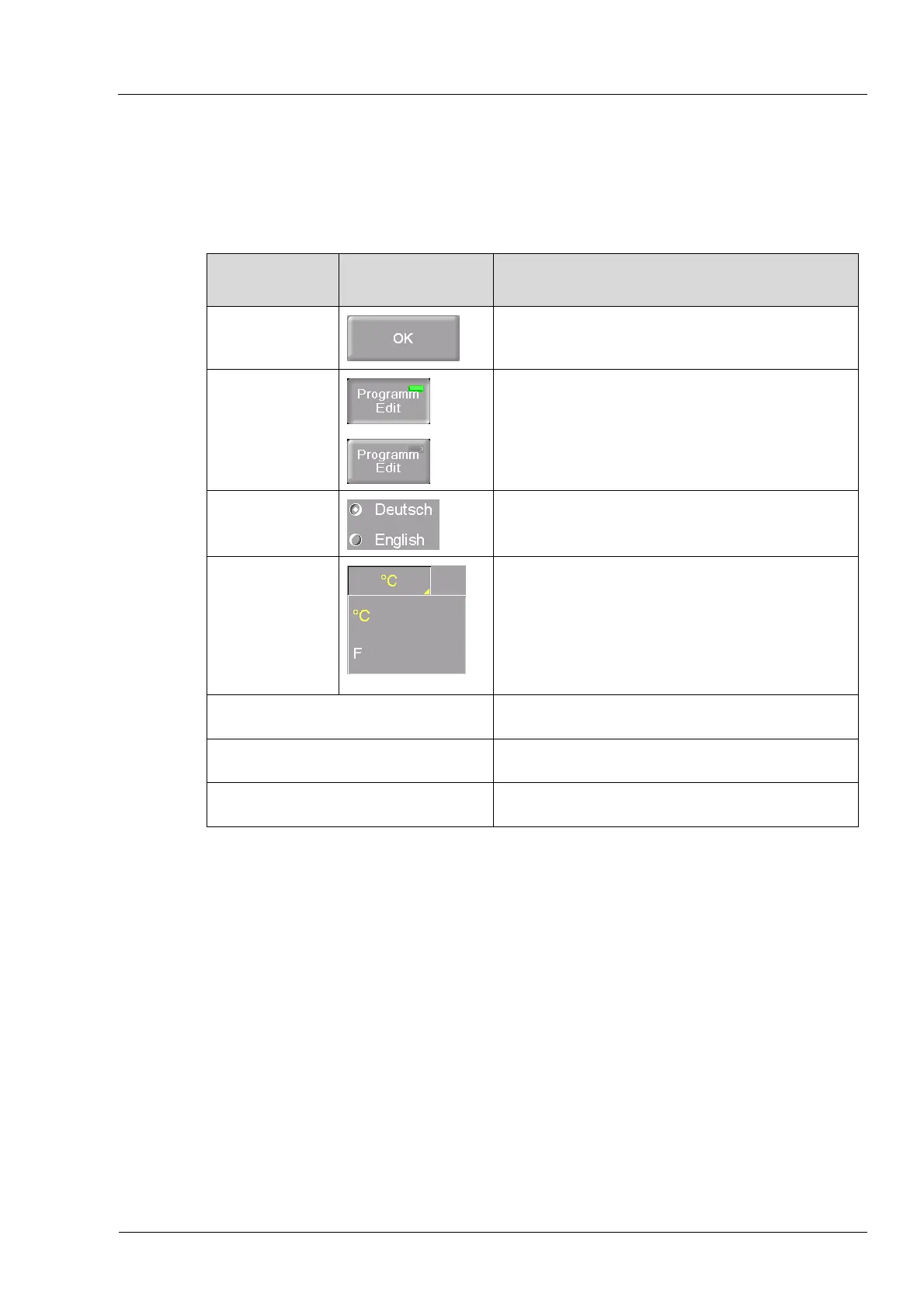
The following table contains screen elements that are used in the user interface of the
AUSTROMAT
®
.
Name Example Description
Button A button is associated with a function. Run the
function by clicking the button.
On/off button
An on/off button is associated with a function.
Fields in the button show the status of the
function:
• Green field: The function is active
• Gray field: The function is deactivated.
Option field Option fields allow you a single distinct selection.
Make a selection by clicking the desired option.
Drop-down list
Select the desired list entry as follows:
• Click the entry to open the complete selection
list,
• Place the cursor on the desired entry, and
click on it. The list closes, and the selected list
entry is displayed.
Numeric keyboard window (see section 5.1.3).
Alphanumeric keyboard window (see section 5.1.4).
Keyboard window for the classic editor (see section 5.1.5).
Tab. 5-2 Screen elements



 To Next Page