5. User interface AUSTROMAT
®
664 iSiC
®
/ 674 baSiC
2
56 Operating Instructions (Version 03/2018)
5.6. Program sequence
A firing program is started from the Program Display by pressing [Program Start]. Please note:
• The program steps are executed in the specified sequence in the input mask (see section
5.5),
• Select [Can
cel program] to prematurely terminate a running program. In this case, all the
commands are stopped and the heat system is turned off. The firing furnace cools down.
The firing number is not increased during firing.
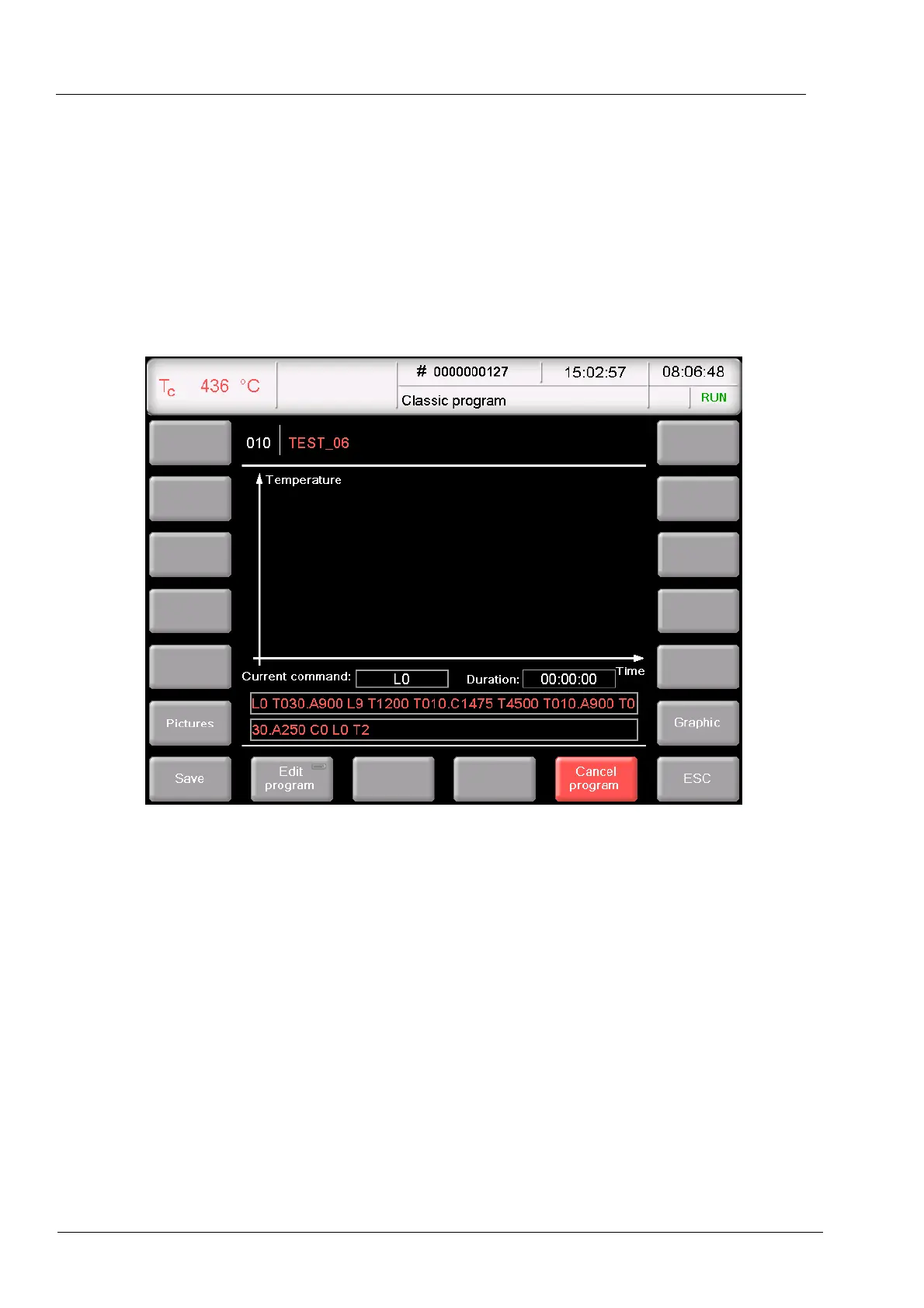
Fig. 5-11 Example of the sequence of a firing program
The example of Fig. 5-11 generates the following firing program:
Step 0:
[Start Program]
"L0": The program starts when the firing chamber is open, i.e. the lift
moves down if necessary.
The firing program is normally processed after the correct
temperature has been reached for starting the selected program.
Otherwise the Tc display flashes, and a message is displayed
indicating that the firing furnace is too hot or the firing furnace is still
heating (message "Furnace not ready yet").
Step 1 "T030.A900": Set the object temperature (900 °C) with a rise of
30°C/min The lift travels partially upward while the firing chamber is
being heated.
Step 2 "L9": Close (the lift moves upward).



 To Next Page