AUSTROMAT
®
664 iSiC
®
/ 674 baSiC
2
7. Maintenance and Service
Operating Instructions (Version 03/2018) 117
7.6. Enable software options
A description of the available software options is found in section 5.8.2.1. The "Options" window
(the menu Setup > Furnace ID > [Options], see Fig. 5-22) shows the software options that are
already relea
sed for the firing furnace.
Questions regarding software options
Contact your service partner, or contact DEKEMA directly. You will need the serial number of
your firing furnace: Menu path: Setup > Furnace ID (see section 5.8.2.1).
Enable a soft
w
are option
Requirement: The enabling code for the software options.
To enable the software functions, proceed as follows (options can only be released all together):
1. Open the Setup menu.
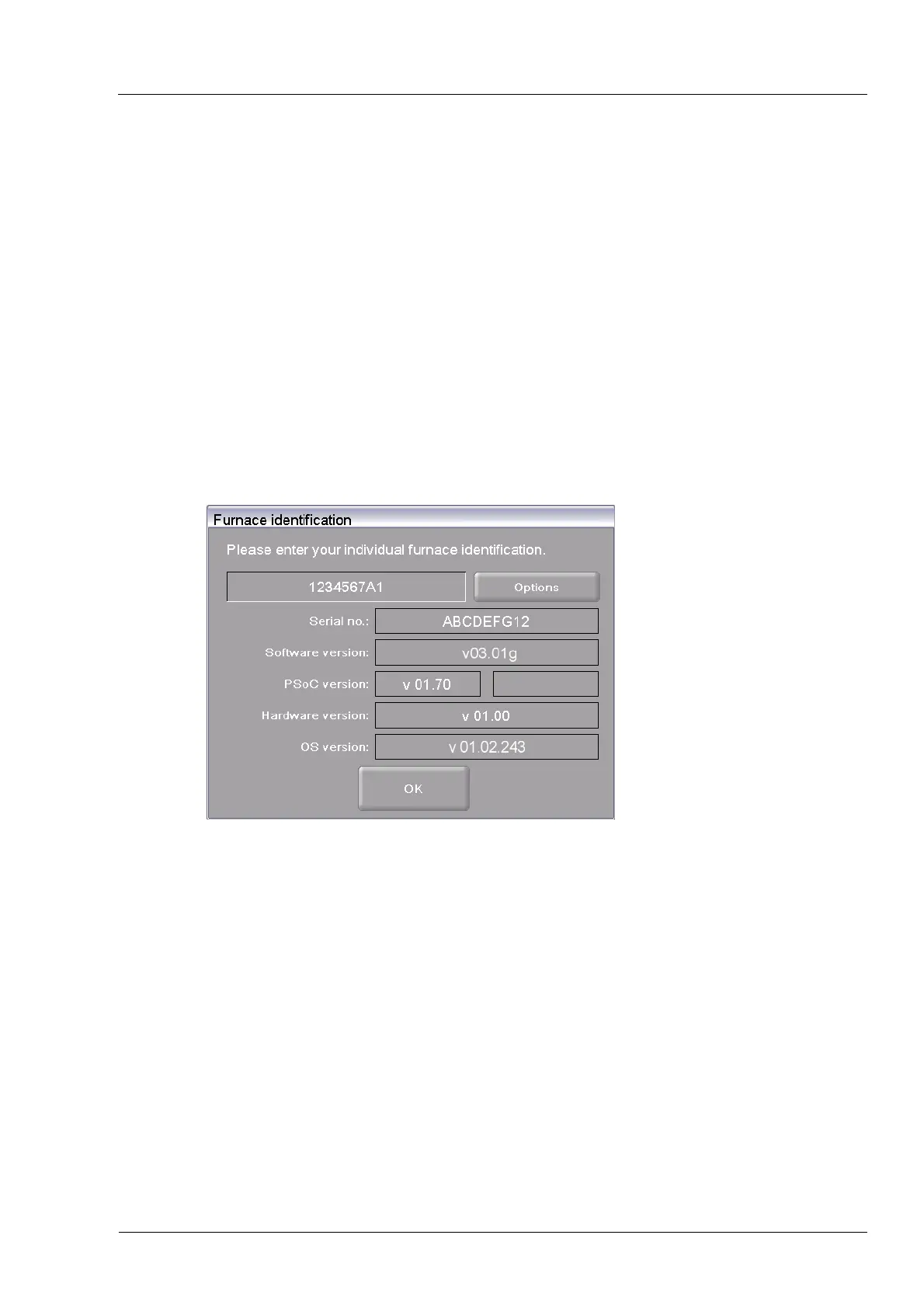
2. Click the [Furnace ID] button. The "Furnace ID" window opens.
Fig. 7-5 "Furnace ID" window
3. Click on [Options]. The "Options" window opens.



 To Next Page