5. User interface AUSTROMAT
®
664 iSiC
®
/ 674 baSiC
2
72 Operating Instructions (Version 03/2018)
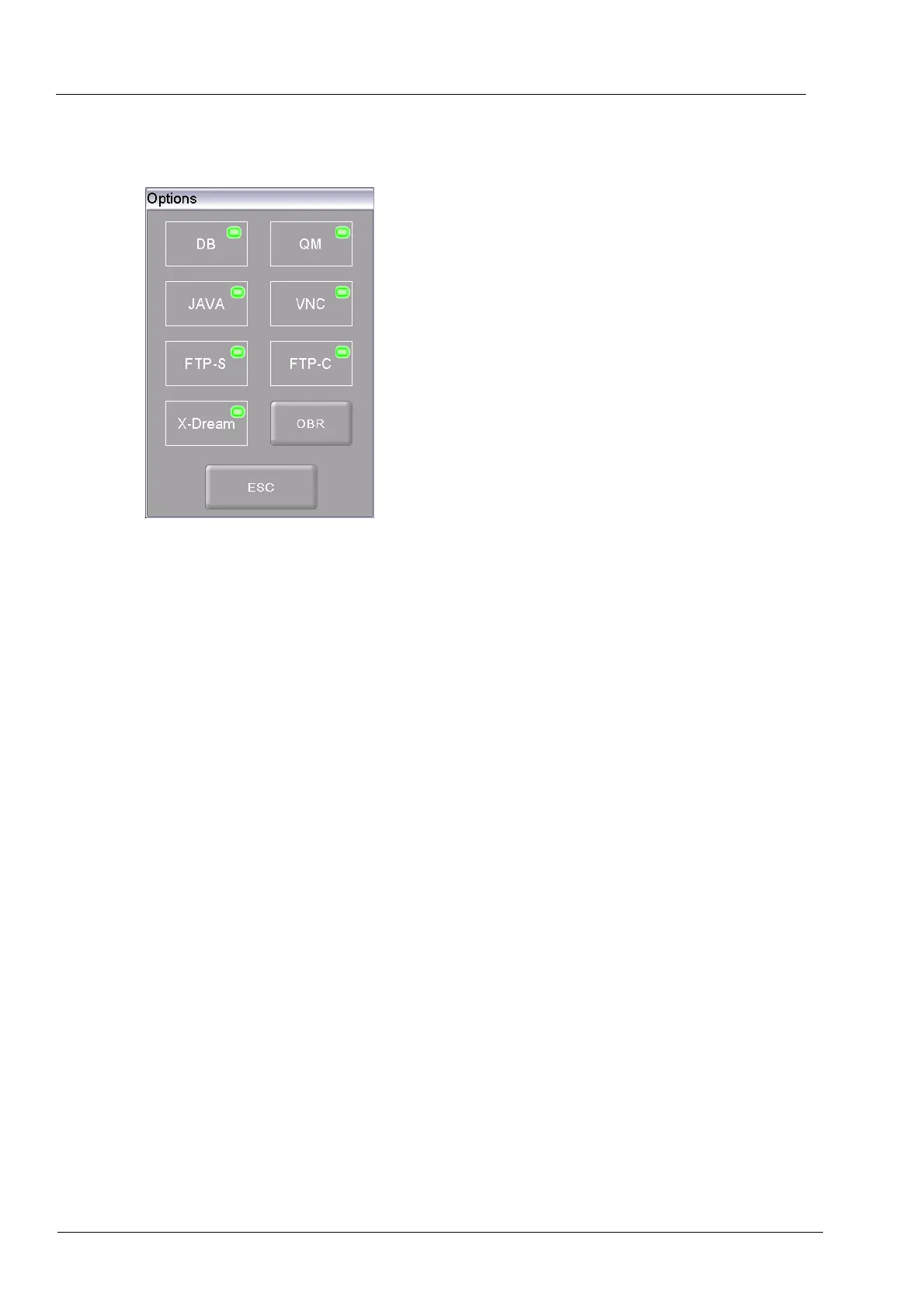
Options
An LED within the button indicates that the option is active.
Fig. 5-22 Setup > Furnace ID
• DB
Internet interface for connecting to networks and the Internet. Direct
access via the Internet to firing programs in the online database of
DEKEMA. (see also the section 6.8.4).
• QM
Quality mana
gement All of the relevant parameters are recorded in
ASCII format (text file) and can be printed and saved (on a thumb
drive or a network). See also sections 5.8.4.2 and 6.10.
• JAVA
Remote a
ccess to the firing furnace using a Java-enabled browser.
See also sections 5.8.1.5 and 4.5.
• VNC
Remote ac
cess to the firing furnace using a a VNC program (virtual
network client). See also sections 5.8.1.5 and 4.5.
• FTP-S
FTP s
erver. Data transfer via an IP network to the firing furnace such
as *.dfl files (see also the section 6.8).
• FTP-C
FTP client Data trans
fer via an IP network from the firing furnace to
an FTP server such as pictures.
• X-Dream
Accessing QM data. Using the computer to request the status of the
firing furnace and to automatically indicated by e-mail (see section
6.10).
• OBR
"One Button Rele
ase". Button for rele
asing all options.
See section 7.6.



 To Next Page