5. User interface AUSTROMAT
®
664 iSiC
®
/ 674 baSiC
2
46 Operating Instructions (Version 03/2018)
5.3. Program Manager
Use the Program Manager menu to select the firing programs or sets and administer the
assignment of the individual program memories (such as copy or delete firing programs).
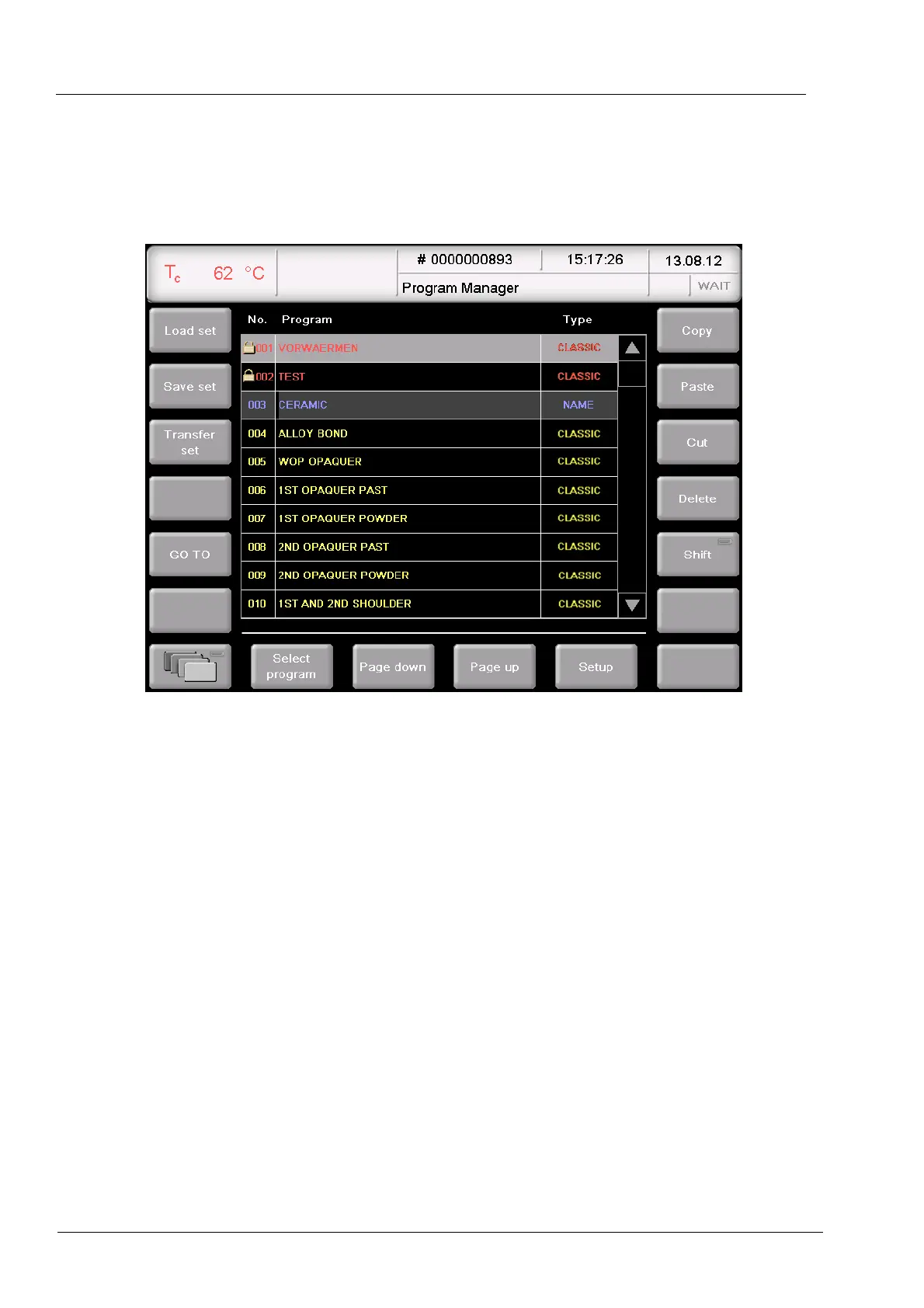
Fig. 5-5 Program Manager (example)
Display area
The display area of the Program Manager includes the following elements:
• The program list shows all of the firing programs in the loaded set.
• The left column "No" shows the program number,
• The middle column "Program" shows the program name. A lock indicates that a
program is protected by the general code,
• The right column "Type" shows the program type,
• Scroll bar. This allows you to scroll through the table (as with conventional Windows
applications).
Select program
• Scroll through the program list until the desired program list is displayed. Click on a
program to select it. The corresponding table line appears with a blue background.
Or
• Click [GO TO]. The numeric keyboard window is opened. Enter the desired program
number, and click [Enter].



 To Next Page