5. User interface AUSTROMAT
®
664 iSiC
®
/ 674 baSiC
2
54 Operating Instructions (Version 03/2018)
5.5.2. Pictures
NOTE:
The screen of your AUSTROMAT
®
firing furnace is not color calibrated. It is therefore not
suitable for accepting color.
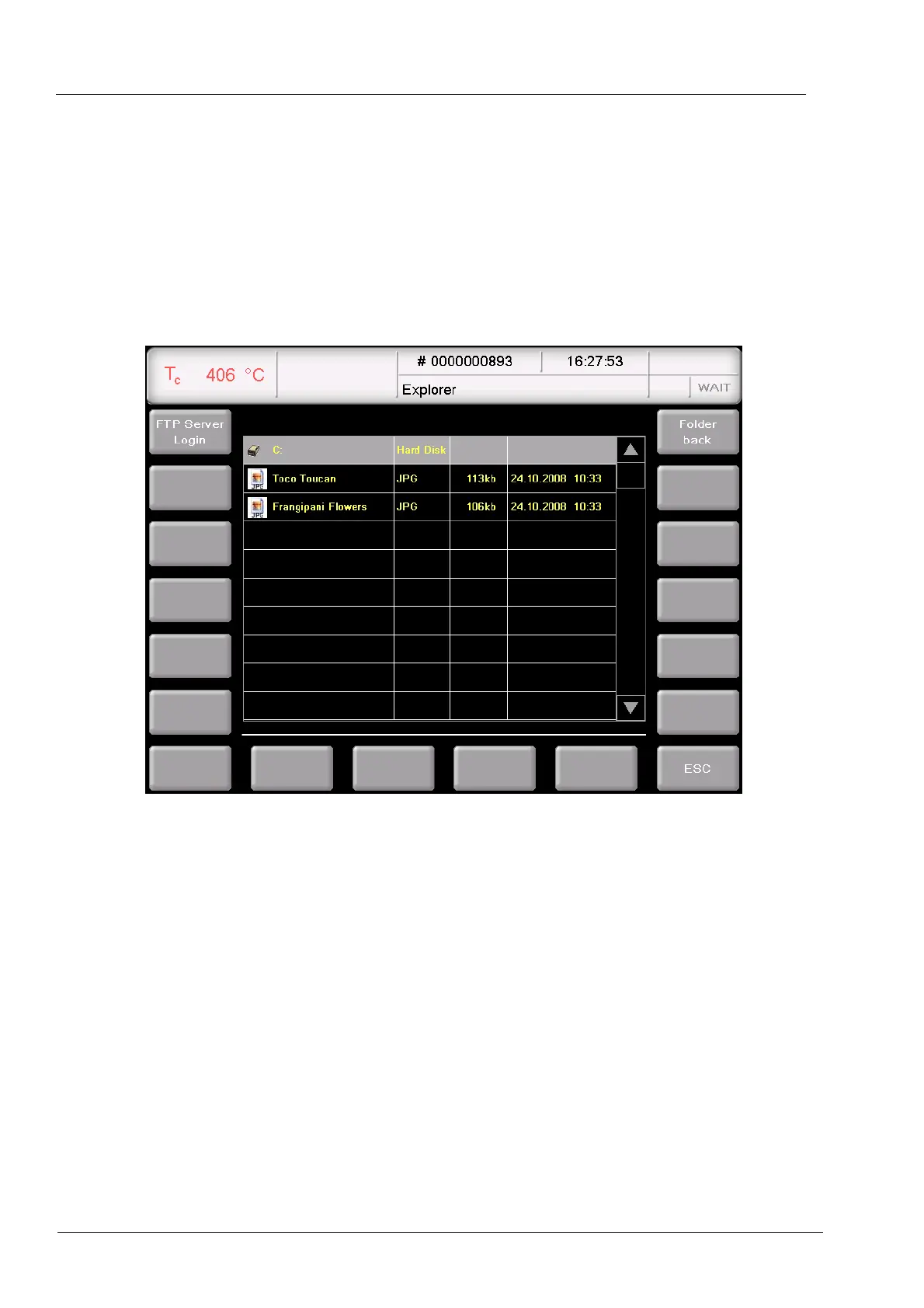
You can save pictures in the memory of the firing furnace electronics, for example to compare
the firing results with photographs of sample firings. The screen page offers a simplified
functionality for selecting and viewing a picture as in Windows Explorer. To overwrite the
pictures, you can use the FTP functionality (see section 5.8.4.6) or a USB stick.
Fig. 5-10 Program Manager > Pictures
The Screen is divided into tables that list all the pictures in the selected directory, and the
function bar.
Table The table provides the following information:
• Title line: Name of the current directory,
• Left column: Name of pictures:
• Second column: File extension,
• Third column: File size,
• Fourth column: Date and time of the pictures.
Note that only pictures and no other files are listed.
View picture
Double-click the line of the desired picture.



 To Next Page