Chapter 19: Traceroute
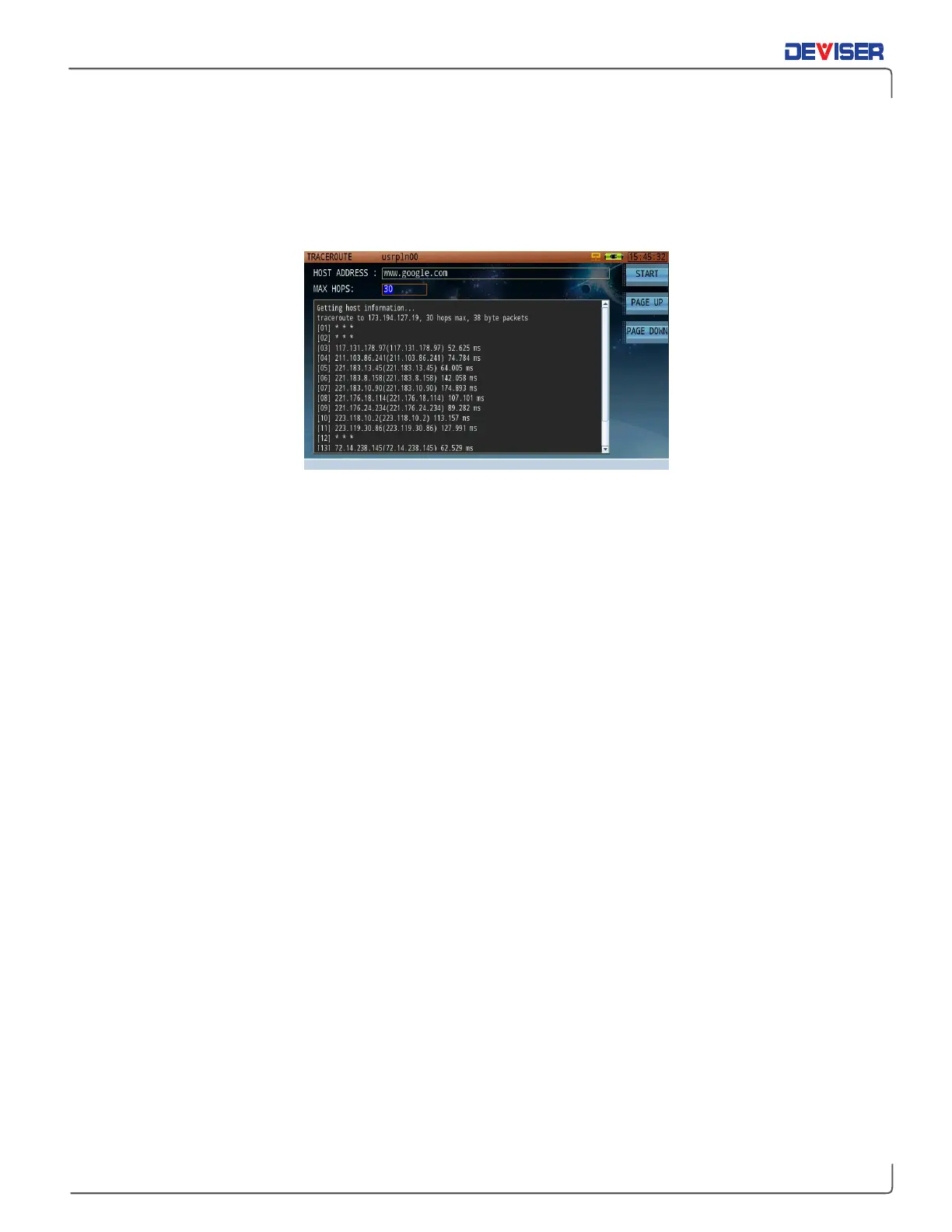
Traceroute is another practical network test used to verify your network route, connectivity status, & speed
(as shown below). It identifies each hop <IP address> along the path between the instrument and the
destination host.
Traceroute Results
Results displayed include the IP address and name of each hop between the DS2831 and the destination
host, and the time (in ms) for the data to transmit to and from the routing equipment.
Input the desired network address to test in the host address bar, and then press
Start
(F1) to initiate the test.
Press F1 again to stop the test. Results are displayed in real-time.
Max. HOPS refers to the maximum number of hops allowed for the test (user-defined).
If the list of data cannot be displayed all at once, a scroll bar appears. (See above.) Press
Page Up
(F2) and
Page Down
(F3) to scroll up and down the information window.



 To Next Page