8-1 DVB-C Measurement
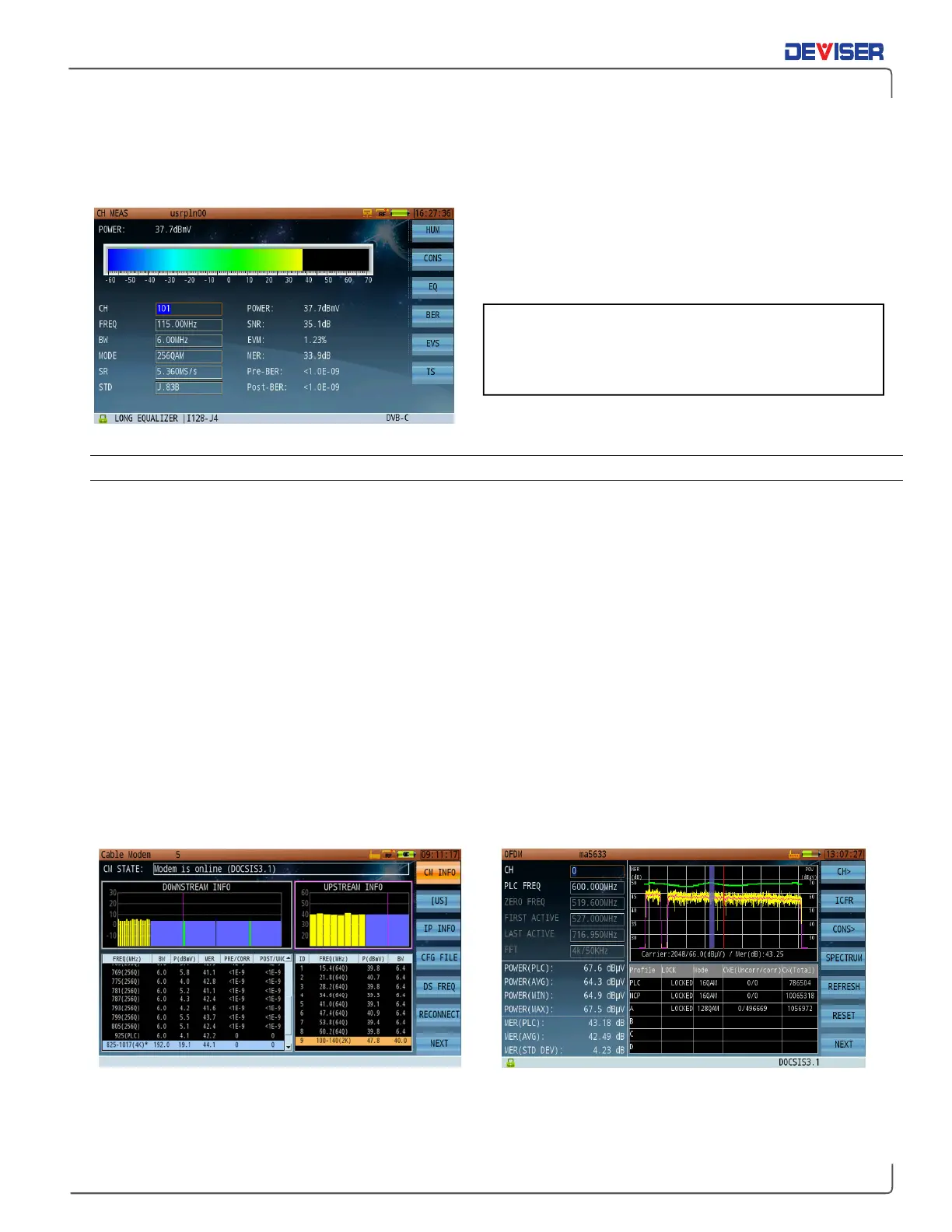
The digital channel measurement screen (shown below) displays basic digital metrics after demodulation.
Use the rotary knob to move between parameters:
channel, frequency and bandwidth. When the cursor
highlights a field, you can adjust the value with the
arrow keys or input your desired value with the keypad.
8-1.1 Settings
Button Operation
HUM Opens Digital HUM function.
CONS Opens Constellation diagram function.
BER Opens BER & MER statistics diagram function.
EQU Opens Equalizer coefficient & in-band response function.
EVS Opens EVS function.
TS MEAS Opens MPEG-2 TS analysis function.
8-2 OFDM
The DS2831’s DOCSIS 3.1 cable modem includes upstream and downstream OFDM functionality. OFDM
(Orthogonal Frequency Division Multiplexing) distributes a signal among multiple subcarriers, optimizing
overall speed and mitigating the effect of impairments that may affect some but not all subcarriers.
OFDM subcarriers may be either 25 or 50kHz, while bonded channels may be as wide as 192 MHz for
downstream transmissions and 48 or 96 MHz for upstream transmissions.
DOCSIS 3.1 DS/US OFDM Demodulation EVS Captures Interference Under OFDM Carriers
When switching to a different channel, the DS2831
will automatically run a channel-locking sequence.
This refreshes the parameter list and test results.



 To Next Page