24-3 VFL (Visual Fault Location)
In practice, engineers often use a type of red light source to visually identify bends, faults, or breaks in a
length of optical fiber. These light sources are usually termed visual fault locators.
Through the VFL port on the DS2831’s top panel, it is possible to perform the same function. When active,
the port emits a bright red LED beam.
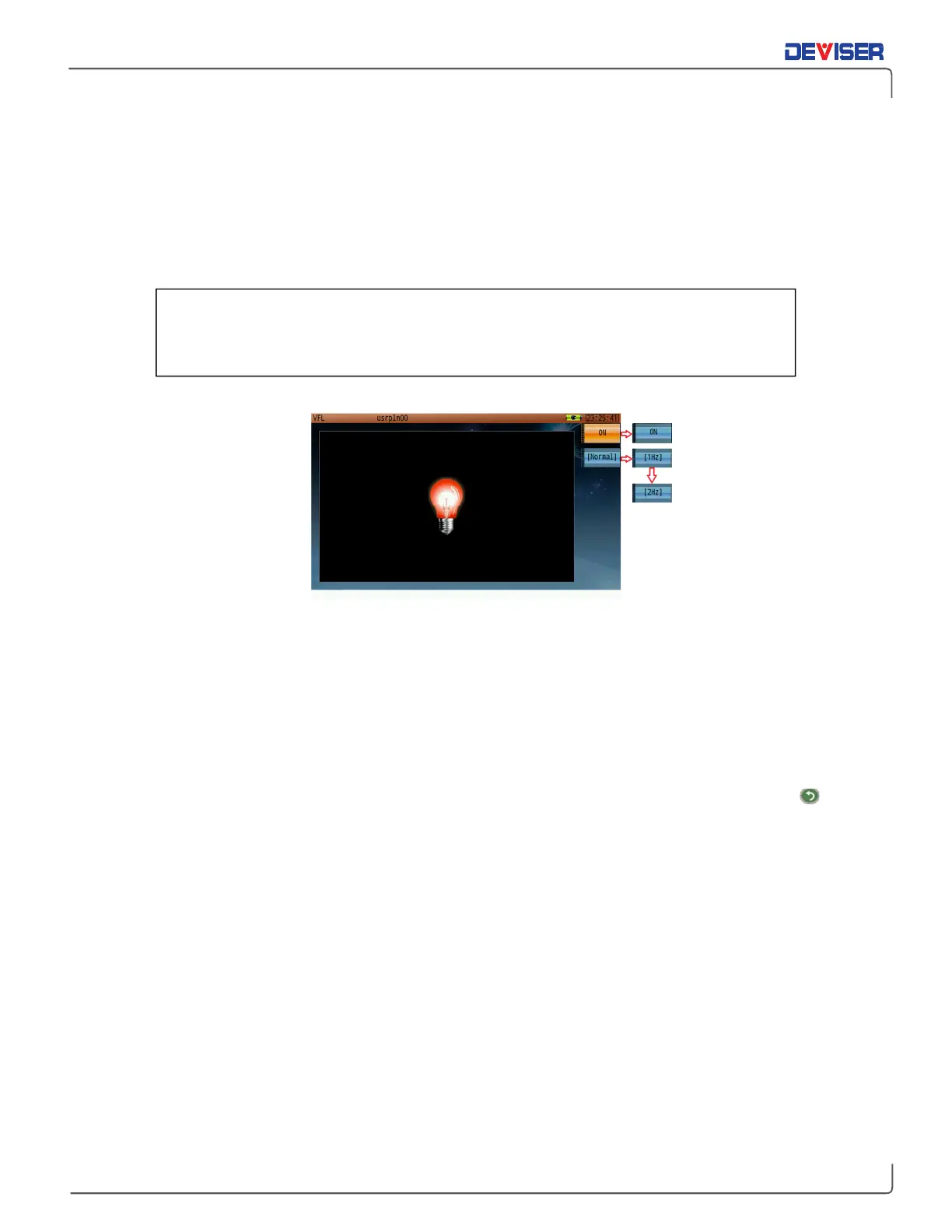
Visual Fault Locator Screen
Procedure:
1.
Connect the optical fiber for testing to the VFL signal output port on the DS2831’s top panel.
2.
In the
Home
menu’s optical application page, use the rotary knob to launch the visual fault locator
function.
3.
Press
ON
(F1) to switch on the beam. Examine the length of the fiber for places where the beam shines
through more easily; these spots may indicate weak fiber walls.
4.
Press F2 repeatedly to cycle through flash modes.
Normal
causes a continuous beam.
1Hz
causes the
beam to flash on and off at a rate of about 1 flash per second.
2Hz
causes the beam to flash at about
2 flashes per second.
5.
When finished, turn the beam
OFF
(F1) and disconnect the fiber from the DS2831. Press the
Esc
button to quit VFL operation and return to the menu.
Take caution with high-powered light sources, or serious eye damage may occur.
To avoid risk of blindness, do not look directly into the VFL port, and keep the
safety cap on when this function is not in use.



 To Next Page