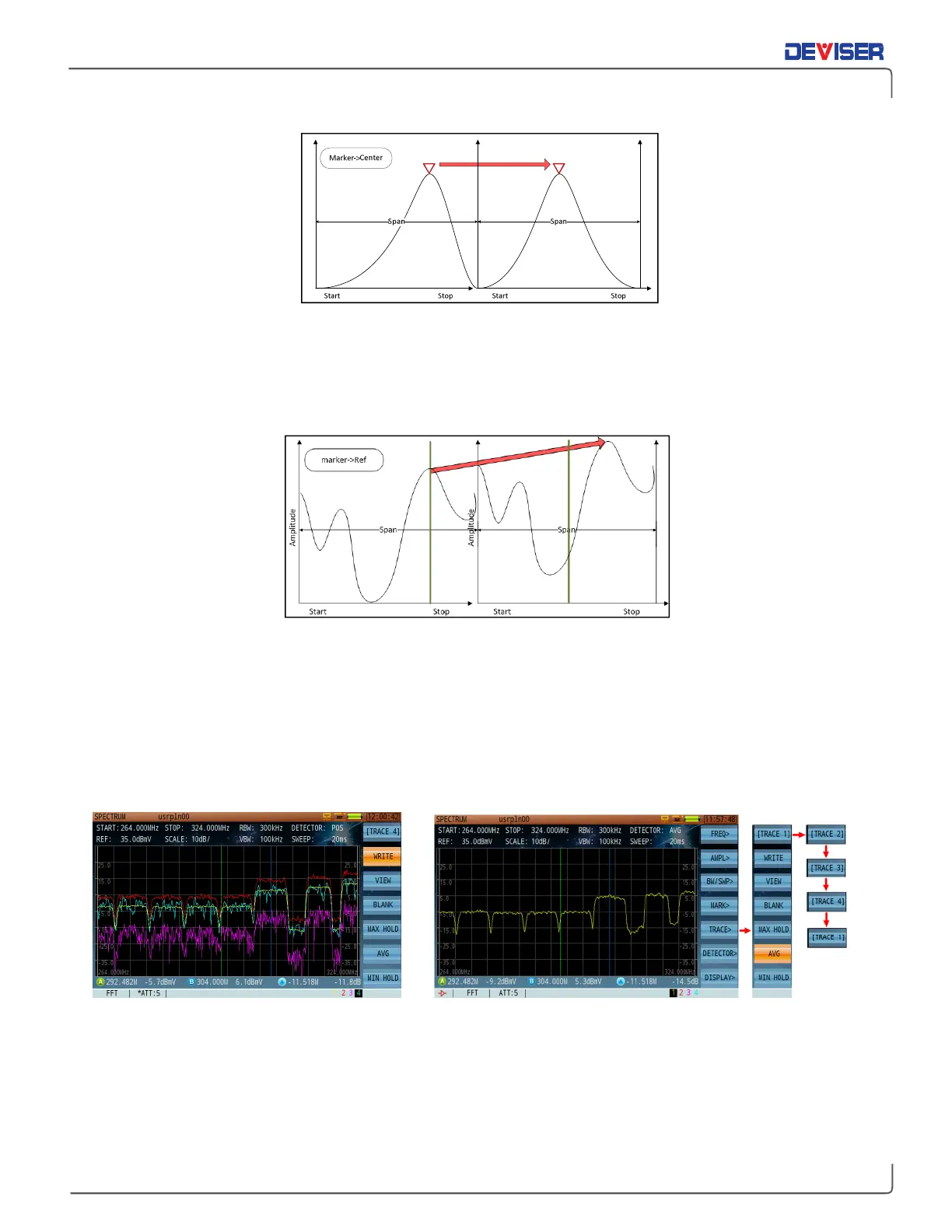
Marker to center frequency
Moves the active marker to the center frequency of the spectrum trace (shown above).
Marker -> REF
Moves the active marker to the reference level (shown below).
10-5
Trace Setting
The DS2831 can display 4 traces simultaneously. The display settings are: max. hold, min. hold, average and
normal. Each trace is actively displayed on the screen, individually or simultaneously, each with a different
color, 1, 2, 3 or 4 traces at a time. You can toggle in a circular way when pressing F1 repeatedly. Press
Write
(F2) to activate the desired trace. Press
Blank
(F4) to deactivate and turn off the current trace. Each trace
is identified at the bottom right (1-2-3-4) to the left of the TP value. In any of the Spectrum Analysis modes,
the number highlighted in black at the bottom right is the active (controllable) trace.
Four Traces Display Simultaneously Trace Setting Menu
Max Hold, Min Hold, and Average Trace
Press
Trace
(F5) to enter the submenu. Here, Max Hold, Min Hold, Average or normal trace (Write) behavior
can be applied to the trace display mode.
Amplitude
Amplitude



 To Next Page