Part II: Settings and Measurements
4-2 Editing Channel Plans
There are several ways to modify an existing channel plan. To
change its name, highlight it in the left pane and press
Edit
(F3).
Enter a new plan name using the alphanumeric keypad, then
press OK to confirm.
To activate or deactivate all channels in a plan, highlight the
plan and press
Ena All
/
Dis All
(F6). Please ensure that all active
channels are checked, and that all inactive channel locations
are unchecked.
You can also modify the plan channel-by-channel. Highlight it in
the left pane and press the rotary knob to make it the active
plan. Turn the knob to highlight the right-hand pane. Use the
arrow keys to highlight the channel and press
Edit
(F3).
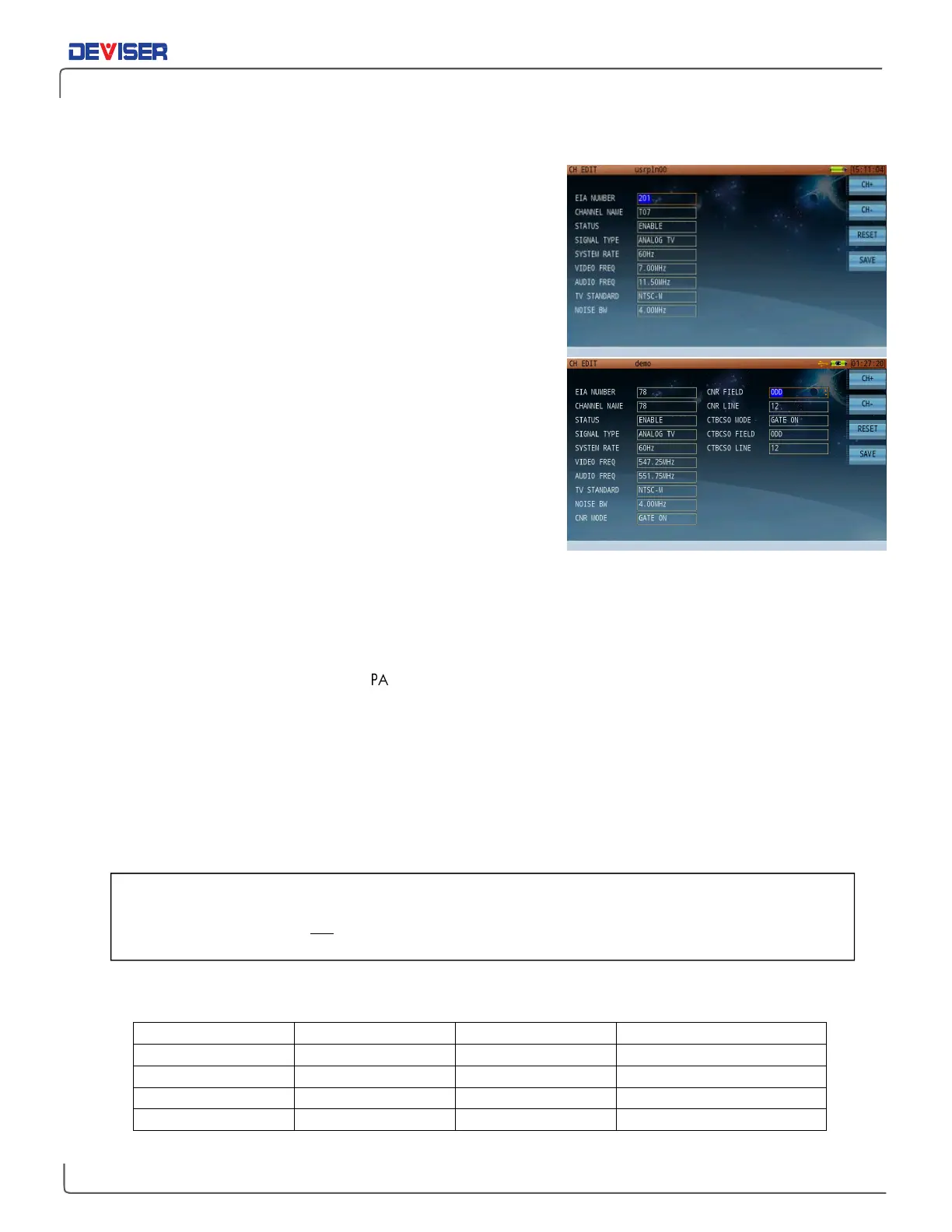
In this screen, you can edit a variety of individual channel
parameters. For a list of all available selections, see below.
Analog TV Channel Parameters
Channel serial number
Channel name: Edit with keypad
Channel status: [Enable / Disable]
Signal type: [Analog FM / Analog TV / DOCSIS / DVB-C]
System rate: [50Hz / 60Hz]
Frequency: Edit with keypad
Video frequency: Edit with keypad
Audio frequency: Edit with keypad
TV standard: [NTSC-M / PAL-B /
P
AL-D / PAL-G / PAL-H / PAL-I / PAL-K / PAL-M / PAL-N]
Noise BW: Edit with keypad
CNR mode: [Gate Off / Gate On]
CNR field: [Odd / Even]
CNR line: 525-line system: Field 1 (odd), line 1~263; Field 2 (even), line 2~262
625-lines system: Field 1 (odd), line 1~313; Field 2 (even), line 2~312
CTBCSO mode: [Gate Off / Gate On]
CTBCSO field: [Odd / Even]
CTBCSO line: 525-line system: Field 1 (odd), line 1~263; Field 2 (even), line 2~262
625-line system: Field 1 (odd), line 1~313; Field 2 (even), line 2~312
Supported Analog TV Standards
For Analog channels, you will need to instruct the
where to look for “Gated” quiet line,
GCR or Multiburst, CCR-7 VITS test signals, field and line location. If these changes are made during
testing, said changes will not be saved for the next test. It is recommended to make initial edits to
the channel plan prior to testing, in order to retain channel specifications.



 To Next Page