Part II: Settings and Measurements
5-5 Channel Scan
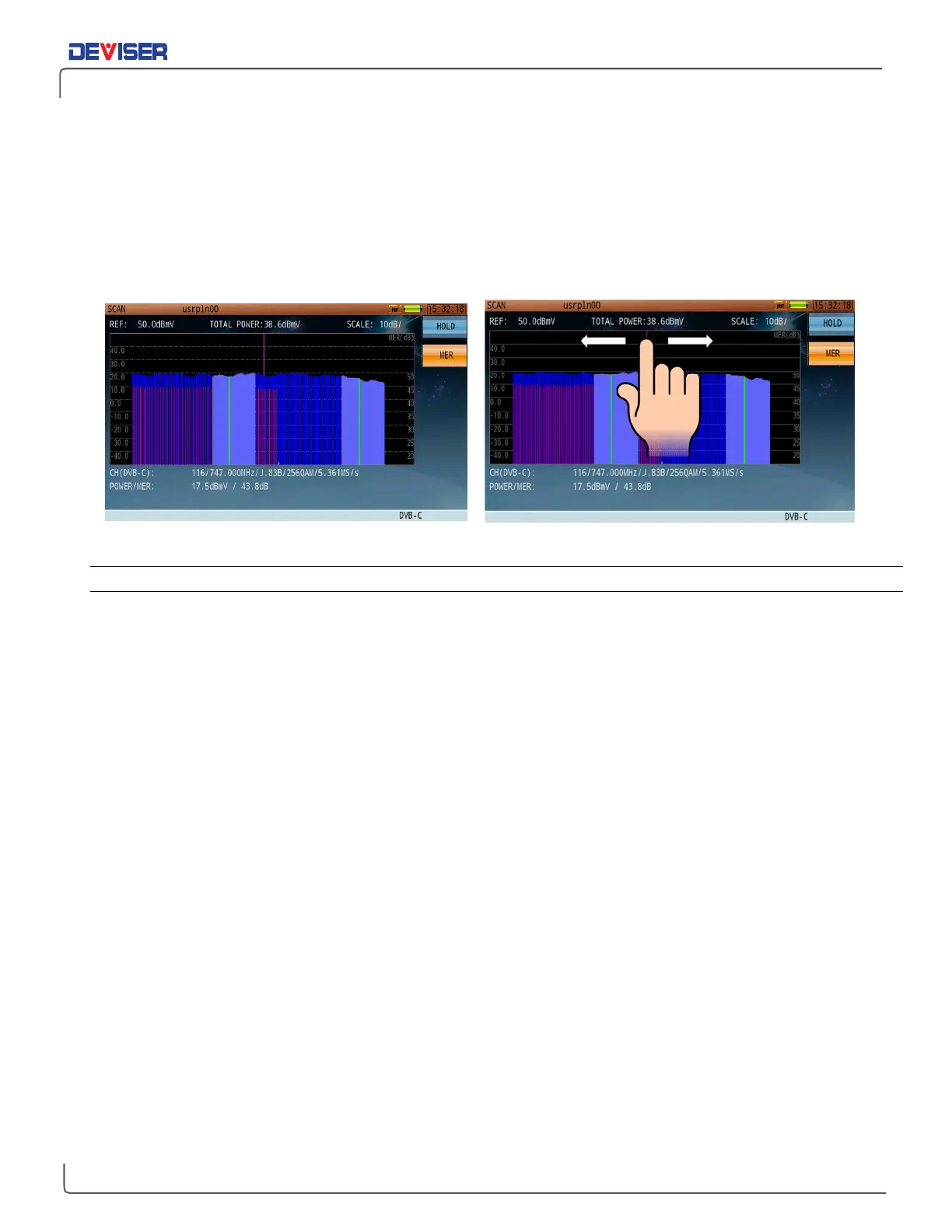
The DS2831 offers a channel scan function to quickly measure the flatness and amplitude of a CATV system
(shown below). By default, the instrument scans all active analog or digital channels in the active channel
plan. On
analog
channels, the Video Carrier level is displayed in green, and the Audio Carrier in yellow. On
digital
channels, Channel Power is displayed in blue, and MER in red.
Using the touchscreen, move the vertical slider to select a channel to measure.
Channel Scan Identifies OFDM Signals Channel Scan Touchscreen Controls
5-5.1 Settings
Button Operation
[HOLD] Pauses the measurement. Press again to resume.
[MER] Performs a quick MER scan of all digital channels present. Note that the unit must be
connected with a valid active channel plan that includes digital signals. MER readings
will appear as red bars.
Test Results
Total Power: The total power level measured over a specified bandwidth.
Level/Power: Measurement results of a specified channel. The DS2831 measures the sync pulse of an
analog video carrier for analog channels, and channel power over the specified
bandwidth for digital channels.



 To Next Page