Part II: Settings and Measurements
5-2 Analog FM
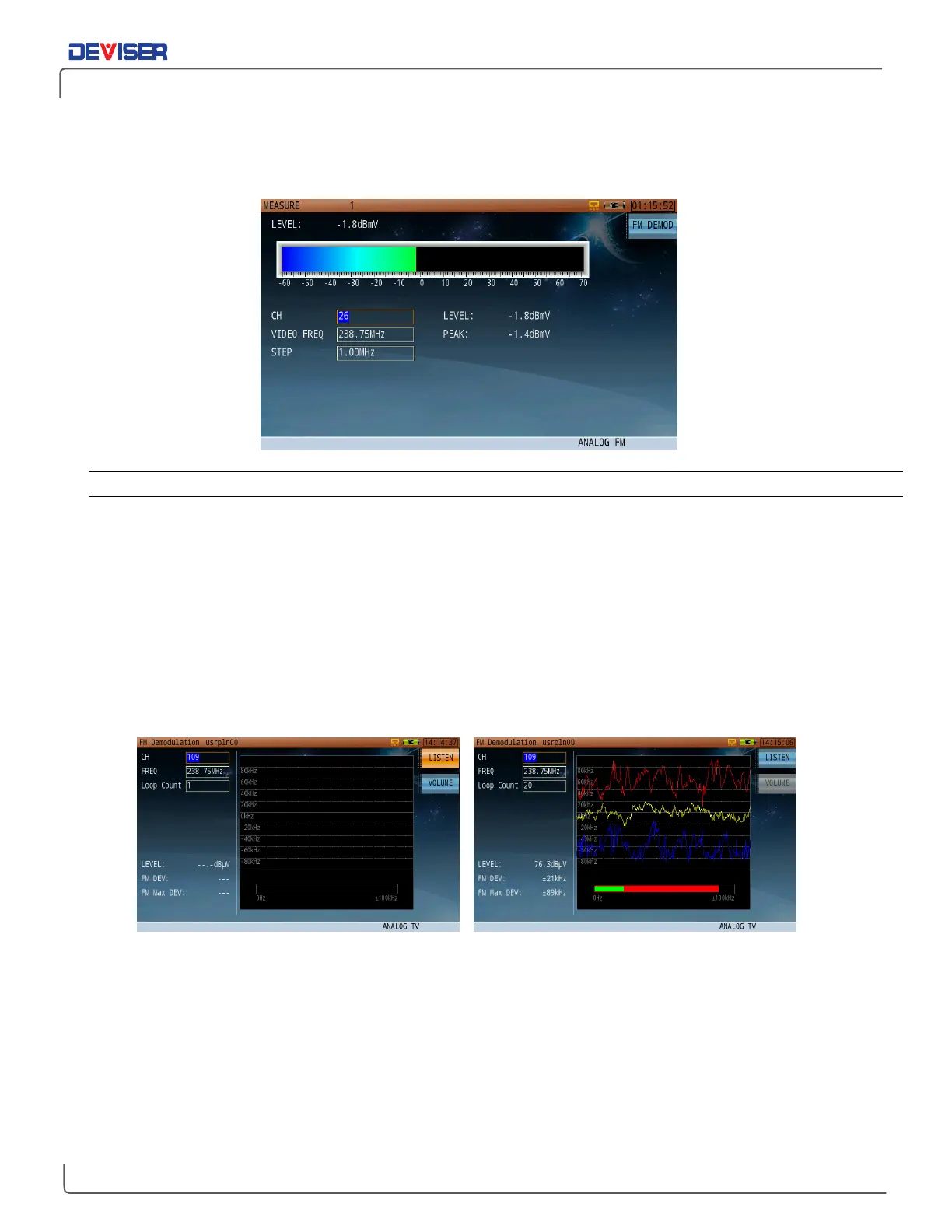
The Analog FM measurement screen, shown below, is primarily used to measure FM radio signal levels.
5-2.1 Settings
Channel: The channel to measure. Select any active analog or digital channel in the active
channel plan.
Frequency: Input range 5-1200 MHz;
Step: Use the arrow keys to change the step size. Input range 1-1000 MHz.
Test Result: The bar’s length and color indicate the peak measured level of the carrier signal.
5-3 FM Demodulation
The FM Demodulation function allows users to listen to audio from FM broadcast and analog TV. (When this
function is active, the FM Deviation measurement is disabled.)
FM Listening FM Frequency Deviation- Loop Count = 20
Press
Listen
(F1) to toggle audio playback. (Press
Volume
(F2) to toggle the volume control on and off.) Use
the Channel and Audio Freq fields to search within the FM band. As soon as “Listen” is toggled off again,,
FM Deviation will automatically restart.
Loop Count
determines the frequency with which the maximum positive and negative frequency deviation
traces will be recorded on the screen: if set to 20, the traces will be recorded every 20 loops and the peak
hold trace will refresh. The peak / current FM Deviation readings are displayed as overlapping red and
green bars below the measurement trace.



 To Next Page