Chapter 16: Throughput Testing
The throughput test function measures the upload and download speeds of the DS2831’s cable modem
function. (See Chapter 15: DOCSIS 3.1 Cable Modem.) Throughput has two modes. 1G and 3G. These
support maximum test speeds of 1Gbps and 3Gbps links, respectively.
This mode requires a PC and Deviser’s speed test companion software, which is included with the purchase
of the DS2831 Throughput option. Contact your Deviser service representative for more information.
Throughput test
To conduct a throughput test, follow the instructions below.
1.
Ensure that the CM has successfully connected and registered under the assigned IP address.
Otherwise, the throughput test cannot be performed.
NOTE:
Currently, the Throughput function can only test a cable modem link.
2.
Deviser offers a speed test software to assist Throughput. Using a PC installed with the software, deploy
the speed test server on the CMTS side of the CM link. Configure and launch the software according to
the instructions included.
NOTE:
For technical support with this software, please contact Deviser Instruments.
3.
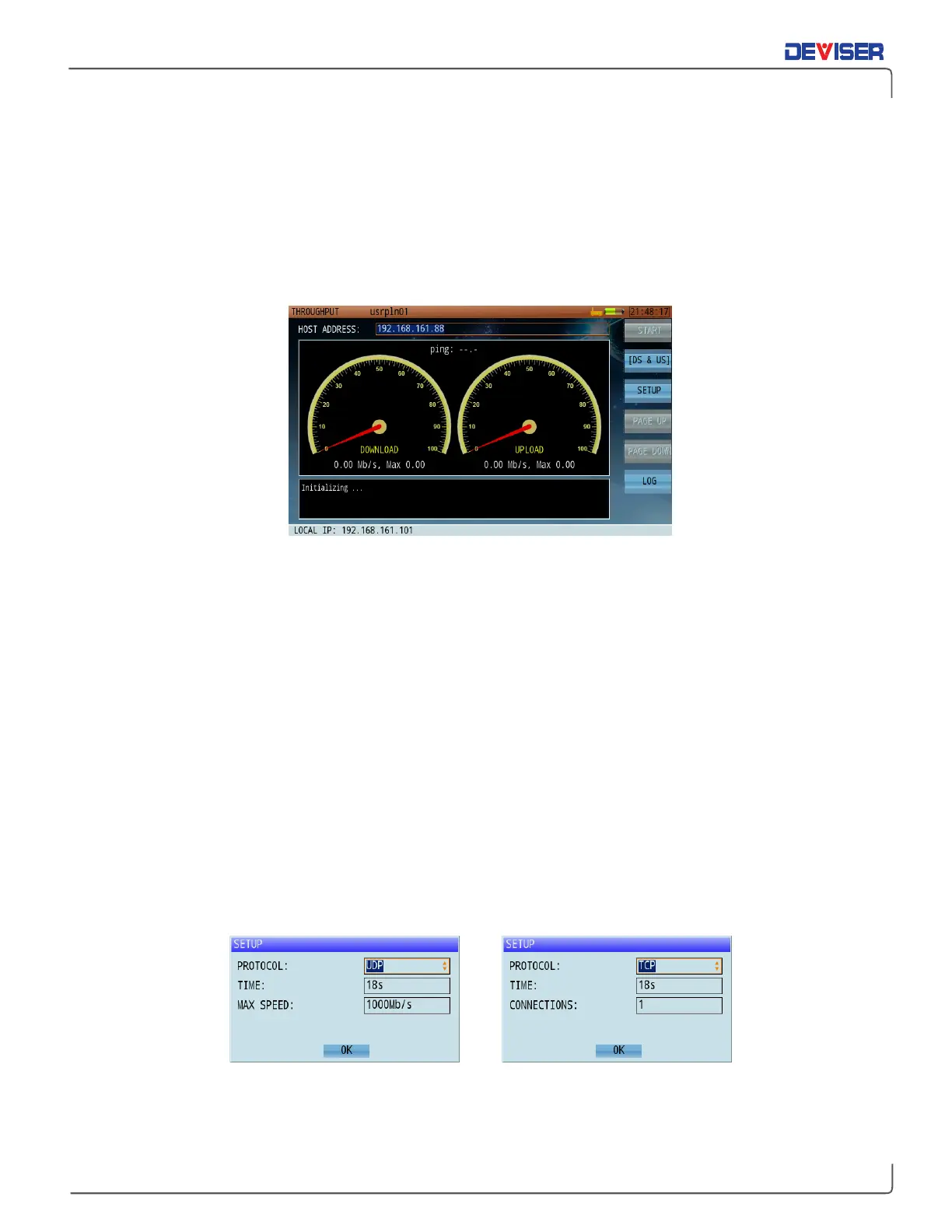
Launch the Throughput application. At the top of the screen, enter the speed test server IP address.
4.
Press
Setup
(F3) to check the settings. Use the touchscreen and keypad to set the connection method
(TCP / UDP), test duration (in seconds), and number of concurrent connection threads (for TCP) or
maximum speed limit (for UDP). Tap
OK
to finish setup.
Throughput test setup



 To Next Page