Part II: Settings and Measurements
15-2.7 Upstream ICFR
Optionally, you can also measure upstream in-channel frequency response, using the Cable Modem’s pre-
equilibrium function. In upstream channels, CMTS can acquire channel parameters according to received
Cable Modem signals. These channel parameters are transmitted to the corresponding cable modem,
which will adjust the emitted upstream signal in response.
Note that the pre-distortion of these signals can offset the linear distortion of the upstream channel, impro-
ving the quality of signals reaching the CMTS port. (For more on nonlinear distortion, see Section 8-7.)
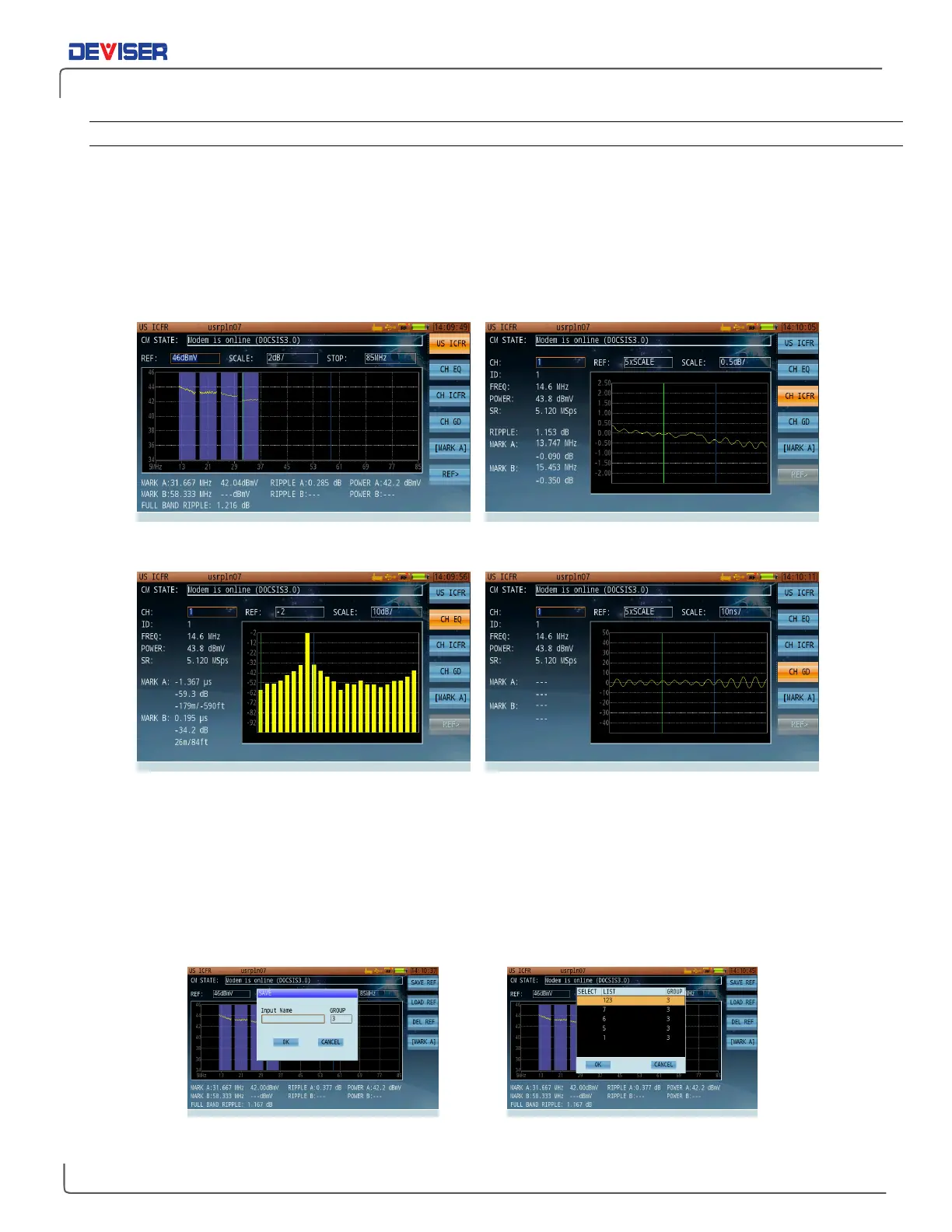
Upstream ICFR – all channels Upstream ICFR – one channel
Equalizer – one channel Group Delay – one channel
With the Upstream ICFR option, you can directly compare several frequency response traces in different
positions. First, while conducting an ICFR test, press
Ref
(F6) and
Save Ref
(F1) to save a snapshot of the
current trace. This will serve as a reference.
Next, use the touchscreen to move to another position on the signal transmission path. Perform another
sweep. In the Ref> menu, press
Load Ref
(F2) to overlay the saved trace. By comparing sweep data from
elsewhere on the path, you can identify problems with the upstream signal.
Saving a reference trace Loading a reference trace



 To Next Page