Part II: Settings and Measurements
7-2 In-Channel Frequency Response
In-channel frequency response (ICFR) is used to measure the amplitude response flatness of a channel,
anywhere on the HFC network. The ICR measurement can be made with a vertical interval test signal (VITS).
The DS2831 supports the following test signals:
•
Ghost Cancellation Reference (GCR)
•
Multiburst
If using a GCR test signal, it is not necessary to set up the multiburst packet frequencies. But if using a cable
multiburst, make sure that the analyzer multiburst packet frequencies match the test signal frequencies.
(You can preset these settings in the channel plan editor; see Section 4-2.) Failure to set up the multiburst
packet frequencies may produce faulty measurement results, as the DS2831 does not scan automatically
for these frequencies.
A typical multiburst signal includes six discrete frequencies in TV signal video bandwidth. These frequencies
differ between PAL-D and NTSC-M standards:
•
PAL-D: 500kHz, 1.0MHz, 2.0MHz, 4.0MHz, 4.8MHz, 5.8MHz
•
NTSC-M: 500kHz, 1.0MHz, 2.0MHz, 3.0MHz, 3.58MHz, 4.2MHz
Press the
ICR
function key to enter the ICR menu. The default ICR measurement mode is in frequency
domain, gated mode off (inactive). If a VITS signal is present in the baseband input signal (full field), users
can use the frequency domain mode to measure ICR. Press
Gated
(F1) to toggle the gated mode ON/OFF.
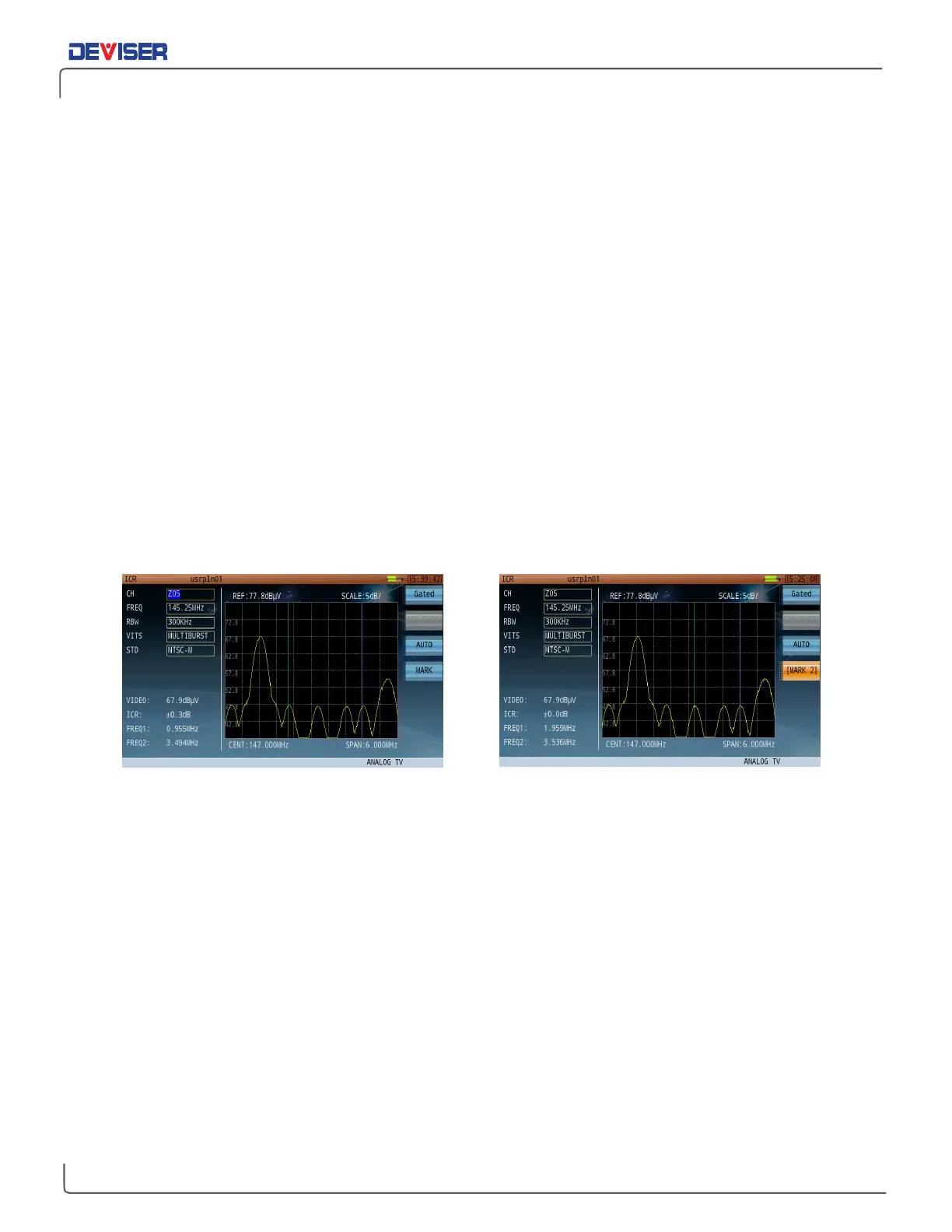
ICR – Full Field Multiburst Signal ICR – Marker Operation
Markers can be used in either auto or manual mode. Toggle between them by pressing
Auto
(F3). In Auto
mode, the DS2831 will automatically detect the higher and lower levels and display measurement results. In
manual mode, the
Mark
function (F4) is now enabled. Pressing the F4 repeatedly to cycle between Marker
1 and Marker 2. Use the rotary knob to move the marker to the desired frequency.



 To Next Page