15-2 Cable Modem Tools
15-2.1 Cable Modem Info
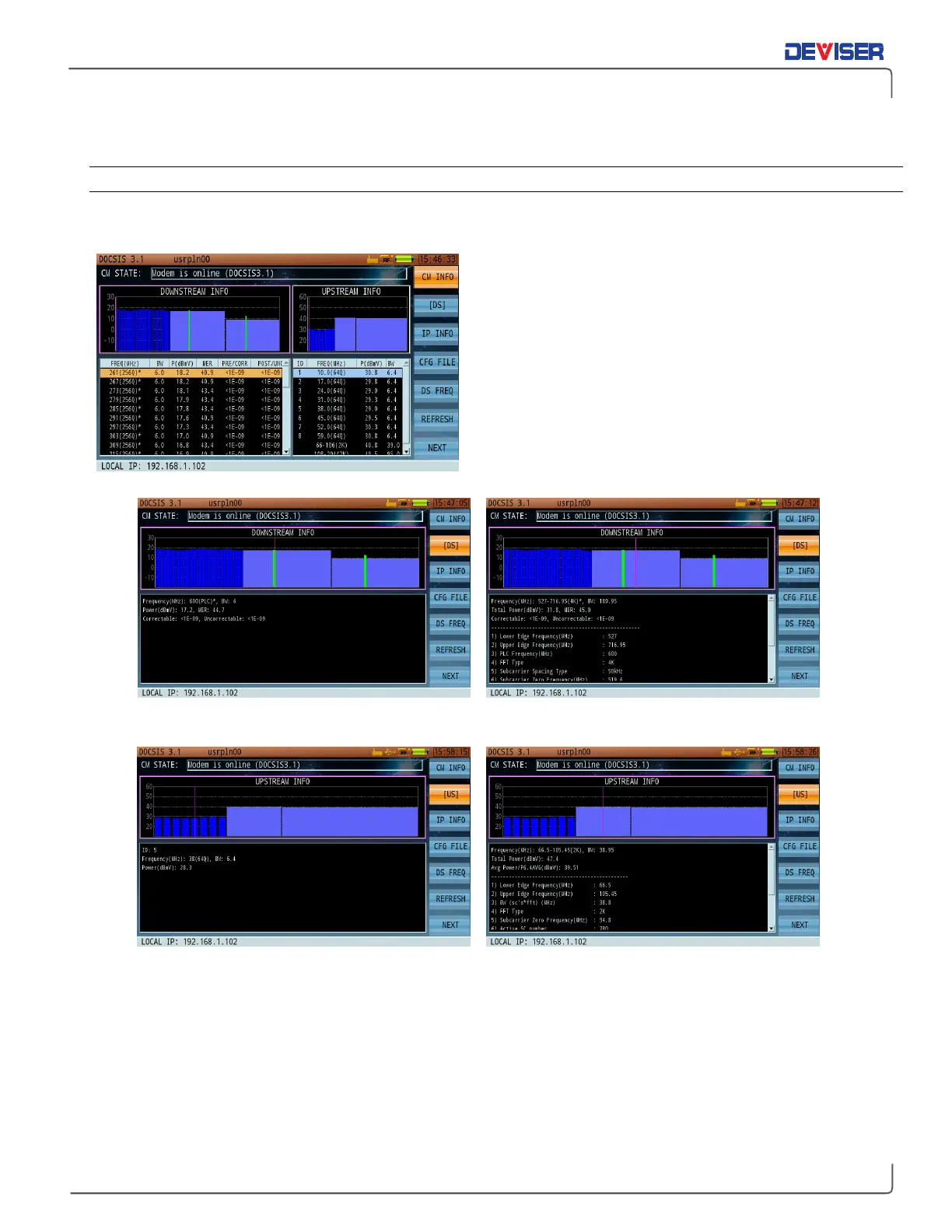
Once the CM has registered, press
CM Info
(F1) to display downstream/upstream RF signal status.
The CM registration status, signal type, and DOCSIS
standard are displayed at the top of the screen.
Downstream/upstream list parameters are displayed in
the 2 panes at the bottom of the screen. Press
DS
/
US
(F2) to toggle between downstream & upstream info
for QAM and OFDM modulation parameters.
Downstream details include frequency, signal level,
modulation mode, S/N, symbol rate, & pre/post BER.
Upstream details include channel ID, frequency, signal
level, modulation mode, and bandwidth.
Downstream QAM (left) and OFDM (right) data
Upstream QAM (left) and OFDM (right) data



 To Next Page