Part III: Background and Concepts
The active video image resulting from the scanning always has an aspect ratio (horizontal/vertical) of 4/3,
regardless of the video format. The color composite video signal shows that the scanning process requires
some additional room on the left and right sides of each line, as well as on the top and bottom, of the
active video image region. This additional room includes the synchronization signals, color bursts, and other
format-specific information, like the ITS, which are not part of the active video image. Approximately 90% of
all the lines, and 80% of each line, can transmit the active image information. The exact values depend on
the video format, as shown in the table above.
"Active Lines" represents the number of lines that are actually used to transmit the image information. For
example, only 480 lines out of 525 lines per frame transmit the image information in NTSC. Likewise, on each
line, the image information is transmitted only during the active lines sequence, which is shorter than the
entire line duration. For example, of 63.55 µs, only 52.2 µs are the active line duration in NTSC. Frame rate is
the scanning speed.
26-2 Principles of Interlaced Scanning
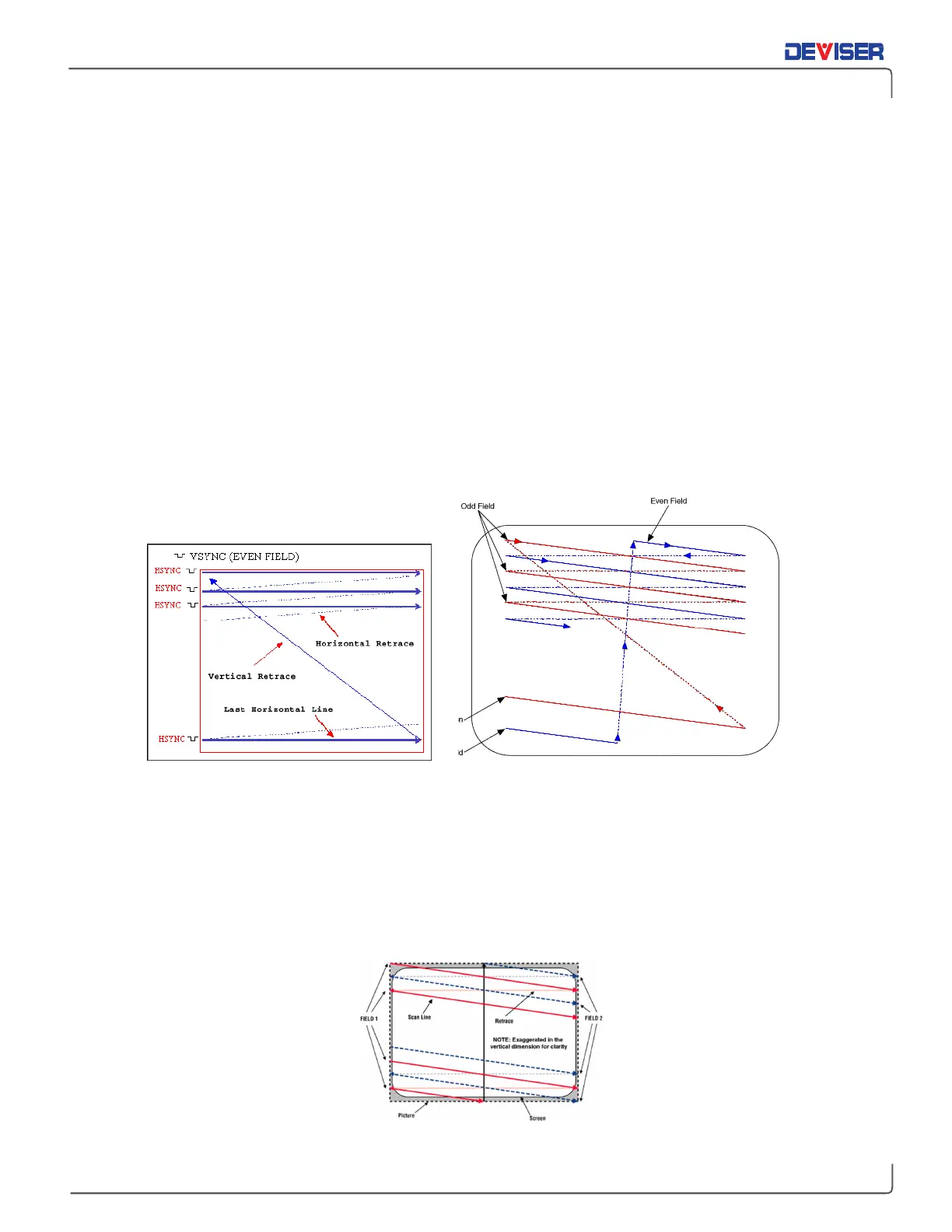
All composite video systems display the video image on a TV screen using an interlaced scanning
technique. The figure below depicts the concept of interlaced scanning.
Video Scanning Interlaced Scanning on a TV Screen
The analog video signal includes synchronization pulses that control the scanning line by line from left to
right and field by field from top to bottom. The pulses that control the line-by-line scanning are called the
horizontal synchronization pulses (H-Sync). The pulses that control the vertical scanning are called the
vertical synchronization pulses (V-Sync).
Two interlaced fields compose a complete frame. The first field, called the odd field, scans the odd lines of
the video image. The second field, called the even field, scans the even lines of the video image. The
process repeats for every frame.
Picture Area larger than Screen Area



 To Next Page