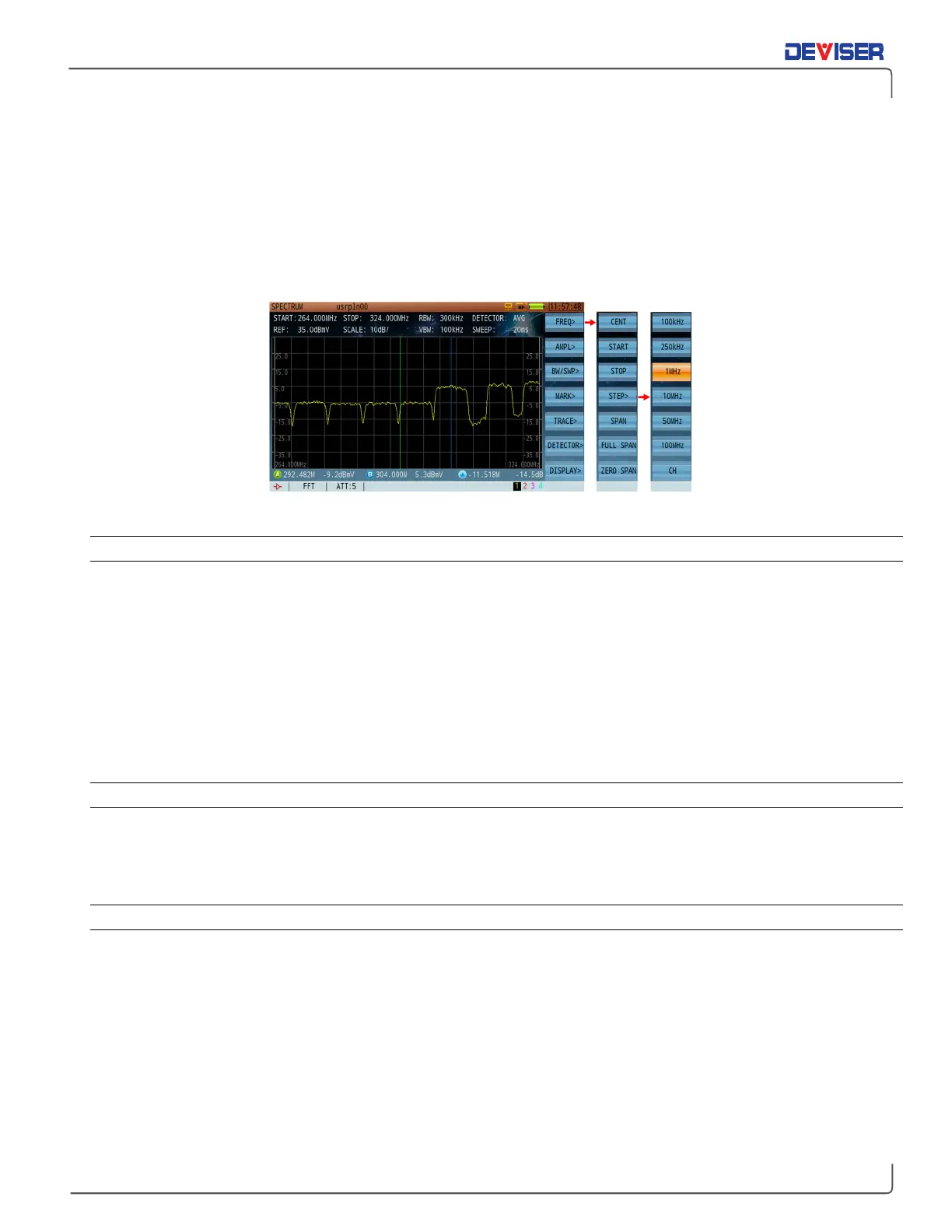
10-1 Frequency Settings
Press
FREQ
(F1) to enter the frequency menu. From there, you can access the various submenus by pressing
F1-F7 (shown below). Some parameters, such as the center frequency (4-1220 MHz, or 4-2150 MHz if the
frequency extension option has been purchased), can be manually entered with the numerical keypad or
adjusted with the arrow keys. The default frequency step is 10MHz but can be manually changed to 100kHz,
250kHz, 1MHz, 50MHz, 100MHz, or CH (based on active channels in the active channel plan). Press the
rotary knob to confirm your setting.
Frequency and Span Setting Menu
10-1.1 Span Settings
In the same submenu for Frequency, press
Span
(F5) to set the span with the numerical keypad. You can
also adjust the current value with the arrow keys (10 MHz step). Press the rotary knob to confirm. (Max span
range is 0-1216 MHz, or –2146 MHz if the frequency extension option has been purchased). The span can
also be set automatically by dialing in the start/stop frequency.
10-2 Amplitude Settings
Amplitude settings include reference level, attenuator, unit & scale reference, and pre-amplifier on/off.
10-2.1 Setting the Reference Level
The reference level can range from -80 ~ +70dBmV and is displayed at the top of the display window (REF).
In the amplitude submenu, press the
Reference
(F1), then use the arrow keys to change the reference level
value in steps of 10dB.
10-2.2 Setting the Attenuator
There are two ways to set the attenuator: manual or automatic. In manual mode, an asterisk (*) will appear
before the attenuator icon at the bottom of the screen.
In the amplitude submenu, press
ATT>
(F2) to enter the attenuation submenu. If the attenuator is currently
set to automatic, press
Auto
(F1) to toggle it to manual, or vice-versa. To manually control the attenuator,
set it to Manual and press
Input
(F2) to input the attenuation value with the numerical keypad (within 1dB).
Press the rotary knob to confirm your selection. Press
INC
(F3)or
DEC
(F4) to increase or decrease the value.
The adjustable range of the attenuator is 0- 30dB. Pressing the arrow keys adjusts attenutation by 5dB.



 To Next Page