Part II: Settings and Measurements
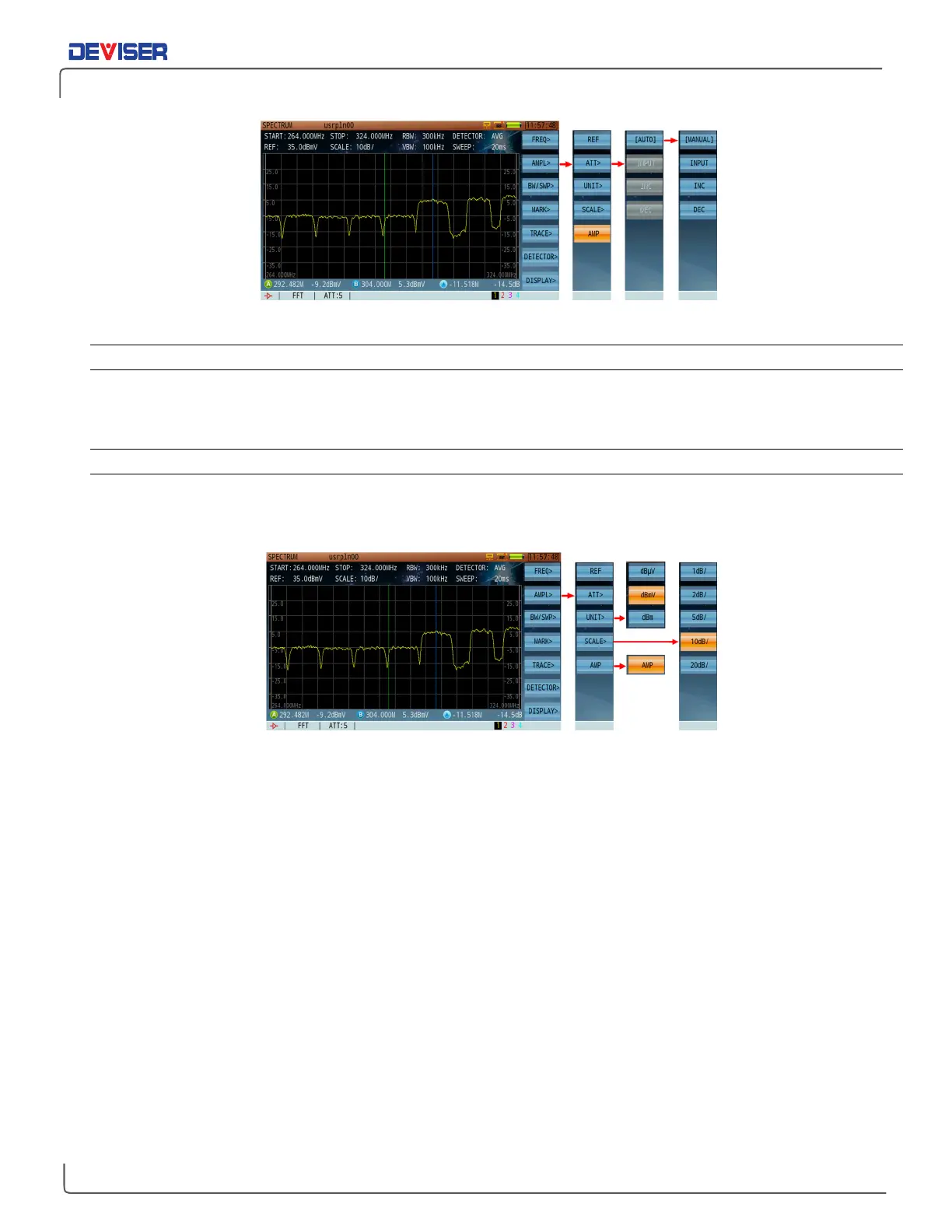
Amplitude Setting Menu - Attenuator
10-2.3 Setting the Pre-Amplifier
Press
AMPL>
(F2), then
AMP
(F5) to toggle the pre-amplifier ON (orange) and OFF (blue). When the pre-
amplifier is on, an amplifier icon will appear at the lower left corner of the screen.
10-2.4 Setting the Amplitude Scale and Unit
Press
AMPL>
(F2) and then
Scale
(F4) to open the scale setting sub-menu. The default value is 10dB/division.
Divisions of 1, 2, 5, 10, and 20dB are available.
Amplitude Setting Menu – Unit, Scale & Amplifier
Still in the Amplitude menu, press
Unit
(F3) to open the unit setting sub-menu. You may choose dBµV, dBmV,
or dBm. For your convenience, conversion factors are listed below.
dBm = dBµV - 108.8
dBmV = dBµV - 60
dBm = dBmV - 48.8



 To Next Page