Chapter 2: Instrument Overview
This chapter describes how to get started with the DS2831 Digital TV Spectrum Analyzer. Topics covered in this
section include:
•
Overview of instrument panels, display, and operation
•
Changing measurement modes and applications
2-1 Unpacking the DS2831 Instrument
When unpacking your DS2831 instrument for the first time, it is recommended that you follow these steps.
1.
Open the package carefully. Check the box and packing material; keep them for potential future
servicing of your product. If the packing material is damaged, the product may have sustained
damage during shipping; please proceed with caution during the following steps. Keep detailed
records and pictures of any physical damage to the box or the equipment inside. Remove the
instrument, and search for any physical damage that could have occurred during shipping. Follow
the stated instructions upon initial power-up. If repairs are required, contact your nearest Deviser
Instruments Inc. representative.
2.
Check that all accessories and materials are accounted for. If accessories or other components are
missing, contact your nearest Deviser Instruments Inc. representative.
3.
Connect the power supply to the instrument. Charge fully before using.
For a comprehensive list of compatible accessories, see Section 1-2.
2-2 Powering On the DS2831
To turn on the DS2831, press and hold the On/Off button on the
front panel (see diagram in Section 2-3) for approximately 1-2
seconds. The instrument will take approximately 60 seconds to
complete power warm-up and load the application software.
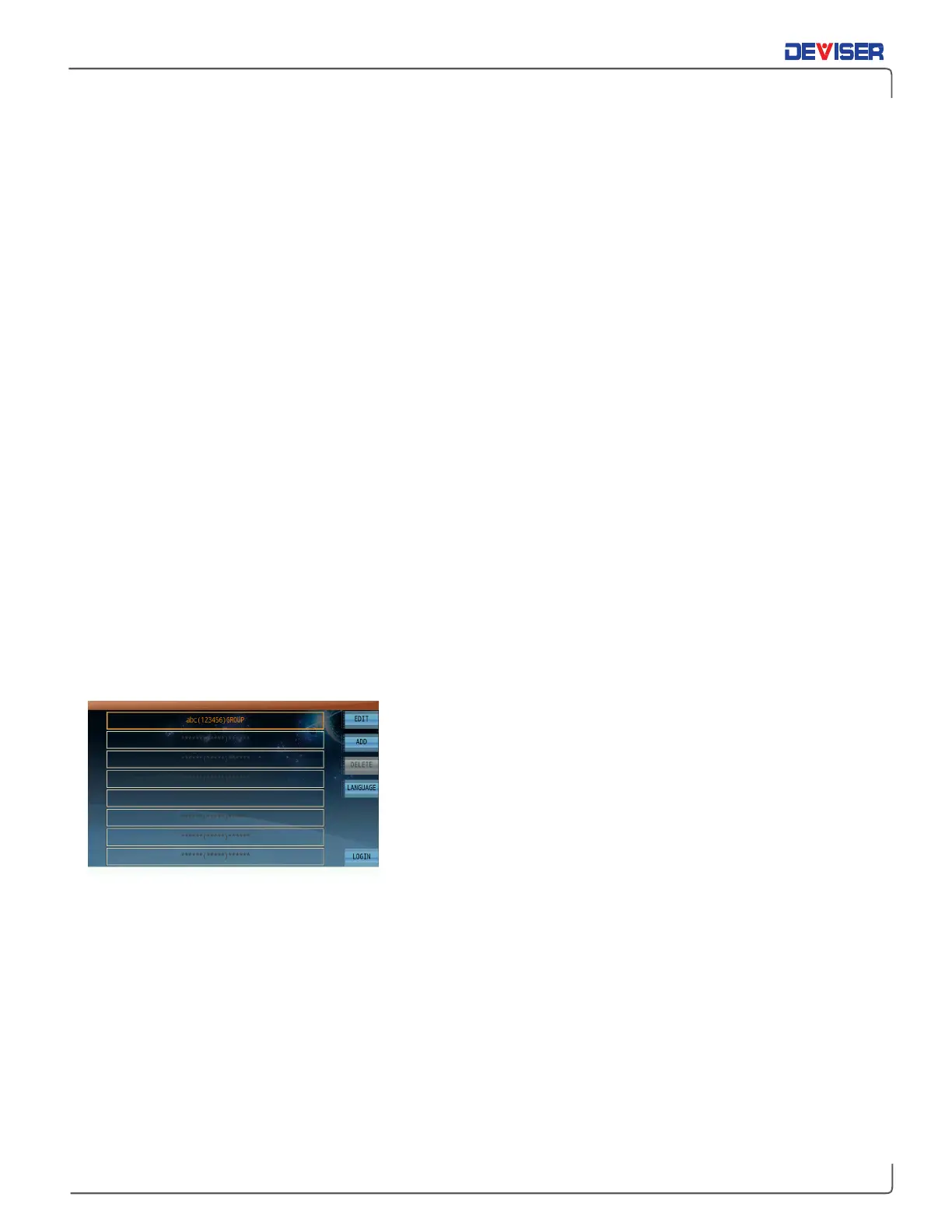
When finished, the user profile screen will appear (left).
On this screen, you can login to an existing user profile, which will
apply the channel plan associated with that profile. You can also
edit the user’s name, ID, or company by tapping
Edit
; add or
delete users; or change the system language. Tap
Login
to
continue to the
home menu
and select a measurement mode.
NOTE:
If desired, you may disable the multi-user startup menu, proceeding directly to the Home menu upon
booting up the instrument. See Section 30-2.5 for instructions.
To power the device off, press the On/Off button briefly and select
Power Off
. You can also set the device
to
Standby
mode, which reduces boot time and power consumption while the unit sleeps.
Press the button and select
Reboot
to restart the instrument software. Press the green Esc key (below the
function keys, F1-F7) to exit the dialog instead.



 To Next Page