Part IV: System Functions
Chapter 30: System Settings
This chapter provides instructions for DS2831 system settings and features. To access the settings menu, press the
SETUP
button along the bottom of the screen. There are three main settings tabs:
About, General,
and
Measure
.
30-1 About (System Information)
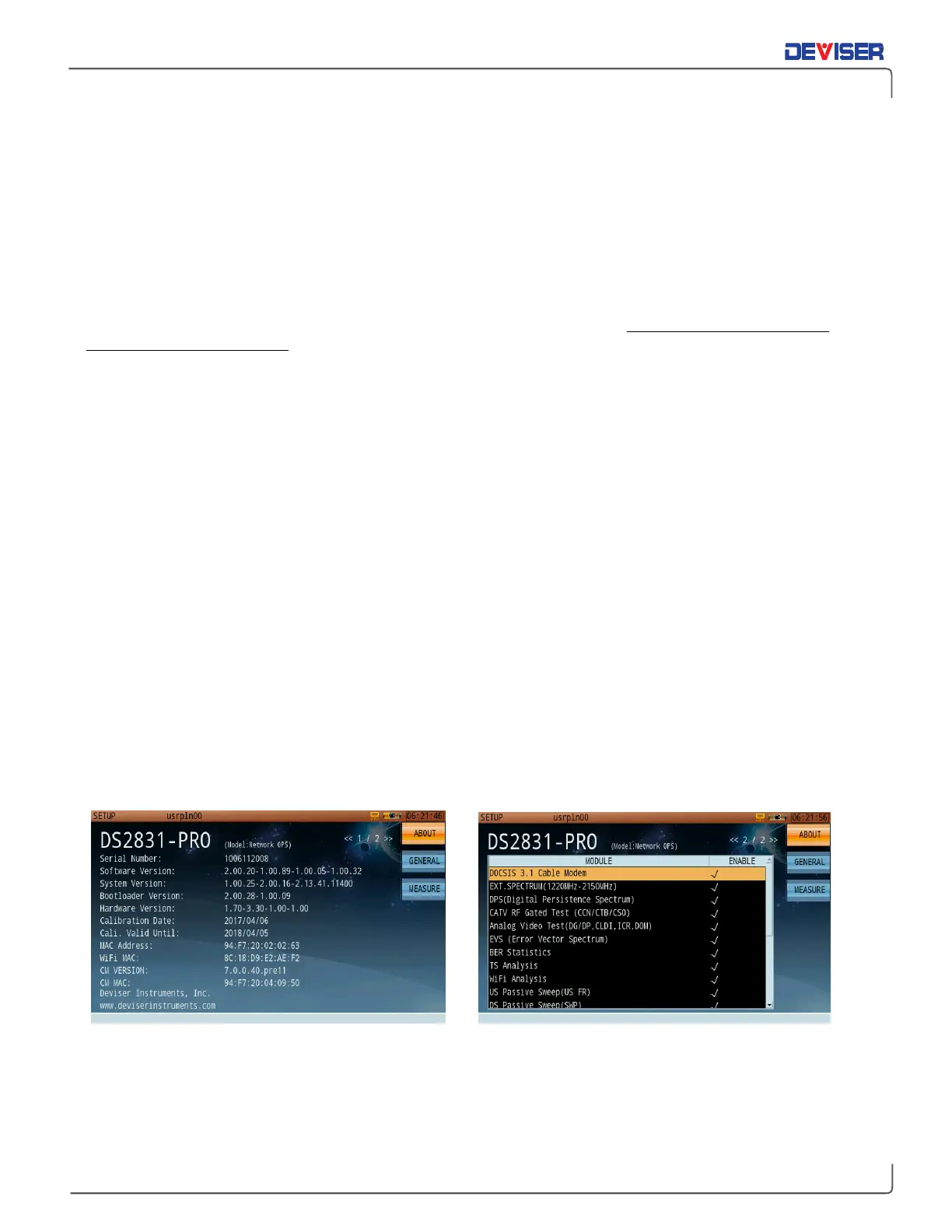
The About tab lists information about the DS2831 system configuration, including the serial number, date of
last calibration, and version numbers for various installed firmware modules. This information is crucial for
troubleshooting procedures.
Here, you will find:
There are two pages to the About screen. Use the rotary knob to change pages.
Page 2 contains a table listing all measurement option modules available on your DS2831. The righthand
column contains a check mark for each module that is currently enabled on the instrument. Consult this
page to see what options you have currently activated.
Activating Purchased Options
Software-activated options that you order at the time of purchase will come pre-enabled on your DS2831
instrument. However, to enable a purchased option in the field, scroll to page 2 of the About screen (below
right). On the data keypad, enter the sequence:
1 2 3 4 5 6
.
A dialog box will appear. Enter the activation code provided by Deviser when the option was purchased
and press OK. The instrument will automatically restart. If the code was not correct, the message “Code
Error” will appear; check the code and try again, or contact Deviser Instruments.



 To Next Page