Part IV: System Functions
Chapter 32: Saving Data
The ability to save and manipulate data is a key feature of using the DS2831 Digital TV Spectrum Analyzer.
From the Save dialog– accessible by pressing the
Save
( ) key under the display – you can create
screenshots of the current display, record detailed tables of measurement data, or generate printable work
orders with the click of a button. Saved files are automatically stored in the system’s 1GB internal hard drive.
At maximum capacity, this drive will hold approximately 2,000 saved screenshots and setup files.
Once saved, files be renamed, moved, or deleted as the user wishes. See Chapter 30: File Management for
detailed instructions.
32-1 Screenshots
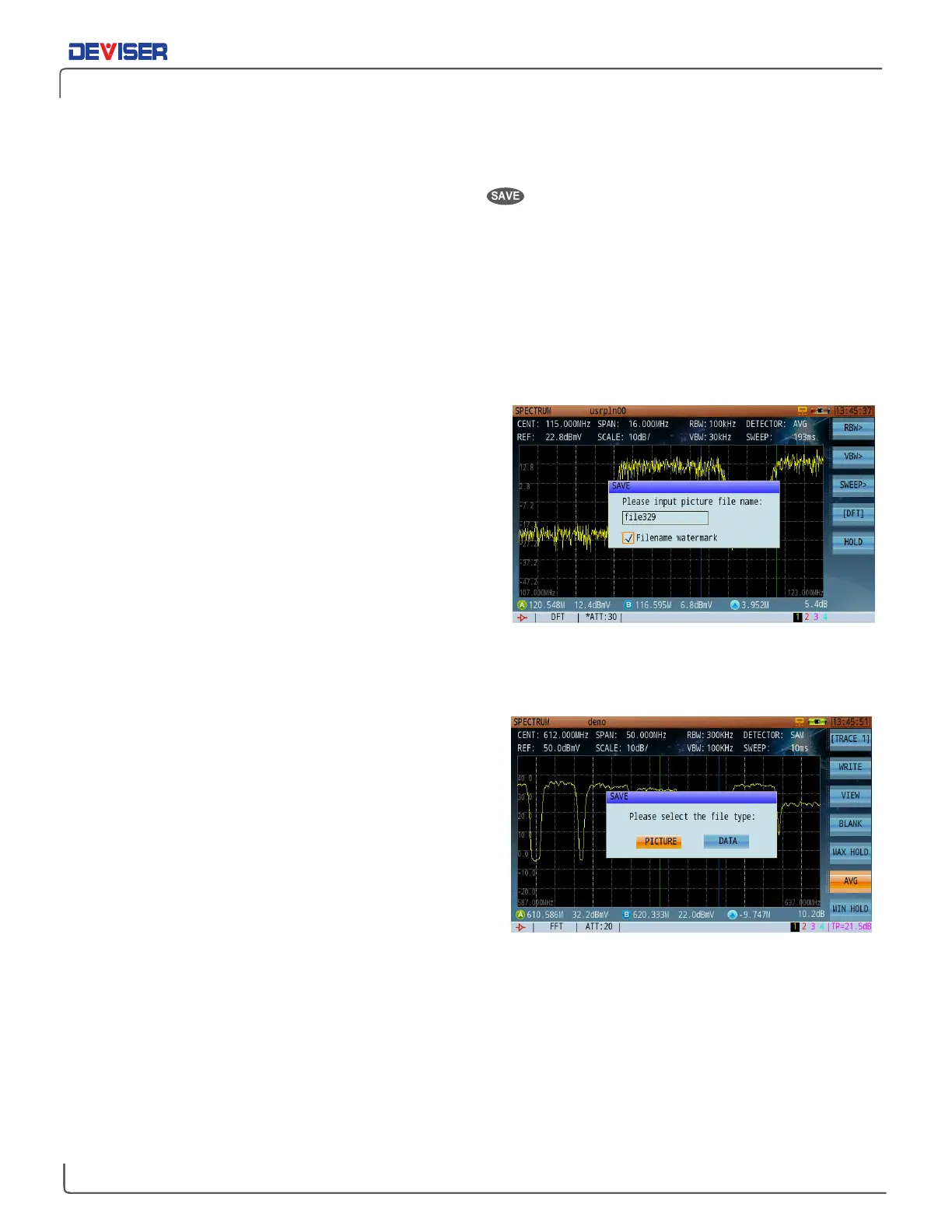
You can save nearly any moment of DS2831 operation to
an image, including tests, menu navigation, data tables,
system settings pages, file management, and more.
Simply press the
Save
key to open a dialog (shown right).
If prompted, use the rotary knob to select PICTURE.
Use the alphanumeric keypad to input a filename. (See
Section 2-5 for control instructions.) You may also check
the
Filename Watermark
box, which imprints the
captured image with its own filename, helping to easily
identify the image afterward. Finally, turn the rotary knob
to highlight
Save
and click the knob to confirm.
32-2 Measurement Data
Saving measurement data is much like saving an image.
Just press
Save
while a DS2831 measurement application
is active, then use the rotary knob to scroll from PICTURE
to DATA and click to confirm.
Saved data includes all measurement information
available: test parameters, system serial number and
software info, the time and date (remember to set the
system clock in Setup – see subsection 29-2.3), and even
individual data points.



 To Next Page