Part IV: System Functions
30-2.8 Factory Reset
Here, you can reset all parameters and return the instrument to initial factory settings for a fresh start. Use this
feature with caution to avoid erasing a preferred configuration.
User profiles, saved measurement data, and
current firmware version are not affected.
When you highlight this page, a confirmation prompt will appear. Press the rotary knob button to confirm the
factory reset process. The instrument will reboot.
30-3 Measure Settings
The third settings menu,
Measure
, includes miscellaneous settings for various measurement functions.
30-3.1 Level Unit
On this page, you can select the default unit in which signal magnitude measurements are displayed. Use
the arrow keys or rotary knob to select one of the radio buttons: dBµV, dBmV, or dBm.
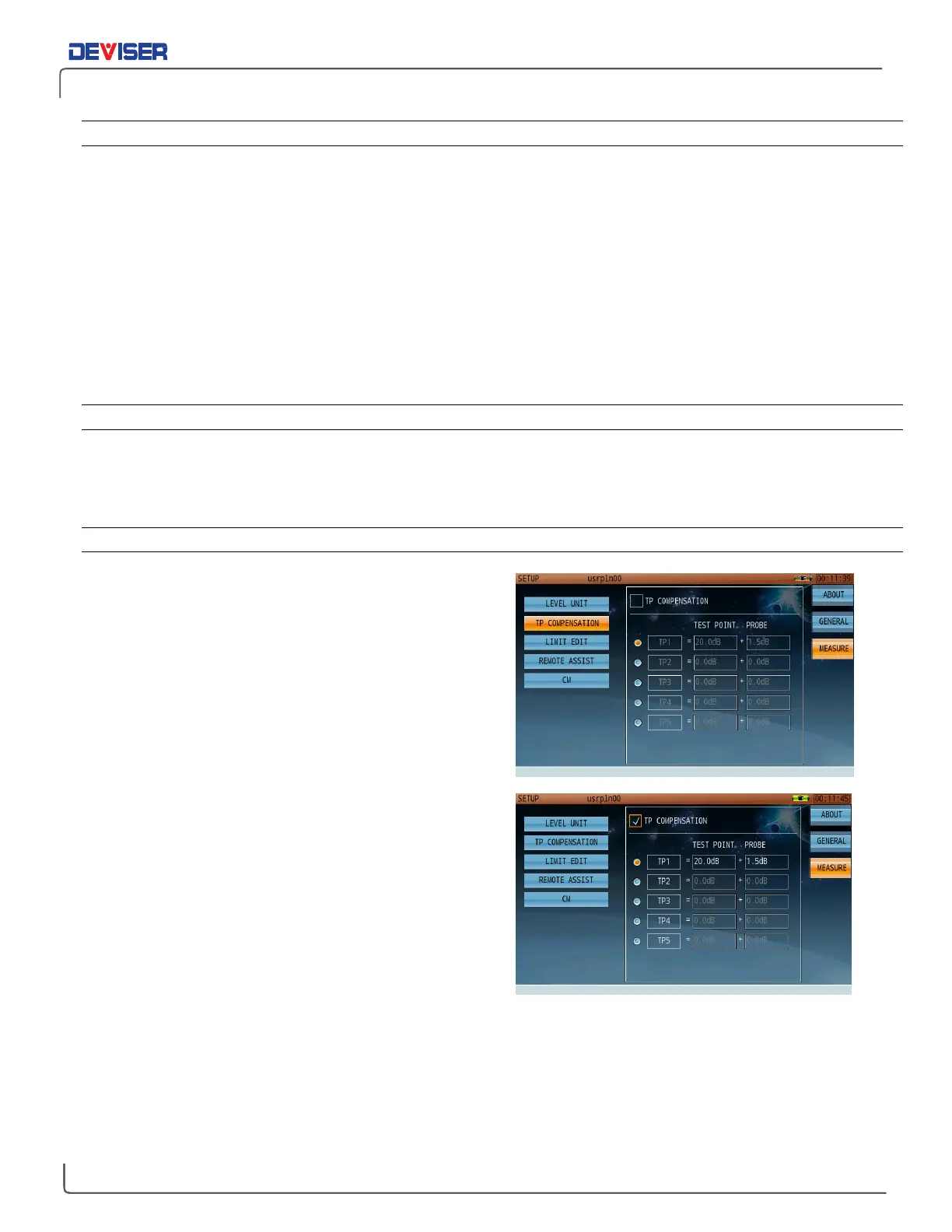
30-3.2 Test Point Compensation
Test Point compensation can be edited and applied only
if
TP Compensation
box is checked.
The typical optical receiver test point loss is 20dB. Older
CATV active equipment, however, may have down test
points of 30dB; if so, the user can input the required
compensation here. (20dB in this example.) Some probes,
along with specific cable lengths, may account for 1.5dB
loss (in this example). The user can input that loss value in
the probe correction box.
In this example, the total correction value is 21.5dB. In the
measurement interface, the unit will display TP=21.5dB in
the status bar at the lower right corner of the screen. After
total compensation, the test result will display the true
network measurement values.
DS2831 users can set up a maximum of five groups of TP
compensation values. At different positions, user can
active different TP compensation values.



 To Next Page