Part II: Settings and Measurements
5-7 Downstream Passive Sweep
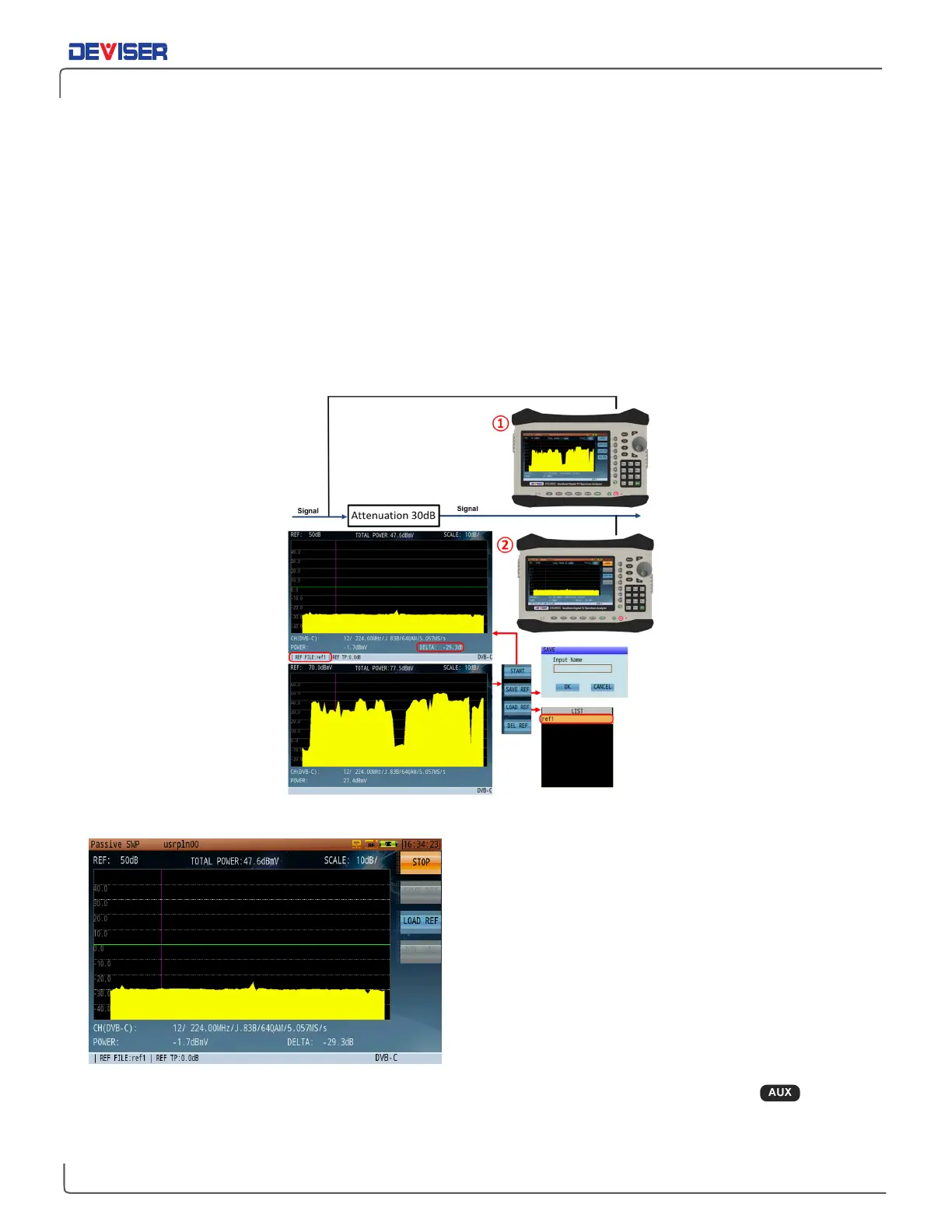
Use Passive Sweep mode to save spectrum data as a reference trace for later comparison. Up to 8 trace
records can be saved to the DS2831 as reference traces. This feature is primarily used when an active
sweep reference generator is not in use at the HE or hub. Press
Start
(F1) to begin the measurement.
When a reference trace has been saved by pressing
Save Ref
(F2), (it will appear at the top of the screen
to indicate this), it can be compared to a live trace downstream from a location at which the live trace is
being measured. Press
Load Ref
(F3) to open a list of reference traces saved to the internal hard drive. Use
the rotary knob to select one.
The following figure is a comparison of two traces, before and after passing through a 4-way splitter. The
amplitude shown by the marker is equal to the differentials of the two traces.
Diagram of Passive Sweep
As
above, first connect the DS2831 to the input terminal of a
splitter. Depending on the splitter used, we can see that the
differential value is equal to the splitter port loss of an equal
dB value. Begin a channel sweep measurement, and save
the trace result as a reference. Then switch the DS2831 to the
splitter’s output port, and initiate a second channel sweep.
Compare the live measurement with the saved trace. We
can see that the differential value is -7.1dB, which indicates
that the signal has been attenuated 7.1dB – including 7dB
attenuation for the splitter, connector attenuation, and
signal fluctuation.
TIP: In Channel Scan, position the marker to a specific digital channel, then press the Aux ( ) key to
view the channel scan and QAM analysis side-by-side.



 To Next Page