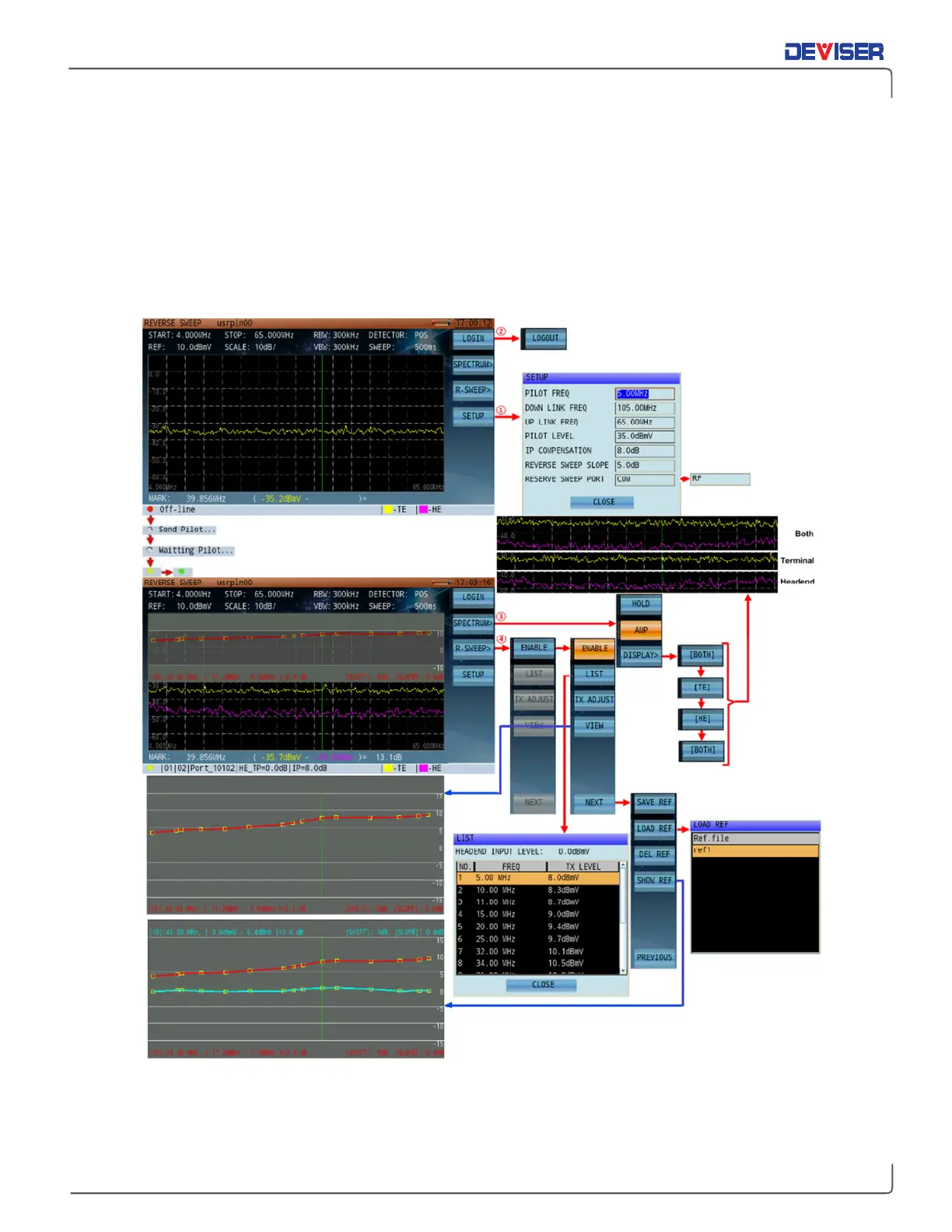
The DS2831 features two ways to sweep the reverse path. The first, “Active Reverse Sweep”, works in
concert with the Kingstone monitoring platform.
1.
On the DS2831, set up measurement parameters for reverse path sweep.
2.
Log in to the DS1610 “KingStone” to activate reverse path sweep.
3.
View measurement traces simultaneously at the DS1610 (as it is viewed locally at the HE) and the
DS2831 (as viewed in the field). Compare traces for level and Frequency Response delta.
4.
Transmit the US sweep signal, store a reference, move to another location, and compare the stored
reference with the live reference.
5.
View sweep reference traces simultaneously with Spectrum Analyzer traces on the same screen.



 To Next Page