Chapter 5: Analog TV
In this chapter, we discuss the DS2831’s powerful suite of Analog TV signal measurement applications –
including the Channel Measurement, Analog FM, FM Demodulation, HUM Modulation, Channel Scan,
Passive Sweep, and Tilt functions.
5-1 Channel Measurement
In this mode, the DS2831 measures the basic parameters of a channel. Currently-supported channel types
are analog TV, analog FM, and DVB-C. Note that the channel measurement menu (along the right side of
the screen) displays different settings depending on the channel type being measured.
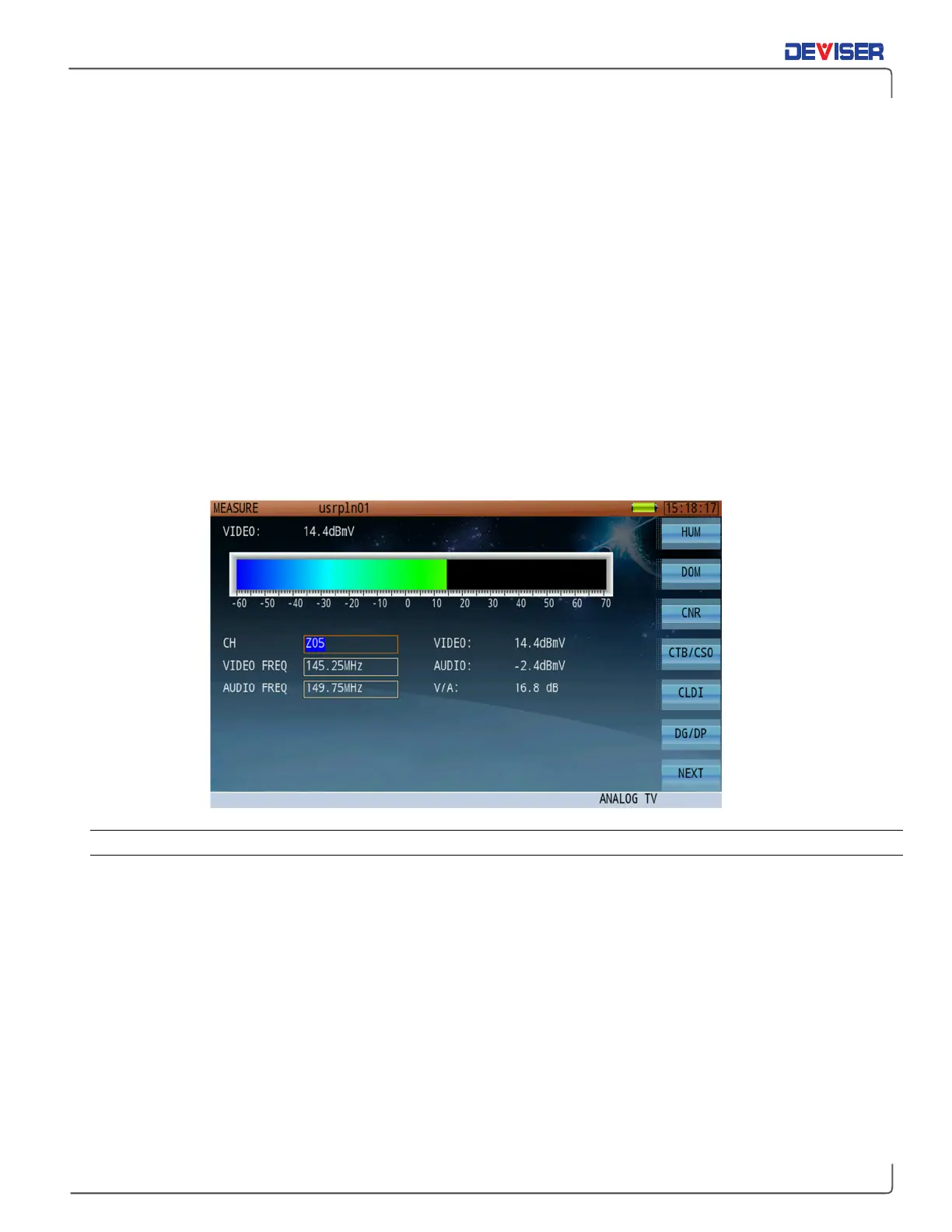
The Analog TV application (shown below) can be used to read audio and video levels and V/A. A color-
coded bar indicates the signal level of the video carrier (red and yellow indicate higher levels).
Use the rotary knob to highlight the channel number, video frequency, and audio frequency fields, then
enter your desired values with the data keypad. You can also use the arrow keys to adjust the current
values, such as moving to the next active channel in the channel list.
5-1.1 Settings
Channel: The channel to measure. Select any active analog or digital channel in the active
channel plan.
Video Freq: Input range 5-1200 MHz.
Audio Freq: Input range 5-1200 MHz.
Button Operation
HUM: Switches to hum modulation function.
DOM: Switches to Depth of Modulation function.
CLDI: Switches to Chrominance-Luminance Time Delay Inequality function.
DG/DP: Switches to Differential Gain/ Differential Phase function.
ICR: Switches to In-Channel Frequency Response function.



 To Next Page