Part IV: System Functions
33-3 Work Orders
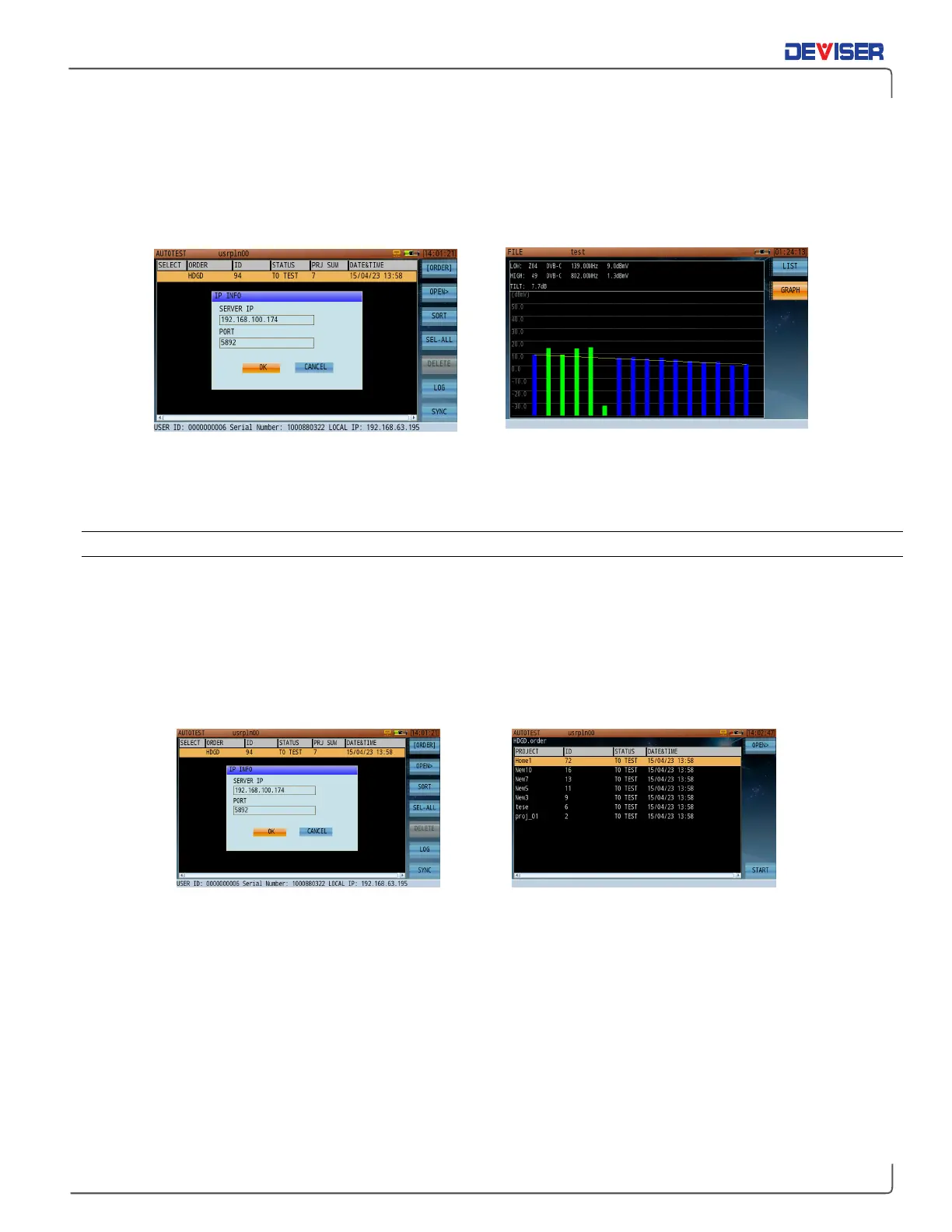
A work order can include multiple projects. The attributes of each project are listed in the work order
interface, which include: project name, work order ID, work order test status, the total number of projects in
the work order, and the date and time when the work order was created.
Syncing work orders with EDGE Reviewing saved project results (tilt measurement)
Work orders are created in EDGE, Deviser’s asset & test data management system. For detailed instructions
on customizing work orders for use with the DS2831, refer to the Deviser EDGE user guide.
33-3.1 Syncing with EDGE
Enabled by option only, the Deviser EDGE platform supports DS2831 field users with numerous data
management functions, including data sync. Once the connection is established, you can sync all device
information (including work orders) with the EDGE server.
Deviser EDGE is a web based cloud server application. To work with EDGE, the DS2831’s Certificate and Asset
Management options must be enabled. These options allow EDGE to recognize the instrument and manage
data. Contact Deviser Instruments for details.
TIP: With each sync operation, the EDGE server automatically updates the DS2831’s internal clock.



 To Next Page