Part II: Settings and Measurements
Chapter 22: WiFi Analysis
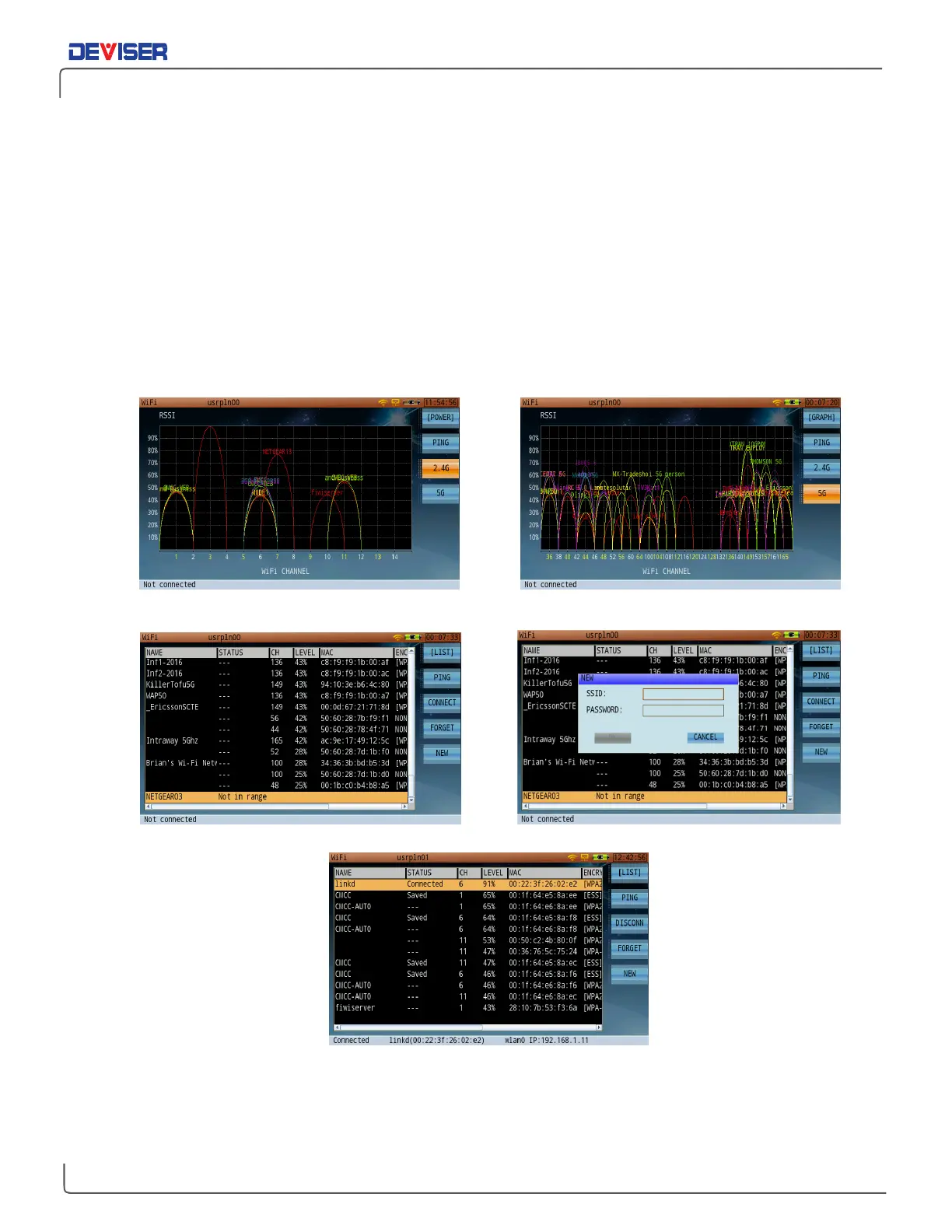
The WiFi analysis mode is primarily used to display the surrounding WiFi channels, their SSID, their designated
channel within the WiFi band used, and their relative amplitude level from the DS2831 location. (See the
figures below for the graphical interface.)
The WiFi Analysis function has two display modes:
graphical
and
list
. The list mode shows the name, status,
channel, relative signal strength, MAC address, and encryption method of the SSID carriers detected.
Users can select a hotspot to connect to in the list page. If a successful WiFi connection is established,
network tools such as Browser, PING and TRACEROUTE can be used.
Currently, the WiFi analysis function supports WLAN of 2.4G and 5G.
2.4GWiFi Channel - Graphical Display 5G WiFi Channel - Graphical Display
WiFi Channel - List Display Add New WiFi Network
Connected Network Status



 To Next Page