Part II: Settings and Measurements
Chapter 4: Channel Plans
Controlling and managing channel plans is a crucial component of HFC network maintenance, among
other tasks common to cable & broadband technicians. Press the
CH
button located below the DS2831
display to open the channel plan manager utility.
The channel plan manager is separated into two panes. Turn the rotary knob to switch between them, and
press the arrow keys to move up and down.
•
The
left
pane lists a total of 16 user plans (up to 100 plans may be stored on one DS2831) that can
be individually edited. By default, they are named “usrpln00” through “usrpln15”, but can be
renamed as the operator desires. An asterisk (*) marks the channel plan currently in use.
o
It is possible to overwrite the active plan. Exercise caution when editing.
•
The
right
pane lists details on the selected channel plan, including type and frequency info.
4-1 Creating a User Channel Plan
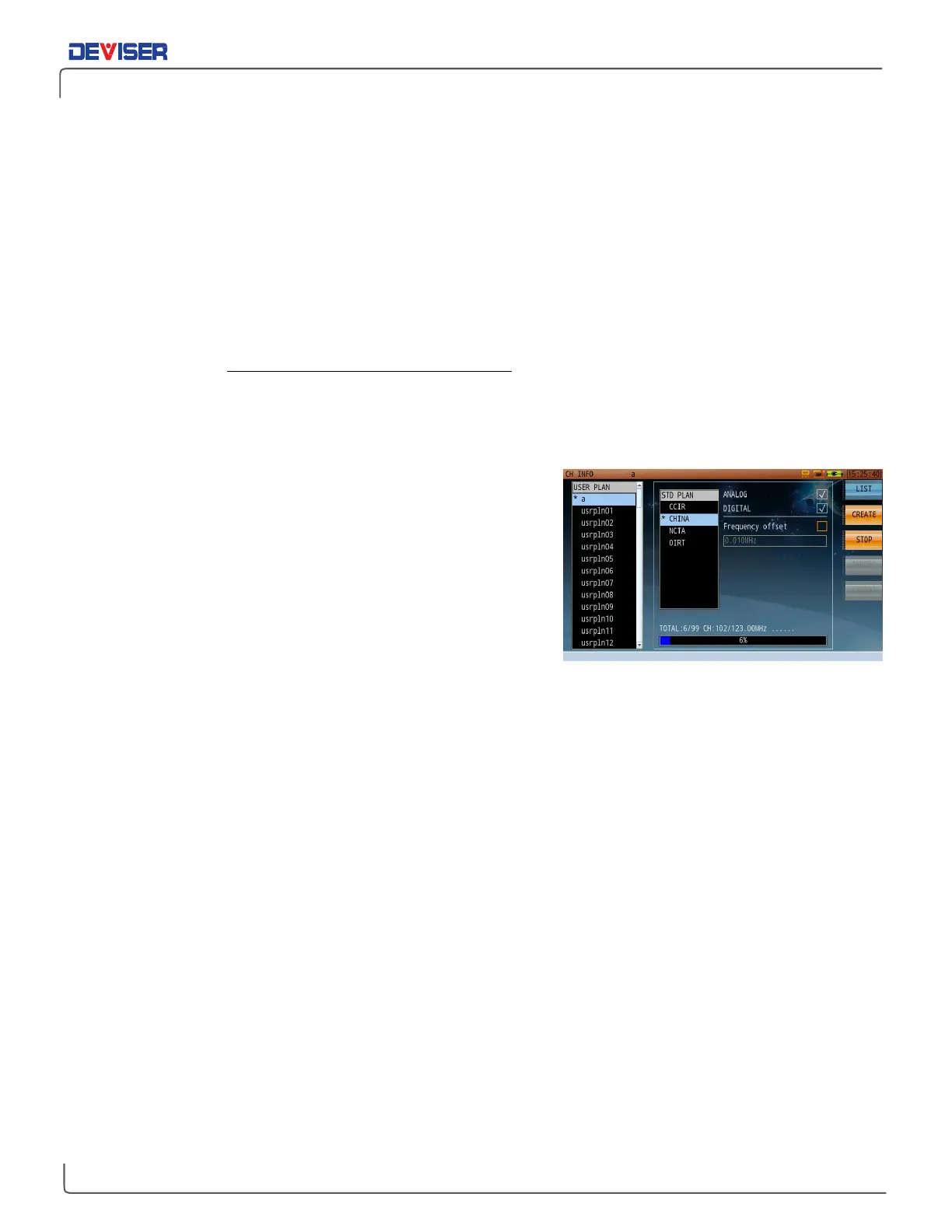
In the plan manager, press
Create
(F2) to change the right-
hand pane to a user plan creator. Use the rotary knob to select
a plan template according to your global region: CCIR, CHINA,
NCTA, or OIRT. (For example, operators in North America will
select NCTA.)
You may then choose a mode. Fast Mode scans through all
analog and digital channels, measuring the carrier levels to
verify the presence of each channel. Normal Mode includes
an extra step of demodulating every digital channel to check
its locking ability and internal configuration parameters, adding
this information to the new channel plan. Normal mode takes slightly longer to generate.
Place checks in the Analog and/or Digital checkboxes to indicate which channel types the new plan will
include.
The DS2831 features an automatic channel plan builder. It will identify the peak signal levels and available
analog carrier frequencies, as well as identifying digital carriers. Press
Start
(F3) to begin a local scan and
auto-generate the channel plan. Channel auto-detection takes approximately 2 minutes on a fully loaded
spectrum.
Note that some cities use channel plans that are inconsistent with the standard. These plans may exhibit
some frequency offset compared with standard plans. In this case, the ”Frequency offset” option provides
a simple solution for creating nonstandard channel plans to match local needs.
Once your channel plan has been generated, please verify that all channels in the created plan match
your system’s channel plan by having a check mark beside every active channel. In some cases, it is
possible for channels to be omitted.
When finished, press
List
(F1) to return to the channel plan list.



 To Next Page