Part II: Settings and Measurements
9-5
PCR Analysis
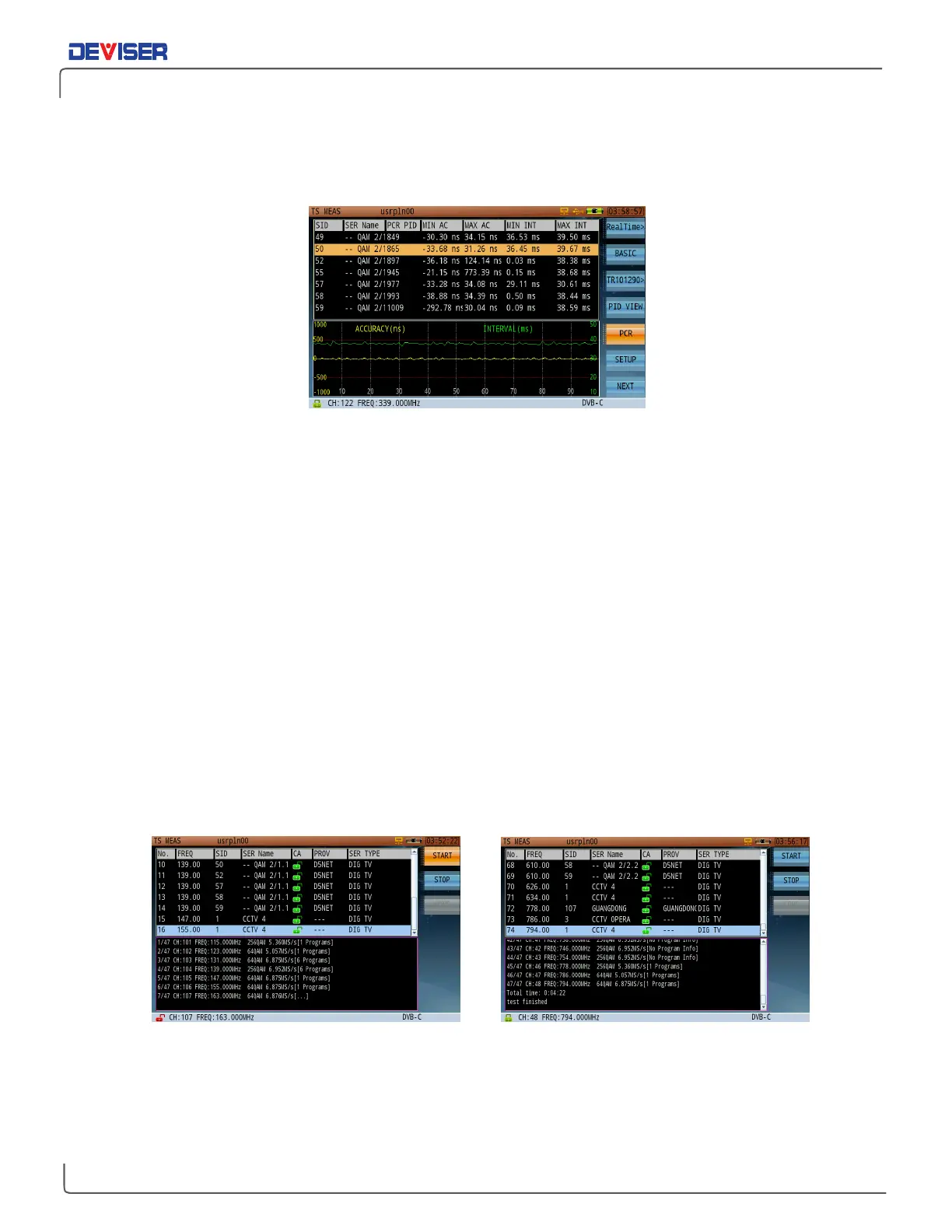
Displays the PCR accuracy and PCR interval of the selected program.
PCR Accuracy and PCR Interval Analysis
As shown above, the top half of the screen displays detailed PCR information in one transport stream,
including PCR PID, min/max accuracy and min/max interval. If the PCR doesn’t exist, ‘---’is displayed.
(Different programs can have the same PCR and/or each program can have its own PCR.)
Use the arrow keys to choose programs in the top half of the screen. PCR accuracy and PCR interval traces
display in the same area. The left vertical coordinates shows PCR accuracy coordinates in ns. The right
vertical coordinates shows PCR interval condinates in ms. Two red lines show the PCR accuracy limits. PCR
accuracy of the selected program should be within ±500 ns, and PCR interval between 0~40 ms.
9-6
Program List
Lists program information in ascending order of frequency in the current transport network. Available info
includes program number, frequency, SID, service name, CA, provider, and service type. Depending on the
encoding method, the program information may be displayed differently, so you might see the program
information of the selected frequency, or the program information of all frequencies. The CA may be
different from the real-time and PROG INFO subfunctions because they acquire the CA value differently.
The CA of this subfunction is retrieved from TS directly. Users can quickly find the corresponding channel
frequency program. When troubleshooting, the field engineer can more easily identify which QAM carrier
to focus on based on the particular program complaint from the customer.
Creating Program List Complete Creating Program List
A program list can be saved in the instrument’s memory, so that the next time the instrument is powered on,
users can directly recall the program list by pressing
Start
again. The old program list will be replaced by the
stored program list, even if the new list has not yet completed initialization.



 To Next Page