15-2.5 Log Recording
Technicians encounter a variety of service issues and network environments. When conducting a Cable
Modem test in a new network, certain front-end device settings may cause the CM test to fail. Here, the
technician may turn to the manufacturer's support engineers; but they cannot always obtain the on-site
network device settings. This makes diagnosis difficult. The DS2831’s Log Recording function generates a
complete, detailed record of the connection process, allowing engineers to diagnose issues.
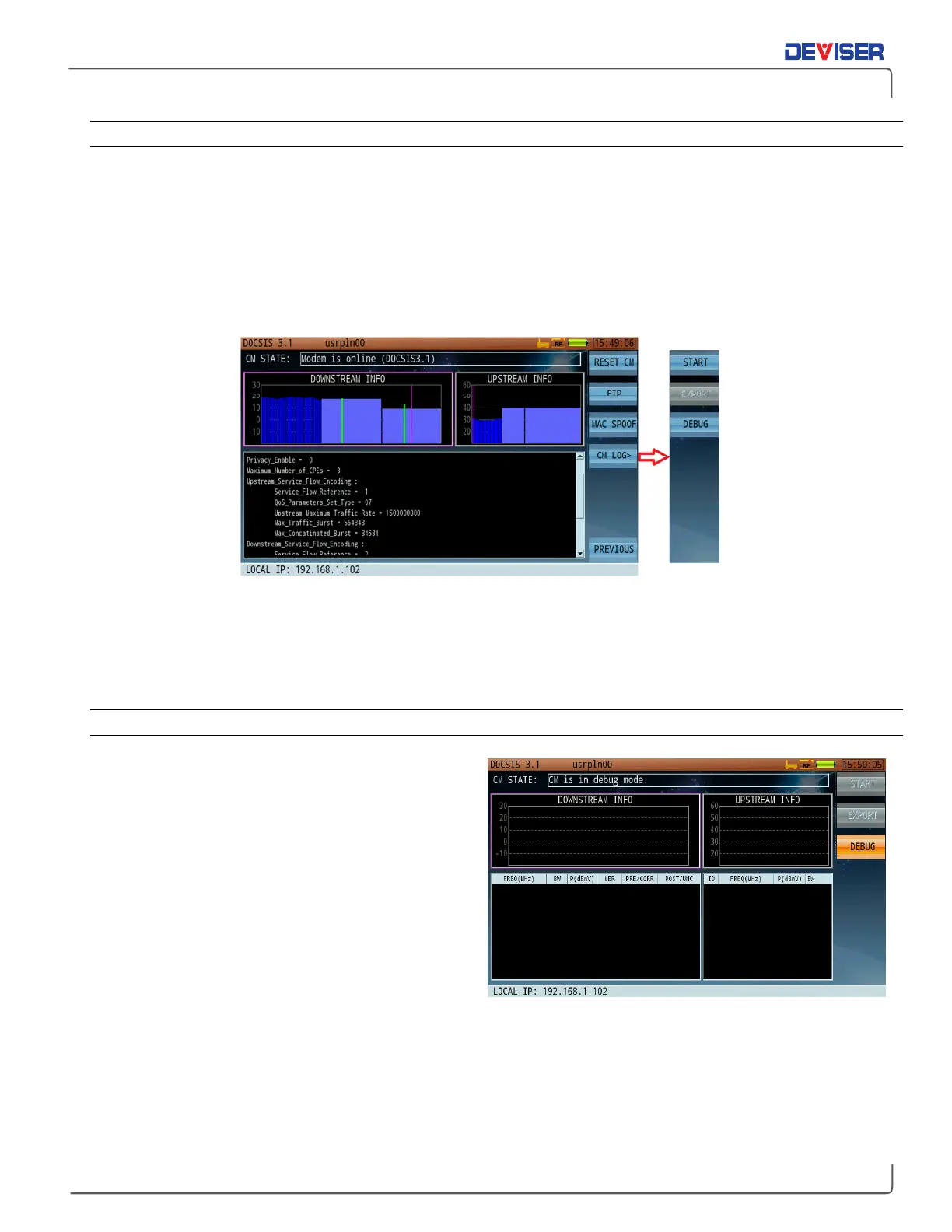
To record a log, start the cable modem and press
Next
(F7),
CM Log
(F4),
Start
(F1). The CM function will
restart the connection and registration process.
Once the test concludes, the data is stored on the DS2831’s hard drive. Insert a USB storage device into the
instrument’s top panel. In the
CM Log
submenu, press
Export
(F2) to copy the log to the inserted drive.
Deviser’s support experts can help interpret the log and diagnose the connection problem – see the end of
this guide for contact information.
15-2.6 Online Debug
The DS2831 includes a tool for directly debugging
cable modem functions. This tool can help field
engineers manage and print CM output data via the
network port, which may aid troubleshooting efforts.
NOTE
: The debug and logging functions (see
subsection 15-2.5) cannot be used at the same time.
In the
CM Log
submenu, press
Debug
(F3) to start
Debug Mode as shown (right). Then, check the local
IP address. Use a PC and Ethernet cable to connect
to the device IP address, using a TCP debugging or
Telnet tool.
The port number is 1001.



 To Next Page